


Picking WordPress hosting is mostly a pricing puzzle, not a technical one. Every plan we could price for this list advertises a first-term rate 50% to 78% below its own renewal rate, and that renewal number is almost never on the page you land on. So this roundup runs two price columns: what you pay to start, and what you pay to stay.
Prices checked August 2026 against each vendor’s own pricing page.
Quick verdict
- Best overall: Hostinger Premium. $2.99/mo held for the whole 48-month term, $143.52 up front, then $10.99/mo. Over four years it is the cheapest dollar-priced plan on this page.
- Gentlest renewal: Bluehost Starter at $9.99/mo, or $119.88 a year. That is the lowest renewal rate among the dollar-priced plans here.
- Best for client work: WP Engine, if an hour of downtime costs you more than the hosting does. Its page showed £25/mo first-year pricing at the check date and publishes no renewal figure.
- The free option does not exist: WordPress.com’s free tier cannot install plugins, which removes most of the reason to run WordPress at all.
- Skip the category if: you want a five-page brochure site you will never touch again. A hosted site builder will nag you less.
- Our call: buy twelve months, put the renewal date in your calendar the same day, and treat a four-year prepayment as something you earn after living with a host, not a decision you make on day one.
WordPress hosting compared: intro price and renewal price
The last column is the one that matters. Note also that the terms are not the same length, which is why a straight per-month comparison across these rows tells you almost nothing: Hostinger holds its rate for 48 months, SiteGround holds its for 12.
| Host and plan | Intro price | Intro term costs | Renews at | Renewal per year | Refund window |
|---|---|---|---|---|---|
| Hostinger Premium | $2.99/mo | 48 months, $143.52 | $10.99/mo | $131.88 | 30 days |
| Hostinger Unlimited | $3.99/mo | 48 months, $191.52 | $16.99/mo | $203.88 | 30 days |
| Bluehost Starter | $3.99/mo | 36 months, $143.64 | $9.99/mo | $119.88 | 30 days |
| Bluehost Business | $6.99/mo | 36 months, $251.64 | $13.99/mo | $167.88 | 30 days |
| SiteGround StartUp | $3.99/mo | 12 months, $47.88 | $17.99/mo | $215.88 | 30 days |
| SiteGround GrowBig | $6.69/mo | 12 months, $80.28 | $29.99/mo | $359.88 | 30 days |
| DreamHost Launch | £1.99/mo | 48 months, £95.52 | £7.99/mo | £95.88 | 30 days |
| DreamHost Growth | £3.49/mo | 48 months, £167.52 | £8.99/mo | £107.88 | 30 days |
| WP Engine Startup | £25/mo first year | 12 months, £300 | Not published | Not published | Not stated |
| GoDaddy | Pricing page was not reachable at the check date | ||||
| HostGator | Prices load dynamically and were not present in the page text at the check date | ||||
| InMotion | Pricing page was not reachable at the check date | ||||
Hostinger
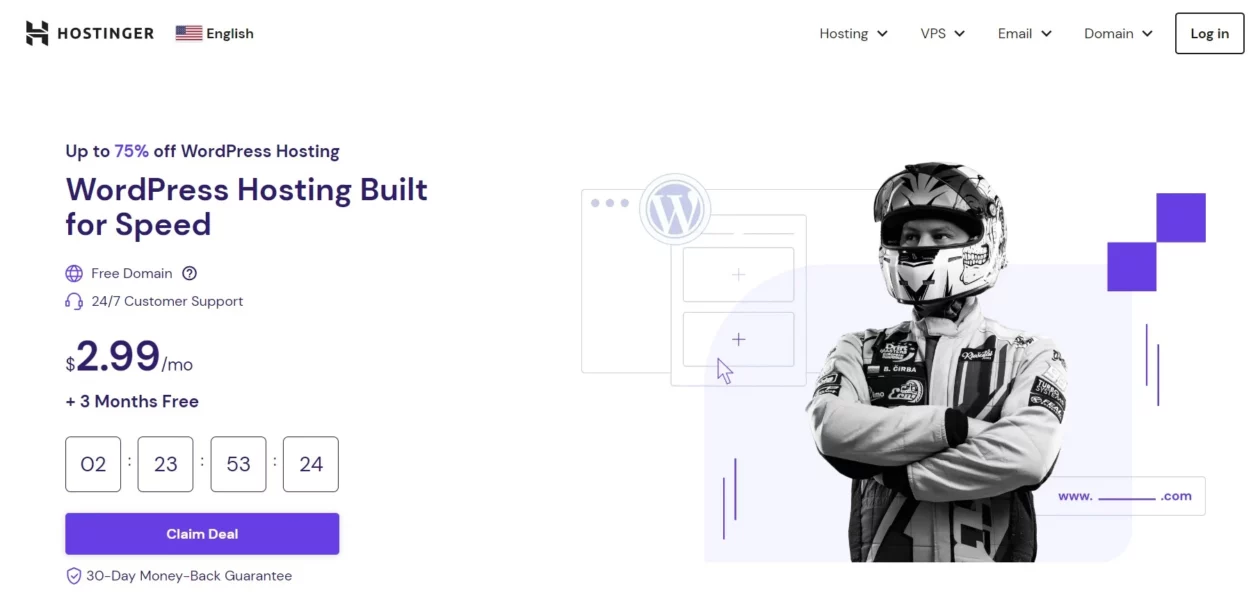
Hostinger does one thing on its plan page that is quietly to its credit: it prints the full term total next to the monthly figure. So $2.99/mo is visibly $143.52 charged today, rather than a number you meet at the checkout.
Key features: NVMe storage on the mid and upper tiers, free domain for the first year, free SSL, automatic WordPress updates, one-click install, daily backups on the higher plans, and 24/7 chat support.
Price: Premium runs $2.99/mo on a 48-month term ($143.52) and renews at $10.99/mo. Unlimited is $3.99/mo for 48 months ($191.52) and renews at $16.99/mo. Cloud Startup is $7.99/mo, renewing at $25.99/mo. Storage runs 20 GB, 50 GB and 100 GB respectively. All three carry a 30-day refund window. Figures from Hostinger’s WordPress hosting page.
Best for: a first site where you already know you are staying put for years. Across its four-year term that works out at $35.88 a year, lower than any other dollar plan’s promo-term rate on this page.
Skip it if: you cannot commit $143.52 today, or you are hosting client work. Four years is a long time to be wrong about a host, and the low rate only exists at that term.
Bluehost

Bluehost gets recommended constantly, often for reasons that boil down to affiliate economics. The genuine argument for it is duller and better: its renewal rate is the softest landing of any dollar plan in this roundup. You give up some of the intro discount to get it.
Key features: NVMe SSD storage, free domain for a year, free SSL and CDN, an AI site builder you can ignore, 24/7 support, and a published 99.99% uptime SLA that offers a 5% monthly credit if missed. That credit is small, but a host willing to write the number down is a host that measures it.
Price: Starter is $3.99/mo on a 36-month term ($143.64) and renews at $9.99/mo, which is $119.88 a year. Business is $6.99/mo for 36 months ($251.64), renewing at $13.99/mo. eCommerce Essentials is $14.99/mo, renewing at $21.99/mo. Storage is 10 GB, 50 GB and 100 GB. Refunds within 30 days, excluding domain fees. Figures from Bluehost’s WordPress hosting page.
Best for: anyone who expects to still be on this host in year four and would rather not gamble on a four-year prepayment to get there. Business at $13.99 on renewal is a defensible long-term number.
Skip it if: 10 GB on the Starter plan is tight for you. It fills faster than people expect once uncompressed uploads pile up, and the fix is either the $6.99 tier or a much stricter policy on what you upload.
SiteGround
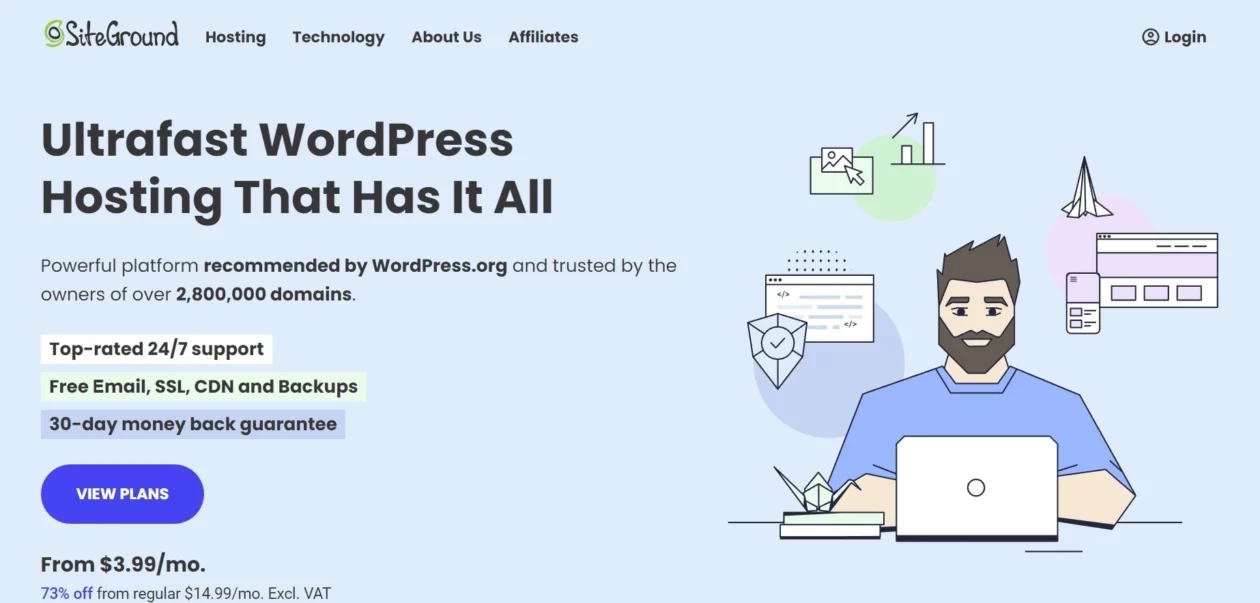
SiteGround is, to our eye, the best-built product in this roundup and the worst deal in it at the same time. The tooling is genuinely good: staging, sensible server-level caching, a support desk that understands WordPress rather than reading a script. Then year two arrives.
Key features: Google Cloud storage, three caching layers, free CDN and email, daily backups, free migrations, staging on the middle tier and up, and unlimited traffic across all plans.
Price: StartUp is $3.99/mo prepaid for 12 months ($47.88), then $17.99/mo. GrowBig is $6.69/mo for 12 months ($80.28), then $29.99/mo. GoGeek is $10.69/mo, then $44.99/mo. Storage is 10 GB, 50 GB and 100 GB. Refunds within 30 days. Figures from SiteGround’s WordPress hosting page.
That StartUp jump, $3.99 to $17.99, is about 4.5 times the intro rate, and it is the steepest increase among the dollar-priced plans on this page. Because the promo covers only twelve months rather than three or four years, it also arrives soonest.
Best for: client sites you bill for, agency work, and anyone who would rather pay $215.88 a year than open a support ticket into the void. If the hosting is a line item on an invoice somebody else pays, SiteGround is easy to justify.
Skip it if: it is your own hobby project. Paying $17.99/mo out of pocket for a blog with 400 monthly readers is how people end up doing an angry migration at 11pm.
DreamHost

DreamHost publishes something the others mostly do not: a monthly visits ceiling per plan. That single number tells you more about whether a plan fits than any amount of copy about speed, because it is the thing that will actually be enforced.
Key features: NVMe SSD storage, free domain for the first year, free SSL, automatic updates, free migration, and published visit allowances of 40k, 200k and 400k a month across the three tiers.
Price: This page geo-switches currency; figures below are shown in GBP as displayed, not converted. Launch is £1.99/mo on a four-year term (£95.52) with 25 GB storage, renewing at £7.99/mo. Growth is £3.49/mo (£167.52) with 50 GB, renewing at £8.99/mo. Scale is £7.99/mo with 100 GB, renewing at £19.99/mo. Refunds within 30 days. Figures from DreamHost’s WordPress hosting page. If your browser is served a different currency, check the renewal line at your own checkout.
Best for: people who want a boring, long-lived host and can read a visits number honestly. Growth at £8.99 on renewal with 200k visits is a fair trade in a way the entry tier is not.
Skip it if: you are near the 40k visits mark on Launch. Crossing a stated ceiling is a much more disruptive surprise than a renewal price, and it happens with no warning email you will actually read.
WP Engine
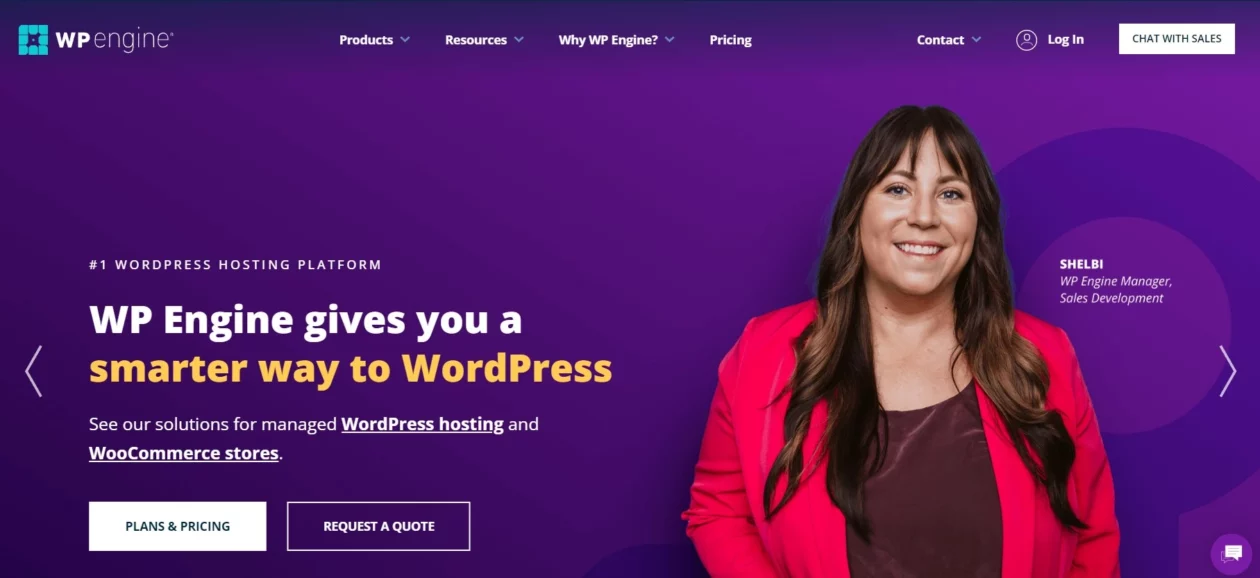
WP Engine is priced for businesses, and its plan page is honest about that in a backhanded way: the limits are stated in visits, storage and bandwidth rather than the usual unlimited-everything language. You are buying a capacity contract, not a shelf space.
Key features: managed updates, staging and development environments, platform-level caching, and per-plan allowances. Startup covers 1 site, 25,000 visits a month, 10 GB storage and 75 GB bandwidth. Professional covers 3 sites and 75,000 visits. Growth covers 10 sites and 100,000 visits. Scale covers 30 sites and 400,000 visits.
Price: This page geo-switches currency; figures below are shown in GBP as displayed. Startup begins at £25/mo, Professional at £42/mo, Growth at £84/mo and Scale at £217/mo. The asterisk on every one of those matters: the page states that first-year pricing applies to new customers on Essential plans only and is not valid for upgrades or renewals. No renewal rate is published, and no refund window is stated on the page. Figures from WP Engine’s plans page. Ask sales for the year-two number in writing before you sign.
Best for: sites where downtime has a cost you could put on an invoice. Also good for handing a client an environment you did not have to assemble yourself, which is worth real money on retainer and maintenance work.
Skip it if: your traffic is nowhere near 25,000 visits a month. You would be paying managed-hosting money for a plan you use 5% of.
GoDaddy
GoDaddy’s real pull is consolidation rather than price: if the domain, the email and the hosting all sit in one account, that is one fewer renewal to lose track of. That convenience is also the lock-in, so weigh it as both.
Key features: automatic daily backups, malware scanning, managed core updates, and email bundled with several plans.
Price: GoDaddy’s WordPress hosting page was not reachable at the check date, so no intro or renewal figure is published here. Confirm both at checkout, and specifically ask what the price becomes in year two before you buy.
Best for: people already deep in a GoDaddy account who value one login over the last few dollars.
Skip it if: you are price-sensitive. With no renewal figure on this page, it is the one option here you cannot budget for in advance.
HostGator

HostGator is shared hosting at volume, and it does that job. What it does not do is show you a price without JavaScript. At the check date the plan prices on its web hosting page rendered as placeholders, with the actual amounts loaded client-side.
Key features: unmetered bandwidth, free SSL, free domain for the first year, one-click WordPress installs, and 24/7 support. Storage runs 10 GB on Hatchling up to 100 GB on Pro.
Price: no numeric figures were present in the page text at the check date, so none are published here. One thing the page does state in plain text is worth quoting: pricing reflects a discount on the first invoice only, and plans automatically renew after the initial term at the regular rate shown in your control panel. Read that sentence twice, then check the HostGator web hosting page in your own browser.
Best for: parking several small low-traffic sites cheaply on one account.
Skip it if: you want to know your year-two cost before you enter card details. On the evidence of its own page, you will find that out in the control panel.
InMotion Hosting
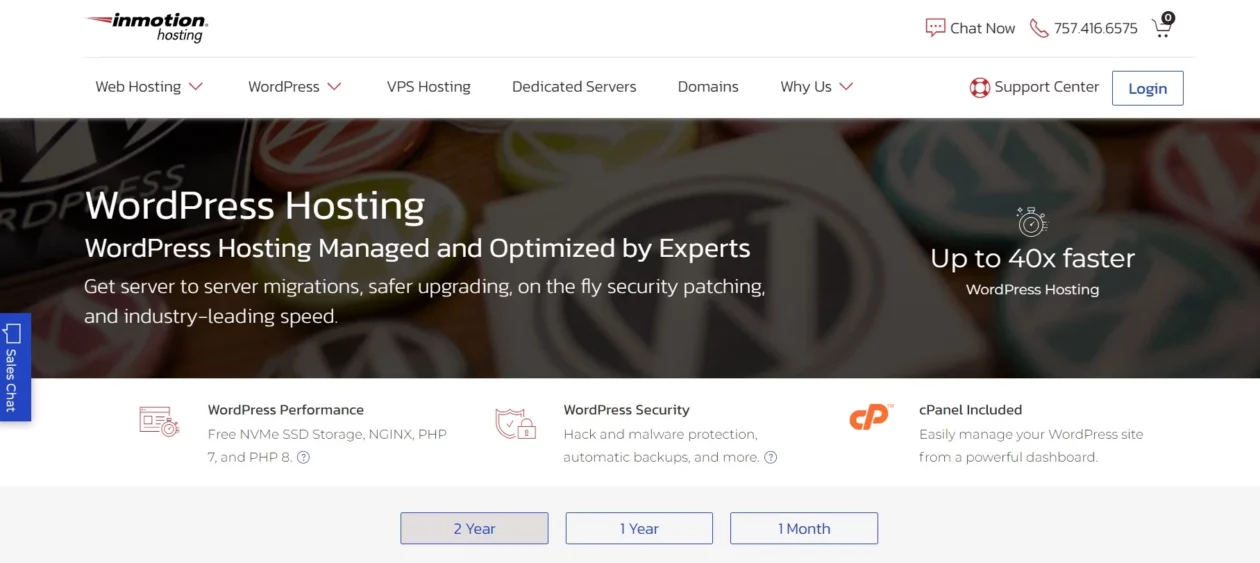
InMotion leads with cPanel, which is a real feature if you administer sites for other people and want a control panel your successor will already know how to drive.
Key features: cPanel included, NVMe SSD storage, free site migration, hack and malware protection, and a term toggle that lets you compare 1-month, 1-year and 2-year billing on the same screen. That toggle is more useful than it looks, because it makes the discount structure visible before checkout.
Price: InMotion’s WordPress hosting page was not reachable at the check date, so the intro price, the renewal price and the current refund window are all unverified here. Use the term toggle on the live page to read all three yourself.
Best for: freelancers who hand sites over and want cPanel to be someone else’s familiar territory rather than a custom dashboard nobody else can drive.
Skip it if: you want the decision made for you today. Without a verified price it stays on the shortlist, not on the invoice.
What most hosting roundups get wrong
They compare intro prices. That is the whole problem, and it produces rankings that invert the moment year two starts.
Run the arithmetic over three years using the table above. SiteGround StartUp costs $47.88 for the first twelve months, then $215.88 for each of the next two, which is $479.64. Bluehost Starter costs $143.64 for the identical three years, because its intro rate is contractually held for all 36 months. Same period, more than three times the money, and every intro-price table on the internet puts them within a dollar of each other.
Stretch it to four years and Hostinger Premium’s $143.52 total beats Bluehost’s three years plus a renewal year at $9.99/mo, which lands at $263.52. That is the actual case for the long prepayment, and it is a much narrower case than the marketing suggests: it only pays if you genuinely stay.
Two more habits worth naming. First, the load-time column. An earlier version of this page carried per-host load times to two decimal places, and those numbers had no stated method, no test location and no date, so they have been removed rather than refreshed. A single-page timing from an unnamed location is not evidence about a host. Second, the screenshots. Every image here is a capture of the host’s own page, and where a figure on a screenshot differs from the table, the table is the checked one.
If your priority genuinely is the lowest number, that deserves its own comparison rather than a footnote here, which is why we keep a separate breakdown of the cheapest WordPress hosting and its trade-offs.
What to check before you enter card details
The renewal rate, in writing. If a host will not show you the year-two price before checkout, that is the answer to the question you were asking.
The PHP and database versions. WordPress.org currently recommends PHP 8.3 or greater with MariaDB 10.11 or MySQL 8.0, and HTTPS on every install, per its requirements page. Older versions still run WordPress but are unsupported. A host still advertising PHP 7 as a current feature is telling you something about the rest of the stack.
What the server actually affects. Hosting mainly moves one Core Web Vital. Google’s thresholds are Largest Contentful Paint at 2.5 seconds, Interaction to Next Paint at 200 milliseconds, and Cumulative Layout Shift at 0.1, each assessed at the 75th percentile of loads, as documented on web.dev. A faster server improves the first of those by cutting time to first byte. It will not rescue a theme loading four font families, which is a job for front-end optimisation instead.
Whether your caching plugin is allowed. Managed hosts run their own page cache and several ban specific plugins outright. If you have already paid for WP Rocket, check the host’s compatibility list before you migrate, not after.
Backups you control. Host backups protect the host’s infrastructure, not your last three hours of edits, and they vanish with the account if billing lapses. Keep an independent copy using one of the standard WordPress backup plugins.
Where security actually lives. No host protects you from a stale plugin with a known vulnerability. That is on you and on your security plugin stack, regardless of what the hosting page promises.
One habit worth building before any of this: build and break things locally first. A local stack costs nothing and absorbs the mistakes, though it comes with its own snags, most commonly MySQL refusing to start in XAMPP and, when you start optimising images, WebP uploads being blocked.
Which one should you actually pick
- First site, own money, staying put: Hostinger Premium. $143.52 covers four years and the renewal at $10.99/mo is survivable when it lands.
- First site, but four years feels like a bet: Bluehost Starter. You pay a little more up front for the softest renewal in dollars here, $9.99/mo.
- Client sites you invoice for: SiteGround GrowBig. The $29.99/mo renewal is real, but so is the support, and it is a pass-through cost.
- A site that makes money: WP Engine, once you are near 25,000 visits a month and downtime has a price tag.
- Still deciding what the site even is: buy twelve months of anything with a 30-day refund, and read our longer guide to choosing hosting for a WordPress site while the clock runs.
Whatever you pick, you are not married to it. Moving a WordPress site is a scheduled job, not a rescue operation, and the migration plugins that do it are mature. Just move before a renewal charges, not after.
Frequently Asked Questions
Does the cheap hosting price last?
No. On every plan we could price here, the advertised rate covers the first term only. Hostinger Premium runs $2.99 a month for 48 months, then renews at $10.99. SiteGround StartUp runs $3.99 for twelve months, then renews at $17.99, about four and a half times the intro rate.
Is managed WordPress hosting worth the extra money?
It is if a client is paying, or if an hour of downtime costs you more than the hosting does. Managed plans buy staging, server-level caching and a support desk that knows WordPress. On a personal blog getting a few thousand visits a month, that spend is hard to justify.
Can I get free WordPress hosting?
Not usefully. WordPress.com has a free tier, but its own pricing page states that plugin installation is available on paid plans only. Without plugins you cannot add caching, backups, forms or SEO tools, which removes most of the reason to run WordPress rather than a hosted site builder.
How long should I commit for?
Match the term to how sure you are. A 48-month prepayment locks the low rate but ties up cash in a host you have not lived with yet. Twelve months is the sensible default for a first site. Hostinger, Bluehost, SiteGround and DreamHost all publish a 30-day refund window.
Does hosting affect SEO?
Indirectly, through Core Web Vitals. Google measures Largest Contentful Paint at 2.5 seconds, Interaction to Next Paint at 200 milliseconds and Cumulative Layout Shift at 0.1, assessed at the 75th percentile of loads. A slow server hurts the first of those. It cannot fix a bloated theme.
Can I move hosts later without losing the site?
Yes, and it is a routine job rather than a crisis. A migration plugin moves the files and database, then you repoint DNS. Do it before your renewal date rather than after, because a refund on an already renewed term is prorated at best and often not offered at all.
Do I still need a caching plugin if the host has caching?
Often not for page caching, which good hosts handle at server level. You may still want a plugin for the other half of the job: deferring unused CSS and JavaScript, lazy loading images and cleaning the database. Check whether your host bans specific caching plugins first.
What PHP version should my host be running?
WordPress.org recommends PHP 8.3 or greater, with MariaDB 10.11 or MySQL 8.0 and HTTPS on every install. Older versions still run WordPress but are no longer supported. If a host advertises PHP 7 as a current feature, treat that as a signal about the rest of the stack.
The verdict
Buy Hostinger Premium if you know you are staying: $143.52 buys four years, and the $10.99/mo renewal that follows sits near the bottom of the renewal column rather than the top of it. If four years is more certainty than you have, Bluehost Starter is the pick, because $9.99/mo on renewal is the gentlest year-two landing among the dollar plans on this page.
Pay SiteGround’s $29.99/mo on GrowBig only when someone else is paying it. Move to WP Engine when the site earns enough that an outage costs more than the invoice. And treat GoDaddy, HostGator and InMotion as unresolved until you have read a renewal figure yourself, because this page does not carry one for them.
Then set one calendar reminder for eleven months from now, titled with the renewal price. That single line does more for your hosting costs than any comparison table, including this one. If you are still at the stage before all this, our guide to starting a blog covers what to do with the server once you have it, and cutting server response time covers what to do when it feels slow.


[…] before you install it, check what your host runs. If you are shopping anyway, our roundup of WordPress hosting platforms flags which ones are […]
[…] already bundles caching, check what you are paying for twice before adding another licence; the managed WordPress hosting comparison has the […]
[…] fix. If your time to first byte is 900 ms, deferring images changes nothing that matters. Look at where your site is hosted before you look at […]
[…] a prospective host those four questions and the answers sort the field quickly. Our comparison of WordPress hosting platforms covers who offers what, how to choose hosting for WordPress walks through the decision, and if […]
[…] sites where $100 a year across all of them is hard to argue with. Worth weighing against what your WordPress host already […]
[…] your own checkout shows. For a wider set of options with the same renewal-first treatment, see our roundup of WordPress hosting platforms, and if budget is the binding constraint, our guide to the cheapest WordPress hosting takes the low […]
[…] If data residency is the sticking point for you, it is worth reading alongside how you chose your WordPress hosting platform in the first […]
[…] That mail is unsigned, it leaves from a shared IP you have no control over, and most budget WordPress hosting platforms also cap outgoing messages per hour. It is the single most common reason a campaign lands in […]
[…] allowed for development. If your site is still on plain HTTP, no plugin can rescue it, and your choice of WordPress hosting is the thing to fix […]
[…] optimisation plugin, add a caching plugin, and if it is still slow, the problem is upstream in your hosting. Theme choice sets your floor; it does not set your […]