


Most GDPR compliance plugins put a cookie banner on your site in five minutes and leave the hard part untouched: the Google Analytics tag that already fired, the YouTube embed that already set a cookie, the consent signal your ad partners now insist on. Since January 2024 Google has also required a certified consent platform before it will serve personalised ads to visitors in the EEA and UK, which quietly rules out several of the most-installed free plugins. Here is what each one actually does.
Quick verdict
- Best overall: Complianz. The wizard asks the right questions, it blocks embeds and third-party scripts rather than just covering them with a banner, and neither the free nor the paid version meters your page views.
- Best free version: GDPR Cookie Compliance by Moove Agency. It ships Google Consent Mode v2 in the free plugin with no traffic cap, and nothing it collects leaves your server. Fine for a site that does not sell ad inventory.
- Best if you sell ads in the EU: WebToffee GDPR Cookie Consent, which puts Google-certified CMP status and IAB TCF v2.3 inside a $69 annual licence. CookieYes is certified too, but gates TCF behind its $25-a-month Pro tier.
- Skip it if: you plan to install a banner and never check whether it blocks anything. That is the most common way a compliant-looking WordPress site turns out not to be one.
- Our call: install Complianz free, run the five-minute verification below, then pay for whichever gap it exposes. Most sites need less than the vendors imply.
The GDPR compliance plugins worth comparing in 2026
| Plugin | What the free version gives you | Paid entry, one site | Renews at | On Google’s certified CMP list |
|---|---|---|---|---|
| Complianz | Full banner, script and iframe blocking, no page-view cap | $59 / year | $59 / year, auto-renews | Yes (CMP ID 332) |
| CookieYes | Banner, auto-blocking and Consent Mode v2, capped at 5,000 page views a month | $10 / month per domain | Same rate; annual billing gives two months free | Yes |
| Real Cookie Banner | Banner and content blockers, but you write the service definitions yourself | 59 EUR / year incl. VAT | Same rate, cancel before the period ends | Yes |
| Cookiebot by Usercentrics | One domain, up to 50 subpages | 7 EUR / month (Premium Lite) | Same rate | Yes |
| WebToffee GDPR Cookie Consent | No free tier; a 30-day money-back guarantee instead | $69 / year | $69 / year, auto-renews | Yes |
| GDPR Cookie Compliance (Moove) | Banner, script control and Consent Mode v2, unlimited page views | 59 GBP / year | Renew for another year of updates | No |
| Cookie Compliance (Hu-manity.co) | Banner-only mode with no account, or a connected plan capped at 1,000 visits a month | $14.95 / month per domain | Same rate; yearly billing saves 12% | No |
| The GDPR Framework (Data443) | Data request handling, consent tracking, policy template | Not published | Not published | Not a cookie CMP |
What these plugins do, and what they cannot do
None of them makes your site compliant. That is not a cautious disclaimer we are bolting on the front; the better vendors write the same thing into their own plugin listings, which is more than most roundups will tell you.
What a good plugin does is narrower and still useful. It finds the cookies and scripts your site loads, stops the non-essential ones from running until a visitor agrees, records what that visitor agreed to and when, passes the answer along to Google and Microsoft tags, and gives people a way to change their mind later. Your data map, your processor agreements, your retention schedule and your privacy notice are yours. A plugin cannot write them and should not be trusted to.
Complianz: the one we install first
Complianz passed a million active installs and reads like a plugin written by people who have configured a lot of client sites. The wizard asks which regions you serve, scans your posts for third-party services, then builds region-specific banners: TTDSG rules for German visitors, CNIL for French, CCPA opt-out for Californians, nothing at all for visitors in territories that do not require a banner.
The blocking is the reason to pick it. YouTube and Vimeo embeds get a placeholder with the video still until consent arrives. Google Maps, reCAPTCHA, Instagram, AdSense and HubSpot are handled by name rather than by a generic regex. It integrates with the WP Consent API, so other plugins that respect the standard read the same consent state instead of guessing, and it flushes the major WordPress caching plugins when the banner configuration changes, which saves a support ticket you would otherwise open with yourself.
- Key features: setup wizard, automatic cookie scan, per-region and per-subregion banners, iframe and script blocking with placeholders, cookie policy generator, WP Consent API integration, no jQuery dependency.
- Price: free version on WordPress.org. Premium is $59 a year for one site, $179 for five, $399 for 25, billed yearly with auto-renewal at the same rate and a 30-day refund window. Among the plugins here priced in US dollars, that is the lowest single-site entry price: WebToffee is $69, and the two subscription products cost more than either over twelve months.
- Best for: anyone running one to twenty-five sites who wants a flat annual fee and no traffic meter.
- Skip it if: you need Google Consent Mode on a zero budget. Consent Mode, IAB TCF, geo-IP targeting and consent records are all premium-only in Complianz, so a free install will not send consent signals to your Google tags at all.
CookieYes: the least work to get running
CookieYes is the old GDPR Cookie Consent plugin, rebuilt as a hosted platform and now sitting on more than a million active installs. Activate it and a banner appears immediately, which sounds trivial until you have watched someone abandon a half-configured consent plugin because nothing showed up on the front end.
The scanning, consent logging and cookie classification happen in CookieYes’s cloud rather than in your database, which keeps your wp_options table out of trouble on a busy site. Consent records live in EU data centres under a data processing agreement, so if your client has asked awkward questions about where personal data sits, this is easier to answer than a plugin that ships records to an unnamed region. If data residency is the sticking point for you, it is worth reading alongside how you chose your WordPress hosting platform in the first place.
- Key features: working banner on activation, automatic cookie blocking, preference centre, consent logging with CSV export, Google Consent Mode v2 and Microsoft UET Consent Mode in the free tier, CCPA opt-out link, WP Consent API integration.
- Price: free plan covers 5,000 page views a month and 100 pages per scan. Basic is $10 a month per domain for 100,000 page views, Pro $25 for 300,000, Ultimate $55 for unlimited traffic and no CookieYes branding. Overage runs $0.30 per extra 1,000 page views, annual billing gives two months free, and local VAT or GST is charged on top.
- Best for: one busy site where you want Consent Mode working today and do not want consent logs in your own database.
- Skip it if: you look after several sites or you need IAB TCF. Every plan is priced per domain, so five client sites on Basic means five subscriptions, and CookieYes’s own plan comparison marks TCF v2.3 and Google’s Additional Consent Mode as Pro and Ultimate features only.
Real Cookie Banner: everything stays on your server
devowl.io built Real Cookie Banner for the German market, where the questions are asked more sharply, and it shows. Consents are processed and stored on your own server with nothing fetched from a cloud in the visitor’s browser. It holds a 4.9 rating from nearly 500 ratings on WordPress.org, and devowl.io is blunt in that same listing that whether the plugin produces lawful processing “largely depends on whether the plugin is configured correctly for your use case”.
Its content blockers are the sharpest of the group: they block fonts, styles, scripts and URLs rather than iframes alone, and swap in a visual replacement so the layout does not collapse. That matters if you build with a visual page builder, because builders routinely pull Google Fonts, map tiles and video embeds before any consent logic has run. The plugin also tracks WCAG 2.2 Level AA and the European Accessibility Act, with an accessibility score that flags design settings likely to fail.
- Key features: server-side consent storage, content blockers for scripts, styles, fonts and URLs, 160+ service templates, 20+ design presets, accessibility scoring, consent forwarding across sites, WPML and Polylang support, 17 EU languages.
- Price: 59 EUR a year for a single site, 89 EUR for three, 129 EUR for five, 229 EUR for ten and 299 EUR for 25. Prices include VAT, and the subscription runs until you cancel before the end of the current period.
- Best for: German and wider EU sites where consents must demonstrably never leave your infrastructure.
- Skip it if: you were hoping the free version would be enough. Service templates, Google Consent Mode, TCF, geo-restriction, Tag Manager support and the design presets are all marked PRO, which leaves the free build asking you to describe every service by hand.
Cookiebot by Usercentrics: strong scanner, awkward pricing model
Cookiebot crawls your site, finds the trackers, categorises them and configures most of the banner for you. It is the name compliance officers recognise, which is occasionally the deciding factor on a corporate project, and the scanner genuinely finds things a WordPress-only scan misses.
The pricing is where it gets uncomfortable for content sites. Cookiebot bills by subpage count, meaning every unique URL on your domain, and it does not charge for traffic at all. That is generous if you run a ten-page brochure site with a million visitors and punishing if you run a 4,000-post archive with modest traffic. Before you price it, it is worth knowing how many URLs you actually publish, and worth remembering that a hosted consent script is one more render-blocking request on a page you have probably spent time trying to speed up.
- Key features: automated site scan and banner configuration, Google Consent Mode on every tier including free, US state privacy law support, geographic banner rules, no traffic limits, 14-day trial with no card.
- Price: free for one domain up to 50 subpages. Premium Lite is 7 EUR a month for the same 50 subpages, then Small at 15 EUR for 350 subpages, Medium at 30 EUR for 3,500, Large at 50 EUR for 7,000 and XLarge at 90 EUR beyond that, all per domain per month. The page also offers a yearly toggle and eight currencies.
- Best for: small, high-traffic sites, and organisations whose legal team already knows the Usercentrics name.
- Skip it if: you publish a lot. A blog with a few thousand posts, tag pages and archives lands in the 50 EUR tier on URL count alone, whatever its traffic.
WebToffee GDPR Cookie Consent: the publisher’s pick
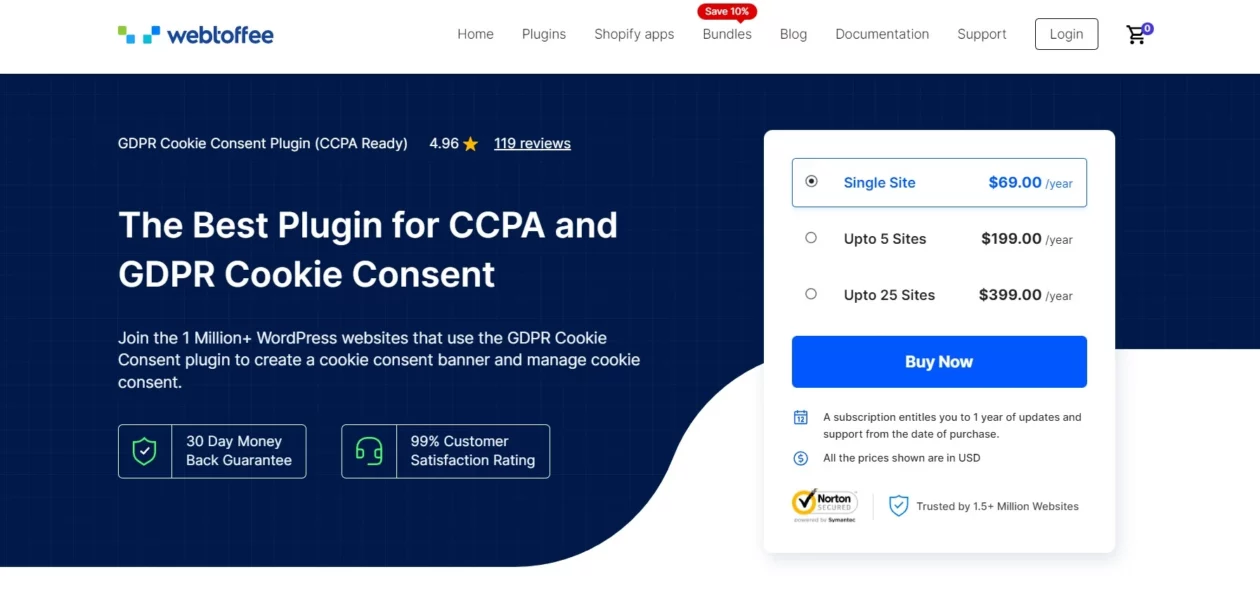
If you run display ads, this is the one to read carefully. WebToffee’s plugin is a Google-certified CMP with IAB TCF v2.3 support, one-click Google Consent Mode v2, and support for Microsoft’s Clarity and UET consent modes, which matters if your measurement stack is not Google-only.
The commercial argument is simpler than the technical one. Consent records stay in your WordPress database rather than a vendor’s cloud, there is no page-view cap, and the fee is a flat annual licence. For anyone trying to monetise a WordPress blog with programmatic inventory, that combination matters: an out-of-date consent string gets your bids rejected, and a metered CMP bills you hardest in exactly the months your ad revenue is best.
- Key features: Google-certified CMP, IAB TCF v2.3, one-click Consent Mode v2, Microsoft Clarity and UET consent modes, automatic script blocking, geo-targeting, consent logging in your own database, cookie scanner.
- Price: paid only, with no free tier under WebToffee’s name on WordPress.org. It is $69 a year for a single site, $199 for five, $399 for 25 and $1,199 for 100. A licence buys one year of updates and support and then auto-renews unless cancelled, with a 30-day money-back policy.
- Best for: ad-funded publishers and anyone who wants TCF handled without touching framework configuration.
- Skip it if: you have no ad stack and no TCF requirement, in which case you are paying $10 a year more than Complianz for machinery you will not switch on.
GDPR Cookie Compliance by Moove Agency: Consent Mode v2 without paying
Moove’s plugin shows 300,000+ active installs on WordPress.org and its free version gives you Google Consent Mode v2 with no cap on page views, visits or URLs. Consent Mode v2 is fully supported without paying, alongside direct integrations for Google Tag Manager, Google Analytics, Meta Pixel and GTM4WP, per-script load control, unlimited page views and 22 translations. All user data stays on your site; Moove’s servers never see it.
It is also the plugin most likely to teach you that banner design is a conversion problem. Reject buttons, accept buttons and settings buttons can be reordered, and that ordering is a design decision worth testing. If you already care about how design decisions move your conversion rate, treat the banner as part of that work rather than a legal artefact bolted on at the end, while keeping the accept and reject options equally easy to reach.
- Key features: free Consent Mode v2, local-only data storage, per-script consent control, reorderable buttons, consent expiry settings, WCAG and ADA-oriented markup, 22 languages, works with the major caching plugins and servers.
- Price: free on WordPress.org. Premium adds a consent log, geolocation, iFrame blocker, cookie wall, Site Kit integration and multisite tools at 59 GBP a year for one site, 159 GBP for five, 299 GBP for 25 and 499 GBP for unlimited sites. It is a one-off charge covering a year of updates; renew the licence to keep receiving them. Refunds within 14 days.
- Best for: a site with no ad inventory that needs Consent Mode v2 working for Analytics and Ads without a subscription.
- Skip it if: you serve personalised ads through AdSense, Ad Manager or AdMob to EEA, UK or Swiss visitors. Moove does not appear on Google’s certified CMP list, and traffic from a non-certified CMP is only eligible for non-personalised or limited ads.
Cookie Compliance by Hu-manity.co: read the mode you are in
This is the plugin you knew as Cookie Notice, then as Compliance by Hu-manity.co, now published as Cookie Compliance for WordPress. It shows 900,000+ active installs, which makes the distinction between its two modes the single most misunderstood thing in this category.
In Banner Only mode the plugin runs with no account and gives you a customisable notice, consent on click or scroll, cookie expiry options and a privacy policy link. It does not block a single script. In Connected mode you sign in to the Cookie Compliance dashboard, free or paid, and the plugin unlocks automatic script blocking, purpose categories, consent records, Google, Microsoft and Facebook consent modes and multi-domain management. Plenty of sites running this plugin are in the first mode and think they are in the second.
- Key features: lightweight standalone banner, or a connected CMP with script blocking, consent analytics, geolocation, unlimited languages and lifetime consent storage on the paid plan.
- Price: Banner Only mode is free with no account. The connected Basic plan is free but capped at 1,000 visits a month with 30 days of consent storage. Professional is $14.95 a month for one domain, with yearly billing saving 12%.
- Best for: a small site that wants a tidy banner and nothing else, honestly labelled as nothing else.
- Skip it if: you need certified CMP status for ads, or you assumed the free banner was blocking your analytics. It is not, and 1,000 visits a month is a very low ceiling on the connected free plan.
The GDPR Framework by Data443: for the requests, not the cookies

Every other plugin on this page is about cookies. The GDPR Framework is about the emails that arrive afterwards: a subscriber asking what you hold on them, a former customer asking you to delete it. WordPress ships basic export and erase tools; this plugin puts a self-service page in front of them so people without an account can view, export and delete their own data, and lets you configure automatic deletion or anonymisation. Data443 is unusually straight about the limits in that same listing: using The GDPR Framework does not guarantee compliance, and compliance is an ongoing, risk-based process involving your whole business.
It integrates with WooCommerce, Easy Digital Downloads and Email Subscribers, which is where the real personal data usually sits. If your store has accumulated years of orders, addresses and abandoned carts through the WooCommerce plugins running your shop, a request for erasure touches more tables than you would guess, and doing it by hand is how records get missed.
- Key features: one-page data subject access requests, automatic or manual deletion and anonymisation, custom consent checkboxes for forms and newsletters, privacy policy template, WooCommerce and EDD integrations, installation wizard.
- Price: free on WordPress.org. Data443 sells paid tiers, but the plugin’s product page publishes no price, so ask them before you budget for it.
- Best for: stores and membership sites that actually receive data requests, running alongside a cookie CMP rather than instead of one.
- Skip it if: you came here for a cookie banner. It is not one, and at roughly 10,000 active installs it is a niche tool rather than a default.
Two plugins you will see recommended that are not consent managers

MonsterInsights turns up in nearly every list like this one, and it belongs in a different paragraph. It is a Google Analytics plugin with privacy switches: anonymise IP addresses, disable tracking for logged-in users, drop demographics reporting. Useful settings, all of them, but they reduce what Analytics collects rather than asking permission to collect it. Put a CMP in front of MonsterInsights and the settings are a sensible second layer. Use the settings alone and nothing is asking anyone anything.
WPForms is the same story on the forms side. Its GDPR settings add a consent checkbox field, stop the plugin storing user IP addresses and entry cookies, and let you disable entry storage entirely so submissions only go out by email. That is worth switching on, and it pairs with whatever anti-spam plugin you use, because honeypots, reCAPTCHA and spam-scoring services quietly process visitor data too and belong in your cookie policy.
One more piece of housekeeping. WP GDPR Compliance, recommended in roughly every roundup written between 2018 and 2023 including the earlier version of this one, was closed on WordPress.org on 23 February 2024 at the author’s request and is no longer available for download. If it is still active on a site you maintain, replace it.
What most roundups get wrong
A banner is not consent
The banner is the visible part. If your Analytics tag, Meta Pixel or embedded YouTube player fires before the visitor clicks anything, the banner is decoration and the data has already gone. This is the difference between a plugin that only draws a notice and one that holds scripts back, and it is why the Banner Only versus Connected distinction in Hu-manity’s plugin matters more than any feature list.
Google’s certified CMP rule quietly narrows your options
Since 16 January 2024 in the EEA and UK, and 31 July 2024 in Switzerland, Google has required a certified CMP integrated with the IAB TCF before serving personalised ads through AdSense, Ad Manager or AdMob. Google states plainly that only traffic from a certified CMP is eligible for personalised ads, and that traffic from a non-certified CMP may only get non-personalised or limited ads. Two of the most-installed free plugins in this article are not on that list. That is a revenue question, not a legal one, and worth checking before you commit.
Consent Mode v2 is four signals with an ordering requirement
Consent Mode is not a switch you flip. Google’s tag platform reads ad_storage, analytics_storage, ad_user_data and ad_personalization, and its own documentation warns that the default consent state has to be set before any tag fires: “if your consent code is called out of order, consent defaults won’t work.” Plugins that load their consent script late, or that you have delayed with a performance tool, break this silently. Nothing errors. The signals simply do not arrive.
Caching and script-delay tools fight your banner
Two conflicts show up constantly. Page caching serves one visitor’s region-specific banner to a visitor in another region, so exclude the banner from cache or use a plugin that varies it client-side. And script optimisers reorder or defer the consent script itself. If you run Perfmatters or a similar script manager, the consent script needs an explicit exclusion from delay-until-interaction, or Consent Mode defaults land after your tags have already run.
Free tiers are metered on whatever grows
Free is a pricing strategy, not a gift. CookieYes meters page views, Cookiebot meters unique URLs, Hu-manity’s connected plan meters visits. Complianz, Moove and WebToffee charge a flat licence and meter nothing. Whichever you choose, the honest exercise is to work out what your bill looks like at three times your current size, because a consent banner is the last thing you want to migrate during a traffic spike.
The rules underneath may move
The European Commission’s Digital Omnibus proposal, published in November 2025, would move consent rules for terminal equipment into the GDPR itself and give browser-level signals legal weight. It is a proposal, not law, and it is still being negotiated. Do not restructure anything around it, but do prefer a vendor that has shipped updates through the last three rule changes over one that has not.
Verify your banner actually blocks something
Five minutes, no tooling beyond your browser. Do this before you tell a client the job is finished, and take a full backup first if you are about to swap one consent plugin for another, because they leave settings and cookies behind.
- Open your site in a private window and open DevTools before the page loads. Go to the Application tab, then Cookies.
- Load a page that has an embedded video or a contact form. Do not touch the banner.
- Read the cookie list. If
_ga,_gid,_fbpor anything from doubleclick.net is already there, your plugin is drawing a notice and blocking nothing. - Check the Network tab for the same period. Requests to google-analytics.com, youtube.com or connect.facebook.net before any click are the same failure seen from the other side.
- Click Reject, reload, and repeat both checks. Rejection has to be as effective as never asking.
- Click Accept and confirm the cookies and requests now appear. If they do not, your blocking rules are too aggressive and you have quietly turned off your own analytics.
- For Consent Mode specifically, install Google’s Tag Assistant and confirm the four consent parameters are present with a default state on page load, not only after the click.
Step six is the one that catches the problems people miss. Over-blocking is invisible for months, and you find it when someone asks why traffic fell off a cliff in the reporting.
Which one should you install
- One site, no ads, want this done today: Complianz free. Upgrade to the $59 licence only if the verification check shows you need Consent Mode or consent records.
- No budget at all, but you need Consent Mode v2: Moove’s GDPR Cookie Compliance, whose free version carries no page-view or URL ceiling. CookieYes free sends the signals too, but stops at 5,000 page views a month.
- You sell display ads to EU visitors: a certified CMP is not optional. WebToffee at $69 a year if you want a flat fee, CookieYes if you would rather the logs lived off-site.
- You manage client sites: flat multi-site licences beat per-domain subscriptions. Complianz Agency at $399 for 25 sites or WebToffee at $399 for 25.
- Consents must never leave your server: Real Cookie Banner, budgeting for PRO because the free version is a starting point rather than a solution.
- You are getting data deletion requests: add The GDPR Framework next to whichever banner you chose.
Frequently Asked Questions
Does a GDPR compliance plugin make my site compliant?
No. A plugin handles cookie consent, script blocking and data request forms. Compliance also covers your data map, processor agreements, retention periods and privacy notice, none of which live in WordPress. Treat the plugin as one control among several and take legal advice on your specific processing.
Do you need a Google-certified CMP?
Only if you serve personalised ads through AdSense, Ad Manager or AdMob to visitors in the EEA, UK or Switzerland. Google has required one since 16 January 2024. Without a certified CMP that traffic is limited to non-personalised or limited ads, which is a revenue problem rather than a legal one.
What is Google Consent Mode v2 and who needs it?
It is how your consent banner tells Google tags what a visitor agreed to, using four signals: ad_storage, analytics_storage, ad_user_data and ad_personalization. If you use Google Analytics, Google Ads or Tag Manager with EEA or UK traffic, you need it. CookieYes and Moove include it free; Complianz keeps it behind premium.
Is a free cookie plugin ever enough?
Often, yes. Moove’s free version does script control and Consent Mode v2 with no traffic limit. Complianz free blocks embeds and scripts properly. The free tiers that are not enough are the metered ones, where 5,000 page views or 50 subpages runs out faster than the feature list suggests.
Will a consent banner slow my site down?
A little, and cloud-based ones more than local ones because they add a third-party request before your page can settle. The bigger risk is a conflict with caching and script-delay tools, which can serve the wrong regional banner or push consent defaults after your tags have already fired.
What should happen when a visitor clicks Reject?
Nothing non-essential should load. No analytics cookies, no pixels, no third-party embeds until they change their mind. Rejecting must be exactly as easy as accepting, and it must not be a button that closes the banner while the scripts run anyway. Test it in a private window.
Do you need a banner if you only run Google Analytics?
If you have EEA or UK visitors, yes. Analytics sets cookies and sends data to Google, which is not strictly necessary for your site to work, so it needs consent first. Anonymising IP addresses in a plugin like MonsterInsights reduces what you collect but does not replace asking.
Is WP GDPR Compliance still safe to use?
No. WP GDPR Compliance was closed on WordPress.org on 23 February 2024 at the author’s request and can no longer be downloaded, which means no security updates. If it is still active on a site you look after, replace it with one of the maintained plugins above.
Can one licence cover several client sites?
It depends on the pricing model. Complianz, WebToffee, Real Cookie Banner and Moove sell multi-site licences, so 25 sites cost one flat fee. CookieYes and Cookiebot price per domain, so 25 sites means 25 subscriptions. For agency work the flat licence is usually the cheaper structure.
Our call
Install Complianz. For most WordPress sites the free version does the work that matters, the blocking is thorough, there is no meter waiting to bill you, and the $59 upgrade path is there when Consent Mode or consent records become the thing you actually need. If you sell display ads in Europe, buy WebToffee at $69 a year instead and get certified CMP status and TCF v2.3 without an argument. If the budget is genuinely zero and you need Consent Mode v2 today, use Moove’s free version and accept that AdSense personalisation is off the table.
Then do the verification check. A banner nobody tested is worth less than no banner at all, because it tells you the problem is solved while your tags keep firing.




[…] Europe and its FAQ makes a GDPR compliance claim, which matters if you are already working through GDPR compliance plugins for the rest of the […]
[…] page has to disclose that third-party vendors serve ads and use cookies, which is also where your GDPR consent setup comes in if you get EU […]
[…] how consent affects the count. If your consent banner blocks analytics until someone accepts, you are measuring a subset of visitors and your denominator […]
[…] addons, a subscriber importer, GDPR-friendly consent handling that plays nicely with your GDPR compliance plugin, and delivery addons for Amazon SES, Mailgun, SendGrid and […]
[…] plugin from the same author, on day one. It is also the plugin that makes CF7 workable under GDPR consent and data-retention rules, because you cannot delete records you never […]
[…] chat is the first system on your site holding customer conversations, our comparison of GDPR compliance plugins handles the consent banner and policy side. The vendor paperwork is on you, and it takes about an […]
[…] rely on an external mlcalc.com service, which is a third-party call worth reviewing against your GDPR obligations before you ship […]
[…] way to delete a record on request, which is easier with a self-hosted plugin than a hosted one. Our GDPR compliance guide covers the […]