

Most WordPress blog themes get picked from a demo screenshot and regretted six months later, when the site drags on mobile, the header cannot move without custom CSS, and the free version turns out to have been a trial all along. This roundup judges seven genuinely free themes on the things that survive contact with a real blog: Core Web Vitals, what the free build actually does on its own, and what the paid tier costs on the second invoice rather than the first.
Quick verdict
- Best overall: GeneratePress. A deliberately plain free base, a straight 5.0 across 1,426 WordPress.org ratings, and GP Premium at $59 a year covering up to 500 sites.
- Best free version on its own: Blocksy. The free build ships the header and footer builder that most rivals hold back for Pro.
- Best if you never want an invoice: Twenty Twenty-Five. It comes with WordPress, has no paid tier, and never nags you to upgrade.
- Skip it if: you came here looking for a free Divi. There isn’t one, there never has been, and no amount of searching WordPress.org will produce it.
- Our call: put GeneratePress or Blocksy on a staging copy, measure your own field data, and buy a Pro licence only when a named feature is blocking you.
Free WordPress blog themes compared
Every theme below has a real free version in the WordPress.org directory. The column that matters most is the last one, because a first-year price tells you almost nothing about what you will pay in year two.
| Theme | Active installs | What the free build does | Paid entry price | Renewal |
|---|---|---|---|---|
| GeneratePress | 500,000+ | Layout, typography and colour controls; site-building modules are Premium | GP Premium $59/yr, up to 500 sites | Auto-renews yearly; no different price stated |
| Astra | 1,000,000+ | Wide customizer, limited starter templates | Astra Pro + AI $99 first year, 3 sites | $149/yr |
| Blocksy | 300,000+ | Header and footer builders, sticky and transparent headers | Personal $69/yr or $199 one-time, 1 site | Not stated on the pricing page |
| Kadence | 500,000+ | Header and footer builder, starter template library | Essentials $99/yr | Not stated on the pricing page |
| Neve | 200,000+ | Header basics, starter sites, Elementor tuning | Personal 69 first year, unlimited sites | 139/yr, full price, stated by the vendor |
| OceanWP | 500,000+ | Deep customizer plus a set of free extensions | Core Extensions Starter $52/yr list, 1 site | Not stated on the pricing page |
| Twenty Twenty-Five | 1,000,000+ | Full site editing, patterns, style variations | No paid tier | Nothing to renew |
How we judged them
Looks are the easiest thing to change and the least useful thing to choose on. A theme decides your markup, your stylesheet weight and how your header behaves before the page paints, and those three things land directly on your Core Web Vitals. Google’s thresholds are public: web.dev rates a page as good at 2.5 seconds or less for Largest Contentful Paint, 200 milliseconds or less for Interaction to Next Paint, and 0.1 or less for Cumulative Layout Shift, all at the 75th percentile of real page loads.
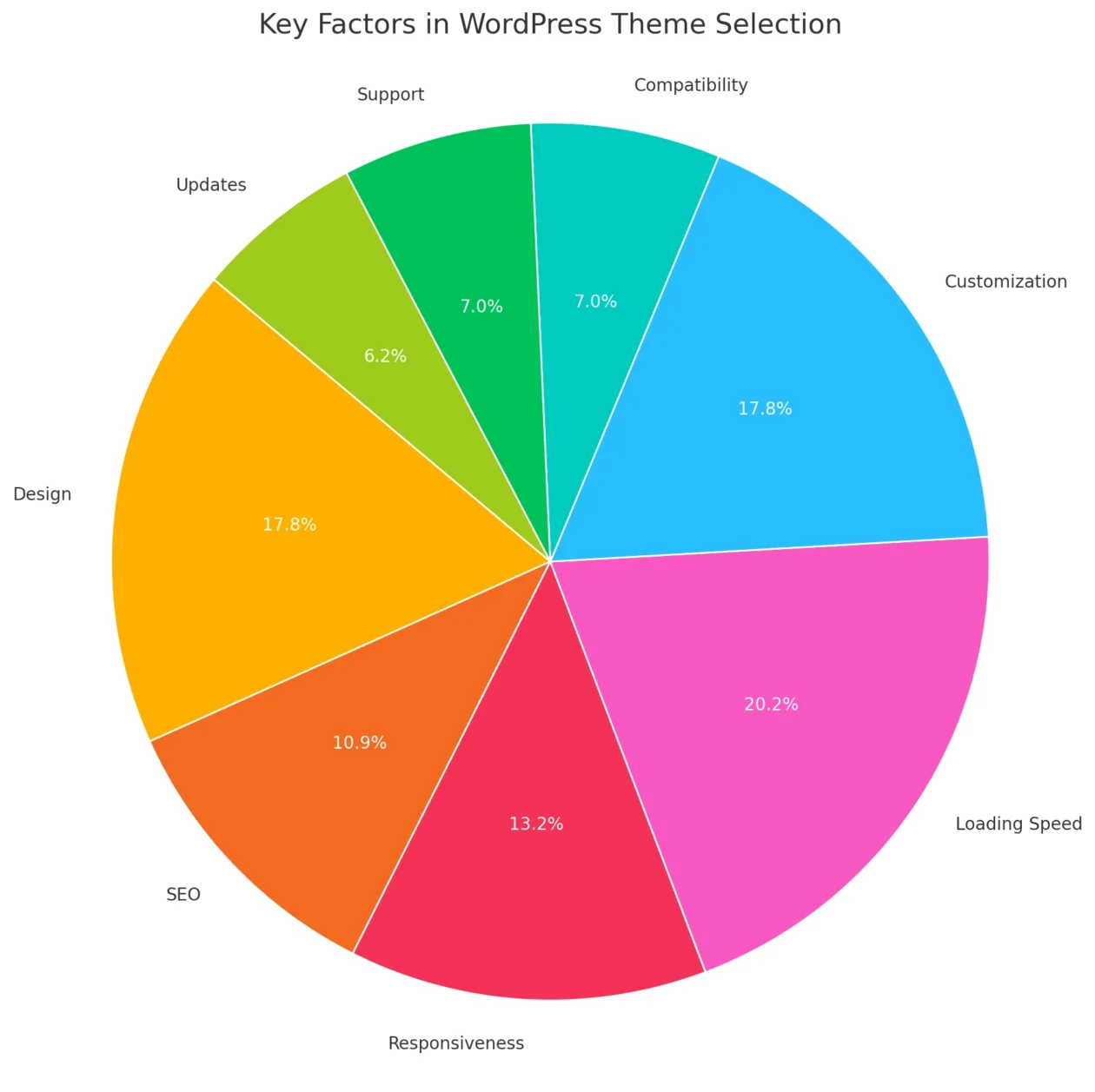
One caveat worth stating up front, because we cannot state it any other way honestly: no theme roundup can tell you which of these is fastest on your site. Your host, your plugin stack and your images move those numbers more than your theme does. What a good theme gives you is a low floor to start from, which you then protect with the rest of your WordPress speed optimisation work. If your layout jumps around while it loads, that is usually ad slots, web fonts or lazy-loaded images rather than the theme, and it is fixable without switching, as our guide to stopping layout shift in WordPress covers.
1. GeneratePress
GeneratePress is the theme you pick when you want the theme to get out of the way. It has almost no opinions about design, which is exactly why it survives redesigns, and its free version is closer to a blank, well-built foundation than a finished blog.
- Key features: Minimal stylesheet, granular typography, per-post layout overrides, and a Premium module set that adds a theme builder, hooks and 60+ starter sites.
- Price: Free on WordPress.org, 500,000+ active installs, rated 5.0 from 1,426 ratings. GP Premium is $59 a year for up to 500 sites; the GeneratePress One bundle is $149 a year against $257 for the three products bought separately, a saving of $108.
- Best for: Writers and developers who want a plain, boring base and will add the design themselves. Among the USD-priced plans in the table it is the cheapest multi-site licence: $59 covers up to 500 sites, where the next cheapest multi-site plan covers three.
- Skip it if: you want a finished-looking blog on day one. The free version gives you structure, not style.
One honest wrinkle: GeneratePress has gone the longest between releases of anything in this roundup. Version 3.6.1 shipped on 1 December 2025, and the listing still showed that date at the end of August 2026. On a theme this mature that reads as stability rather than neglect, but it is the number to watch, and it is the reason we recommend checking release dates before you install anything.
2. Astra
Astra is the most widely installed third-party theme here and the one most beginners meet first, usually bundled with a starter template. The free version is genuinely capable, and the upgrade path is where you need to read carefully.
- Key features: A very broad customizer, tight integration with the major page builders, WooCommerce support, and a starter-template library that does most of the work for you.
- Price: Free on WordPress.org, 1,000,000+ active installs, rated 4.9 from 6,514 ratings. The entry paid plan is Astra Pro + AI at $99 for the first year, then $149 a year, covering up to three sites. A one-time licence is $279.
- Best for: Bloggers who want a good-looking site quickly and expect to use Elementor or the block editor rather than write CSS. Our Astra Pro review goes through the paid modules in detail.
- Skip it if: you dislike upsell notices in the dashboard, or you need more than three sites on the entry plan.
The renewal is the catch. Astra’s entry plan is $99 the first year and $149 every year after, so the sticker you buy on is roughly two thirds of what you actually pay from year two onward. The $279 one-time licence overtakes the subscription early in year three: two years of subscription comes to $248, three years comes to $397. If you know you are keeping the site, the maths favours paying once.
3. Blocksy
Blocksy is the theme we recommend most often to people who want a real blog without paying anything, because its free version is unusually generous about the one feature everyone hits first: the header.
- Key features: Drag-and-drop header and footer builders in the free version, plus transparent and sticky headers, per-post-type layout controls and a clean set of block-editor defaults.
- Price: Free on WordPress.org, 300,000+ active installs, rated 5.0 from 872 ratings. Blocksy Pro starts at $69 a year or $199 one-time for one site, with 10-site and unlimited tiers at $99 and $149 a year.
- Best for: Bloggers who want real header and footer control without opening a page builder or a wallet.
- Skip it if: you are on an older WordPress install, or you specifically want the dark mode switch or the mega menu, both of which sit behind Pro. Blocksy 2.1.55 also requires WordPress 6.7 or newer, the highest floor here alongside Twenty Twenty-Five.
Blocksy and GeneratePress are the only two themes here showing a straight 5.0 on WordPress.org, though GeneratePress carries that score across the larger sample. If you do end up paying, the $199 one-time licence costs less than three years of the $69 annual plan, so it pays for itself during year three.
4. Kadence
Kadence pairs a capable free theme with Kadence Blocks, and that combination is what makes it interesting for bloggers who live in the block editor rather than a page builder.
- Key features: Header and footer builder in the free theme, global design controls, a starter-template library, and deep integration with Kadence Blocks, one of the better Gutenberg block plugins for building layouts without a builder.
- Price: Free on WordPress.org, 500,000+ active installs, rated 4.9 from 452 ratings. Paid plans are now sold through Liquid Web: Essentials is $99 a year, Pro $299, Elite $499, with the multi-site portal priced per site.
- Best for: Block-editor bloggers who want design consistency across a site without a builder, and who value starter templates that look finished.
- Skip it if: you were planning to buy the old cheap Kadence bundle. The entry tier now sits at $99 a year, level with Astra’s first-year price and above both Blocksy and GeneratePress.
The free theme is unaffected by any of that, and it is the part most blogs need. Just go in knowing that the paid ladder now starts higher than it used to and climbs steeply, and that Elite’s multi-site management carries per-site pricing on top.
5. Neve
Neve is a lightweight, mobile-first theme from Themeisle with a large starter-site library and unusually good Elementor tuning options in its paid tier.
- Key features: Small footprint, mobile-first layouts, a starter-site importer, and Pro modules for custom layouts, content restriction and loading remote fonts locally.
- Price: Free on WordPress.org, 200,000+ active installs, rated 4.7 from 1,281 ratings. Neve Pro Personal is listed at 69 for the first year against a 139 list price, with Business at 149 and Agency at 259. The page renders the currency symbol by visitor location, so treat the number as the fixed part.
- Best for: Elementor users who want unlimited sites on the entry licence, which none of the other entry tiers here offer.
- Skip it if: you dislike introductory pricing. Themeisle states plainly on the page that all renewals are at full price, so Personal moves from 69 to 139, almost exactly double.
Neve also has the smallest install base in this table at 200,000+, and at 4.7 the lowest WordPress.org rating of the six third-party themes here. Neither is damning, but with 1,281 ratings behind that score the sample is big enough to take seriously rather than wave away.
6. OceanWP
OceanWP is the maximalist option: an enormous customizer, a long extension list, and strong WooCommerce support if your blog eventually sells something.
- Key features: Very deep customizer settings, free and premium extensions, a large demo library, and WooCommerce layouts that hold up if you bolt a shop onto the blog later.
- Price: Free on WordPress.org, 500,000+ active installs, rated 4.9 from 5,714 ratings. The Core Extensions Bundle lists at $52 a year for one site, rising to $64 for three, $105 for ten and $189 for 300; the page applies a promotional code by default that shows lower figures, so check the total at checkout.
- Best for: Bloggers who want to change everything from the customizer and would rather tick boxes than write CSS.
- Skip it if: you want restraint. The same depth that makes OceanWP flexible makes its settings screen a long afternoon, and every extension you activate is more code on the page.
That last point is the real trade. OceanWP’s free theme is fine; what costs you is switching on eight extensions you only half need. If you use it, be deliberate about which ones you activate, and keep an eye on what they add to each request.
7. Twenty Twenty-Five
The default WordPress theme is the one nobody puts in these lists, which is odd, because for a text-first blog it is a legitimate answer. It ships with WordPress, has no Pro tier, and nothing in it is trying to sell you anything.
- Key features: A block theme built for the Site Editor, with style variations, a large pattern library and editable templates for the header, footer and archives. Our guide to full site editing themes covers the editing model in more depth.
- Price: Free, forever, with no paid version. 1,000,000+ active installs on WordPress.org, requiring WordPress 6.7 or newer.
- Best for: Personal blogs, newsletters and writing-led sites where the content is the design, and anyone who wants zero vendor dependency.
- Skip it if: you want customizer-style controls or commercial support. The Site Editor is a different way of working, and the theme’s WordPress.org rating is 3.9 from only 13 ratings, which is too small a sample to mean much either way.
Astra and Twenty Twenty-Five are the only two themes here that WordPress.org lists at 1,000,000+ active installs, which tells you something about how many sites simply never change the default. That is not always laziness. On a writing blog it is often the right answer, and pairing it with a good font stack from our notes on font combinations for web design gets you most of the way to a designed site.
What most theme roundups get wrong
There is no free version of Divi. It is the most common error in this category, and an earlier version of this page made it too. Divi has never been listed in the WordPress.org theme directory. Elegant Themes sells it as $89 a year for unlimited sites or $249 as a one-time payment, with a Divi Pro bundle at $277 a year. It is a good product and our Divi review says so, but it does not belong on a list of free themes.
The free version is a sample, not a smaller product. Vendors reserve four things almost universally: header and footer builders, conditional templates, WooCommerce layouts and the good half of the starter-site library. Blocksy and Kadence break that pattern by giving away header control. Everyone else expects you to upgrade the moment you want your logo somewhere unusual.
The advertised price is rarely the price. Astra’s entry plan goes from $99 to $149. Neve’s Personal tier goes from 69 to 139 and the vendor says so on the page. Kadence’s entry tier has settled at $99 a year through Liquid Web. Only GeneratePress publishes an ongoing figure you can plan around. Blocksy and Astra at least sell one-time licences, which is the reliable way to opt out of renewal surprises altogether.
Your theme is probably not your speed problem. We see this weekly. A blog scores badly, the owner switches themes, the score barely moves, because the actual cost was an unoptimised hero image, a slow host and six plugins loading on every page. Fix the images first with a proper image optimisation plugin, add a caching plugin, and if it is still slow, the problem is upstream in your hosting. Theme choice sets your floor; it does not set your ceiling.
Installing a theme without breaking your blog
Switching a live blog’s theme takes about four minutes and goes wrong in predictable ways. Do it in this order.
- Take a full backup, files and database, before you touch anything. If you skip one step, do not skip this one.
- Record your current numbers. Run PageSpeed Insights on your homepage and your most-read post, and save the LCP, INP and CLS values. Without a before, you cannot tell whether the switch helped.
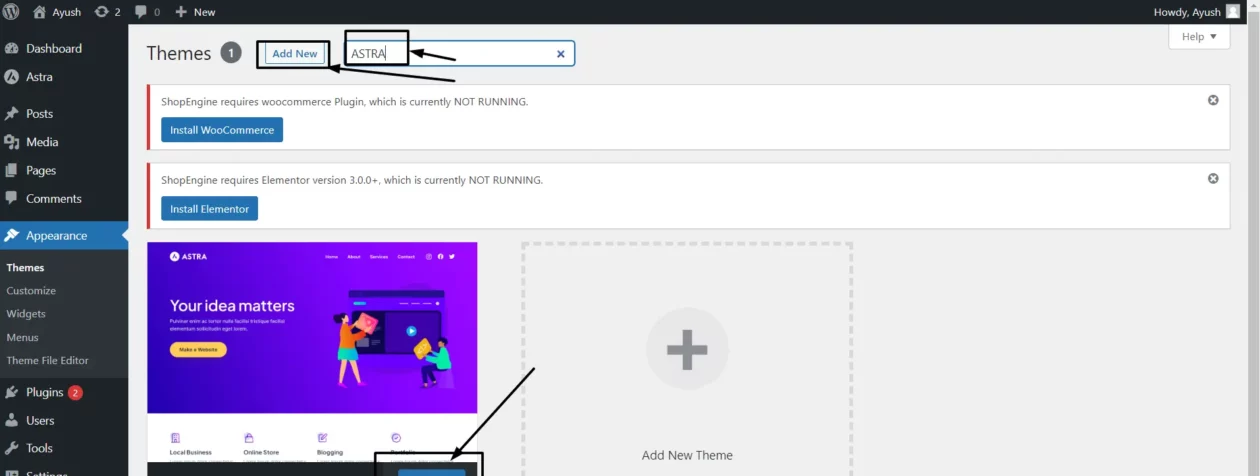
- In the dashboard, go to Appearance, then Themes, then Add New Theme, and search for the theme by name.
- Install and activate. Rebuild your menus and widgets, which almost never carry across cleanly.
- Verify: open your homepage, a single post, a category archive, your search results page and a 404 in a private window. Then re-run PageSpeed Insights on the same two URLs and compare against the numbers you saved in step two.
What breaks
- Menus and widgets empty out. Theme locations are named differently, so WordPress cannot map them. Expect to rebuild both.
- Shortcodes from the old theme stop rendering and leave square brackets in your posts. Search your content for the old theme’s shortcode prefix before you deactivate it.
- Custom CSS in the old theme’s options panel disappears. Anything in Appearance, then Customize, then Additional CSS survives. Anything in a theme-specific CSS field usually does not. Copy it out first.
- Your logo and header sizing reset, which is where most of the post-switch afternoon goes.
- Page-builder layouts may need re-saving. If you built pages with a builder, open and re-save a few before you assume they survived. Our roundup of visual page builders covers which ones travel between themes most cleanly.
Which one should you pick?
- Writing-led blog, no budget, no plans to buy anything: Twenty Twenty-Five, or GeneratePress if you prefer the Customizer to the Site Editor.
- You want a properly designed header and footer without paying: Blocksy.
- You build in the block editor and want site-wide design control: Kadence with Kadence Blocks.
- You build in Elementor and manage several sites: Neve for the unlimited-site entry licence, or Astra if you prefer a larger ecosystem and only need three.
- You want to configure everything from one settings screen: OceanWP.
- You are building client sites and will buy a licence: GeneratePress. Among the USD-priced plans here, $59 a year for up to 500 sites is the cheapest multi-site licence on the page.
Whichever you choose, the theme is one input among several. Getting your on-page work right matters at least as much, and our walkthrough of optimising blog posts in WordPress is a better use of an afternoon than a third theme comparison.
Frequently Asked Questions
Is there a free version of Divi?
No. Divi has never been listed in the WordPress.org theme directory, and Elegant Themes sells it only as a paid product: 89 US dollars a year for unlimited sites, or 249 as a one-time payment. Any roundup listing a free Divi is describing something that does not exist.
Which free WordPress blog theme is the fastest?
None of them can be called fastest without measuring your own site. Your host, plugin stack and images move Core Web Vitals more than the theme does. Put two candidates on a staging copy, run PageSpeed Insights on the same URLs, and compare LCP, INP and CLS.
Do I actually need the Pro version to run a blog?
Usually not. A blog needs post layouts, typography control and a readable archive, and every free theme in this roundup handles all three. Pro licences buy header builders, conditional templates and WooCommerce modules. Buy one when a named feature is blocking you, not in advance.
What Core Web Vitals thresholds should a blog theme help me hit?
Google rates a page as good at 2.5 seconds or less for Largest Contentful Paint, 200 milliseconds or less for Interaction to Next Paint, and 0.1 or less for Cumulative Layout Shift. All three are measured at the 75th percentile of real page loads.
Will switching themes hurt my search rankings?
Switching does not change your URLs, post content or redirects, so rankings normally hold. What does move is page speed, heading structure and internal linking, because those live in the template. Check your ten best-performing posts in the two weeks after the switch.
Can I use these free themes on client sites?
Yes. All seven are GPL licensed, which permits commercial use including client work. Paid add-ons are a separate question: every vendor here caps the number of sites per licence tier, and all of them prohibit reselling or sharing a licence key with a third party.
Do free WordPress themes still get security updates?
Yes, but at very different speeds. Every WordPress.org listing shows the last release date, and that is the number to check before installing anything. Across the seven themes here, those dates ranged from December 2025 to August 2026 when we checked.
Is a block theme better than a classic theme for blogging?
Not automatically. Block themes such as Twenty Twenty-Five let you edit headers, footers and archives in the Site Editor without touching PHP. Classic themes such as GeneratePress and OceanWP put the same controls in the Customizer. Pick the editing model you will actually open.
What do free theme versions normally leave out?
Four things, almost universally: header and footer builders, conditional templates, WooCommerce layouts, and the better half of the starter-site library. Blocksy and Kadence are the exceptions on header control. A straightforward text blog rarely needs any of the paid modules.
The call
Install GeneratePress. It is the plainest free base in this roundup, it holds a 5.0 across 1,426 ratings, the larger of the two perfect scores here, and if you ever need the paid tier, $59 a year for up to 500 sites is the cheapest multi-site licence on this page. If you want more design handed to you and would rather not pay at all, install Blocksy instead, because free drag-and-drop header and footer builders are the most useful thing any vendor on this page gives away.
Then stop shopping. Record your Core Web Vitals before and after, rebuild your menus, and go and write something. The gap between the best theme on this list and the third-best is smaller than the gap between a blog that publishes and one that keeps redesigning.



[…] PHP 7.4. Astra and GeneratePress work too. If you would rather let the theme own the blog, our roundup of WordPress blog themes is the shorter […]
[…] own conventions getting in the way. If you are starting a publication, pair it with our roundup of WordPress blog themes before […]