

You can start a blog this afternoon. What nobody puts in the headline is what it costs in year five, when the $2.99 hosting deal becomes $10.99 a month and the free plugin you built on starts asking for a licence.
This guide walks the whole setup: domain, hosting, WordPress, theme, plugins, first post. Every price was checked against the vendor’s own page in August 2026, renewals included.

Quick verdict
- Best overall setup: self-hosted WordPress on a shared hosting plan. You own the domain, you can move hosts, and nobody can switch off your site because they changed a policy.
- Best free part: WordPress itself. The software costs nothing and always will. Hosting is the bill, not the CMS.
- Skip it if: you are not going to publish at least twice a month for a year. A dormant blog costs money and returns nothing.
- Our call: buy the shortest hosting term you can stomach, install four plugins, and spend the saved money on writing more posts. The setup is the easy half.
What starting a blog actually costs
Most guides quote the promotional monthly rate and stop there. That number is real, but it is attached to a term length and a renewal rate, and those are the two figures that decide whether blogging stays affordable.
| Plan | Intro rate | Term and upfront cost | Renews at | Renewal year |
|---|---|---|---|---|
| Hostinger Premium | $2.99/mo | 48 months, $143.52 up front | $10.99/mo | $131.88 |
| Hostinger Unlimited | $3.99/mo | 48 months, $191.52 up front | $16.99/mo | $203.88 |
| Hostinger Cloud Startup | $7.99/mo | 48 months, $383.52 up front | $25.99/mo | $311.88 |
| .com domain | Included free for year one with a plan of 12 months or more | — | $19.99/yr | $19.99 |
Premium is the cheapest of the three Hostinger plans in that table, on the intro rate and at renewal. It is also the one most new blogs should buy: the plan card lists 20 GB of SSD storage and three websites, which is more headroom than a first-year blog will use.
The honest summary: about $143.52 buys you four years of hosting and a free domain for the first of them. Your first real renewal year is roughly $151.87 once the domain renewal lands on top. That is the number to plan around, and it is the number almost nobody prints.
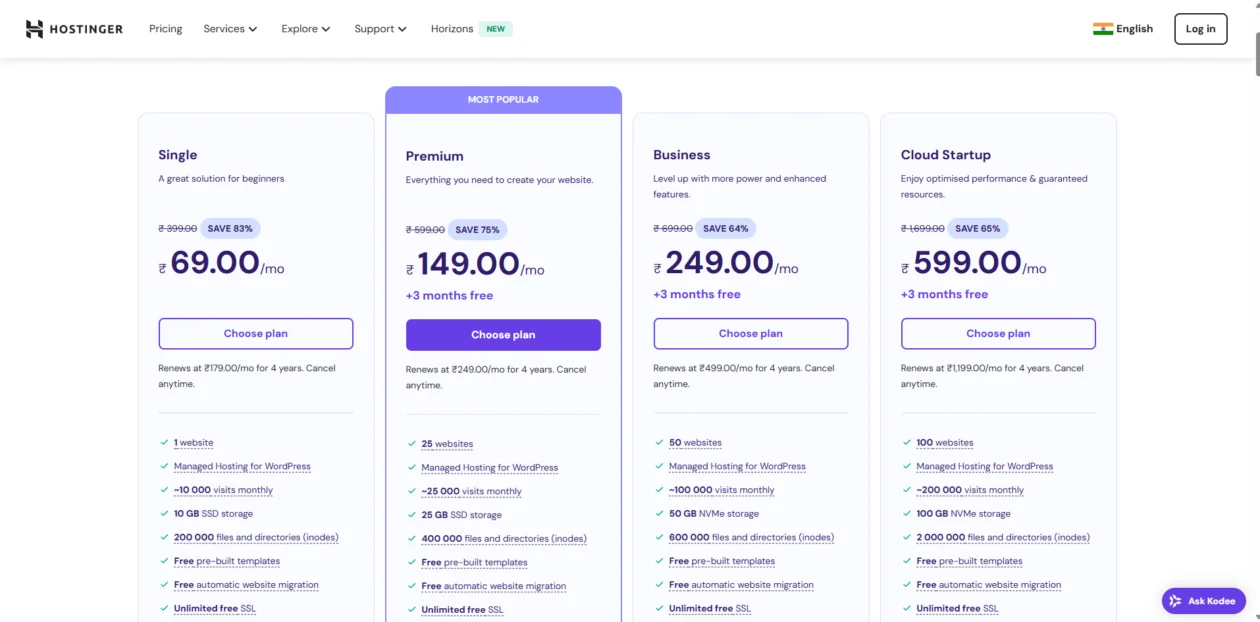
That screenshot matters. The pricing page geo-switches currency, so the plan that reads $2.99 in one country reads ₹149 in another with a different renewal rate underneath. Never convert a quoted price yourself. Read the number your own checkout shows you, and read the renewal line under the button.
If you want to compare hosts before committing, our roundups of WordPress hosting platforms and the cheapest WordPress hosting cover the alternatives with the same renewal-first approach.
Free platform or self-hosted: decide this once

Free blogging platforms are a real option and the honest advice is not “never use them”. They are the right choice when you are still testing whether you enjoy writing enough to keep doing it in month six. Nothing to buy, nothing to maintain, nothing lost if you stop.
What you give up is control, and it only starts to hurt later. On a free plan you usually cannot run your own ads, cannot install plugins, cannot change the underlying code, and cannot take your design with you when you leave. The address is theirs, so the audience is partly theirs too.
Self-hosted WordPress costs money and asks for maintenance in exchange for three things that matter the moment a blog starts working: you own the domain, so redirects follow you to any host; you can run any monetisation you like; and you can export everything and move. The migration is a nuisance either way, but from a free platform you often lose your URLs, and losing URLs means losing whatever rankings you had built.
The practical rule: if you are experimenting, stay free and spend nothing. If you already know this is a business, or you intend to sell anything at all, go self-hosted from day one. Migrating later is the expensive path, and it is expensive in rankings rather than in money.
Pick the topic before you pick the domain

“Follow your passion” is where most niche advice stops, and it is why so many blogs are abandoned by post nine. Passion gets you through the first three posts. What gets you through the next thirty is having enough to say.
A more useful test, before you spend anything: open a document and list thirty post titles you could write without doing new research. Not thirty ideas. Thirty titles you could actually sit down and write. If you run dry at eleven, the topic is a single article, not a blog.
Then check two things. Does anyone search for this? Type a few of your titles into a search box and see whether real pages come back or whether the results wander off topic — the second usually means nobody is looking. And is there room? If the first page is entirely large publishers answering the question well, pick a narrower angle where your specific experience is the advantage.
Narrow beats broad at the start, every time. “Budget travel” competes with everyone. “Budget travel in the Balkans by train” competes with almost nobody, and it tells a reader in six words whether they are in the right place. You can widen later once you have an audience; you cannot narrow after you have confused one.
Do this before buying the domain. A name chosen to fit a topic you have actually stress-tested will still fit in year three.
The setup, step by step
Eight steps, in order. Steps one to four take an afternoon. Step eight is the one people skip, and it is the one that catches the mistakes.
Step 1: Register the domain
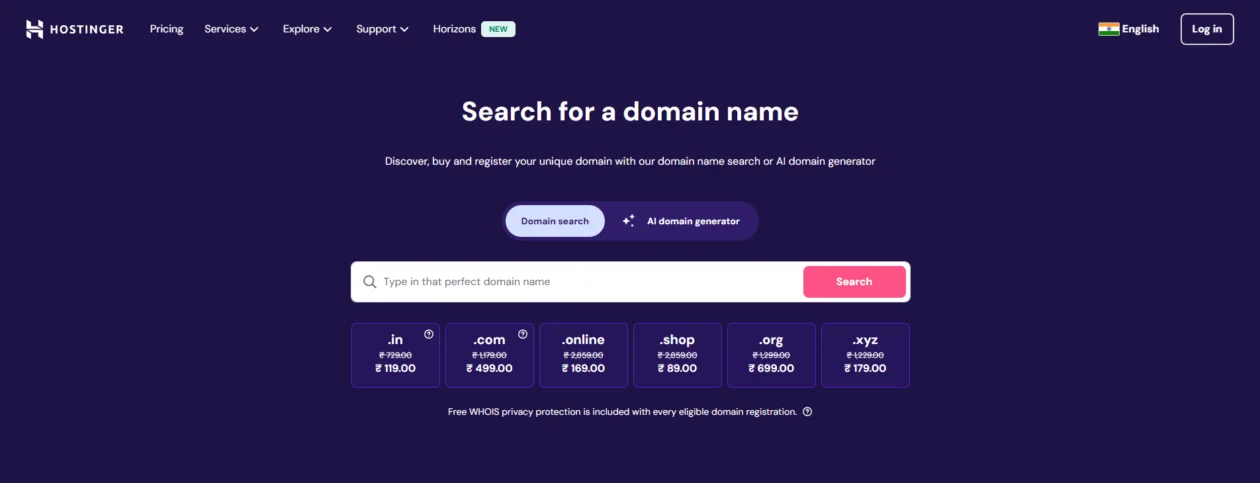
Short, spellable, no hyphens, no numbers. Say it out loud to someone and see whether they can type it without asking how it is spelled. That is the whole test.
Take .com if it is available. The novelty extensions look cheap on the tile and then renew hard: .online and .shop both start under a dollar and renew above $34, while .com renews at $19.99. Buy the extension you can afford forever, not the one that is cheapest this week.
One thing worth doing before you buy: check the name is not already a trademark in your country, and check the social handles are free. Renaming a blog at month eighteen is a genuinely miserable job.
Step 2: Buy hosting
Hosting is where your files live and where your speed comes from. For a new blog the requirements are unglamorous: SSL included, one-click WordPress, daily backups, and support that answers at 2am when you break something.
We point beginners at Hostinger for one specific reason: domain, hosting, email and the WordPress install sit behind a single login, so there is one control panel to learn instead of three. It is not the most powerful hosting on the market, and for a first blog it does not need to be. It is the one that stops a beginner getting stuck.
Disclosure: the link below is an affiliate link. If you buy through it we earn a commission at no extra cost to you. It does not change the prices above, which come from the vendor’s own page.
The catch, stated plainly: the $2.99 rate requires paying 48 months up front. If you quit blogging in year two, you have already paid for years three and four. If that makes you uneasy, buy a 12-month term at the higher rate. Paying more per month to keep the option of walking away is a perfectly rational trade.
Step 3: Install WordPress
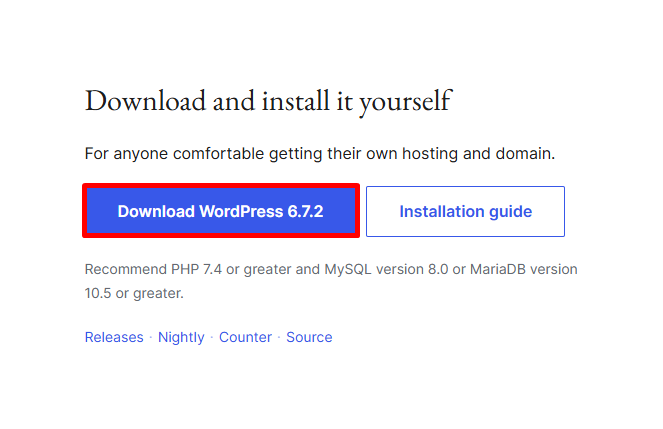
Almost every shared host has a one-click WordPress installer. Use it. Log in, find the WordPress button, pick your domain, set an admin username that is not “admin”, and let it run.
If you would rather install it by hand, wordpress.org publishes the current release along with its recommended PHP and database versions. Check your host meets them; an old PHP version is the quiet cause of a lot of “my site is slow” tickets.
Step 4: Fix the settings before you publish anything
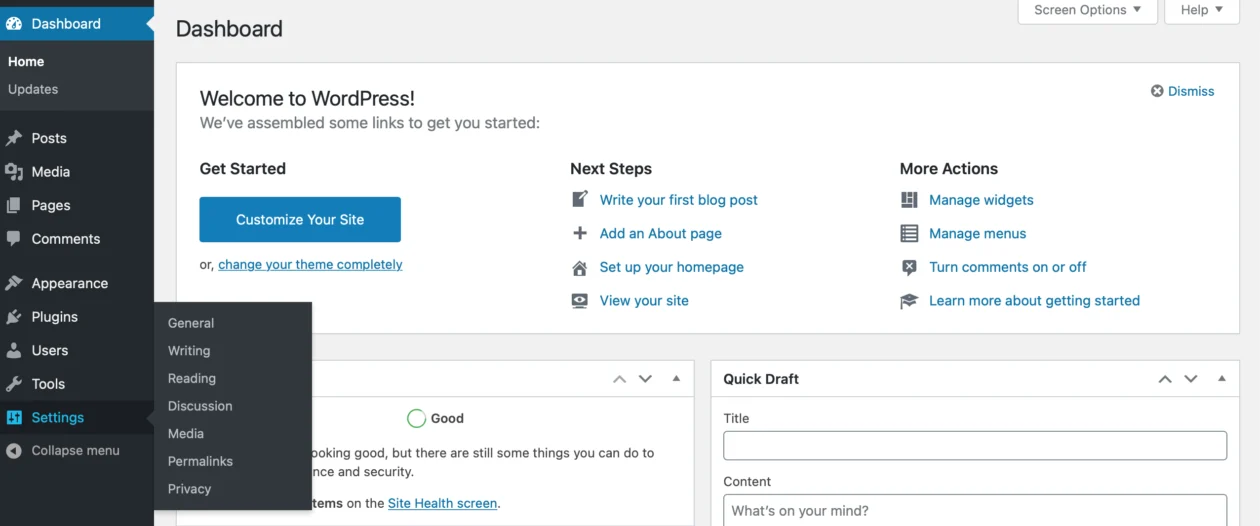
Four settings, five minutes, and they save you a redirect map later:
- Settings → Permalinks → Post name. Do this before your first post. Changing it afterwards breaks every existing URL.
- Settings → Reading. Make sure “Discourage search engines” is unticked. Hosts sometimes leave it on after a staging install.
- Settings → General. Site title, tagline, timezone, and both URLs on https.
- Settings → Discussion. Turn on comment moderation for first-time commenters unless you enjoy deleting casino spam by hand.
Step 5: Pick a theme you can live with
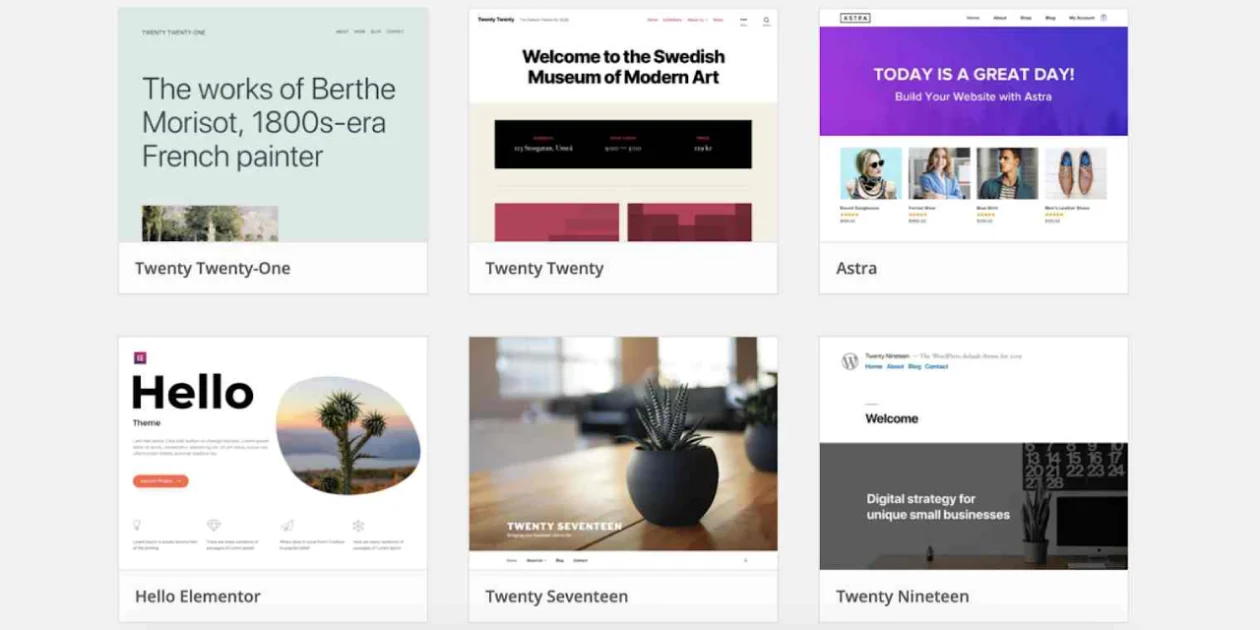
A theme controls layout, typography and, more than people expect, loading speed. The advice that actually holds up: pick something plain and fast now, and change it once you know what your blog is.
Check three things before installing. When was it last updated? How many active installs does it have? Does the demo load quickly on your phone, on mobile data, not on office wi-fi? A theme abandoned two years ago is a security problem waiting for a slow news week.
If you want options beyond the default themes, we keep a shortlist of WordPress blog themes that are built for reading rather than for screenshots.
Step 6: Install four plugins, not twenty
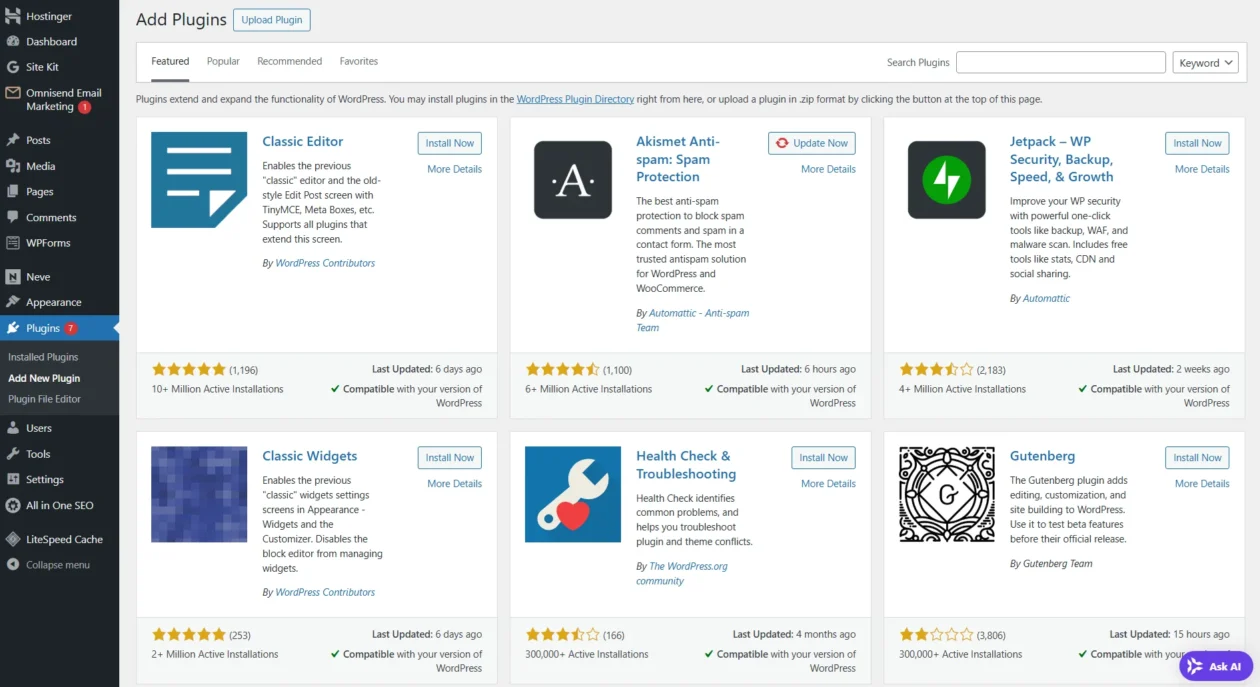
Every plugin is code someone else maintains, running on your site, forever. Four categories cover a new blog: SEO, backups, security, caching. Free tiers handle all four competently. Add a fifth plugin only when you hit a real problem.
| Tool | Job | First year | Renews at |
|---|---|---|---|
| Rank Math | SEO titles, sitemaps, schema | Free tier | Free |
| Perfmatters Personal | Turning off scripts you do not use | $29.95 | 15% off, about $25.46 |
| Elementor Pro Essential | Page building, if you need it | $49.00 | See vendor page |
| WP Rocket Single | Caching and file optimisation | $59.00 | $59.00 |
Perfmatters Personal is the cheapest paid licence in that table at $29.95 for the first year, and the only one there with a documented renewal discount. None of these are required on day one. Rank Math’s free tier is genuinely enough for a blog that has not launched yet, and for backups and security the free versions in our backup plugin and security plugin roundups will do the job.
If you are weighing a builder at all, the visual page builder roundup explains what each one commits you to before you install it.
Step 7: Write the first post properly

Pick one question a real person types into a search box and answer it better than the pages currently ranking. Free keyword tools are fine at this stage; you are looking for phrasing, not volume estimates you cannot act on.
Structure that works: a first paragraph that answers the question directly, headings a skimmer can navigate, one image that shows something rather than decorating, and a closing line that tells the reader what to do next. Our guide to optimising blog posts in WordPress covers the on-page detail.
Write three posts before you launch. One post makes a site look abandoned on the day it opens.
Step 8: Verify the thing actually works
Skip this and you will find the problems six months later in your analytics. Run through all six:
- Open the site in a private browser window. It should load over https with no certificate warning.
- Visit
yourdomain.com/robots.txt. If it disallows everything, Settings → Reading is still discouraging search engines. - Open a post on your phone over mobile data. Anything that feels slow here is slow.
- Run the homepage and one post through PageSpeed Insights. The Core Web Vitals targets, per web.dev, are LCP of 2.5 seconds or less, INP of 200 milliseconds or less, and CLS of 0.1 or less, measured at the 75th percentile of page loads.
- Submit the sitemap in Google Search Console and confirm it is read without errors.
- Trigger a manual backup and then restore it somewhere. An untested backup is a rumour.
If the vitals numbers come back red, our walkthrough on how to speed up a WordPress website takes the fixes in order of effort.
What breaks, and when
These are the failures that catch new blogs out, in roughly the order they tend to arrive.
- Month 13, the free domain ends. The domain included with a hosting plan is free for one year. Then it renews at the standard rate, $19.99 for a .com at the check date. Nobody budgets for this.
- Month 49, the hosting renews. $2.99 becomes $10.99. The bill roughly triples on a day you have forgotten is coming.
- Whenever you change permalinks. Every old URL 404s. Old shares, old links, old search results. Set it once at step four and never touch it.
- Whenever you remove a page builder. Deactivate Elementor or a similar builder and the posts it touched turn into shortcode debris. That is the real lock-in, not the licence fee.
- When a theme goes quiet. An unmaintained theme stops getting security fixes long before it stops working, which is why the last-updated date matters more than the demo.
- When the plugin count climbs. Twenty plugins means twenty update streams and twenty chances of a conflict. Every one you add is a maintenance commitment.
What most “start a blog” guides get wrong
Three things, consistently.
They quote the intro price as if it were the price. A monthly figure with no term length and no renewal rate attached is marketing, not information. If a guide tells you hosting costs $2.99 a month without mentioning the 48-month commitment or the $10.99 renewal, it has told you almost nothing useful.
They convert currencies. Vendor pages geo-switch. A guide that turns a euro price into dollars for you has invented a number that appears on no checkout page anywhere. Read what your own screen shows.
They promise a timeline. “Earn $1,000 a month in six months” is a sales pitch. What is actually measurable is simpler and less exciting: publish consistently, cover one topic properly, and read Search Console monthly. Most new blogs see close to nothing for the first several months, and that is normal rather than a sign you did it wrong.
Design: enough to look intentional
A blog does not need to be beautiful. It needs to be readable, and readable is a much shorter checklist: body text at 18px or larger, generous line height, real contrast between text and background, a menu with fewer than seven items, and enough white space that paragraphs do not run together.
The trap is buying a theme for its homepage demo. You will spend most of your time on post pages, so judge a theme by what a single article looks like with 1,200 words in it and no hero video. Every slider, animation and web font you add is weight the reader pays for on the first load.
Images are usually the largest thing on a blog page. Set explicit width and height on them, compress before uploading, and lazy-load anything below the fold. That single habit does more for your vitals score than most caching settings.
Getting the thing read

Search is the channel that compounds. Everything else fades the day you stop posting. Practically, that means writing for one clear question per post, using headings that describe rather than tease, linking your own related posts to each other, and giving every image alt text that says what it shows.

Email is the channel you own. Search rankings move, social reach gets throttled, but a list you exported last month is still a list. Start collecting addresses from day one, even at ten subscribers, and offer something concrete in exchange rather than “subscribe for updates”.
Social media is a distribution channel, not a home. Post excerpts, argue the point in the thread, link back. Pick the one platform your readers already use rather than spreading thin across five and posting the same thing to all of them.

Guest posting still works when it is done as writing rather than as link acquisition. Pitch a site whose readers overlap with yours, write the piece you would have published yourself, and accept that one good placement beats twenty on sites nobody reads.


Forums, Discords and subreddits in your niche are worth an hour a week, on one condition: answer questions properly and link only when the link genuinely answers the question. Communities can smell a drive-by promotion instantly, and being banned from the room where your readers live is an expensive mistake.
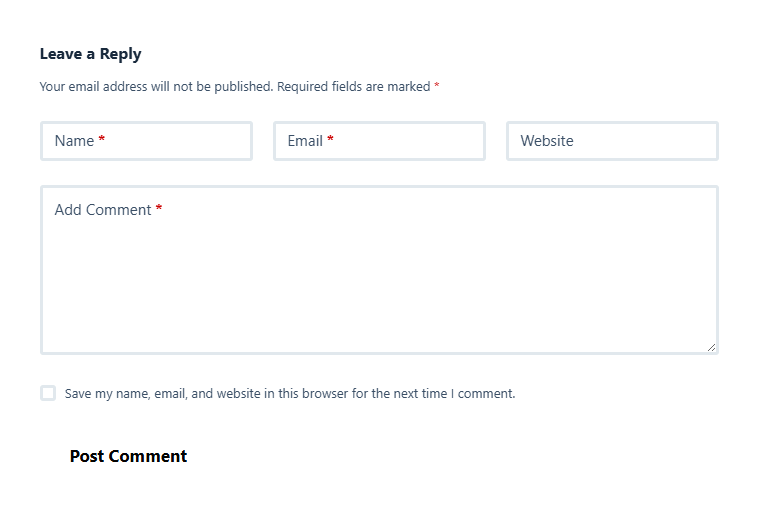
Comments are worth keeping open early, when a reply from the author is still a novelty. Moderate first-time commenters, reply within a day or two, and turn the good questions into future posts. If spam becomes a chore, close comments on posts older than a few months rather than switching them off everywhere.
Making money, realistically
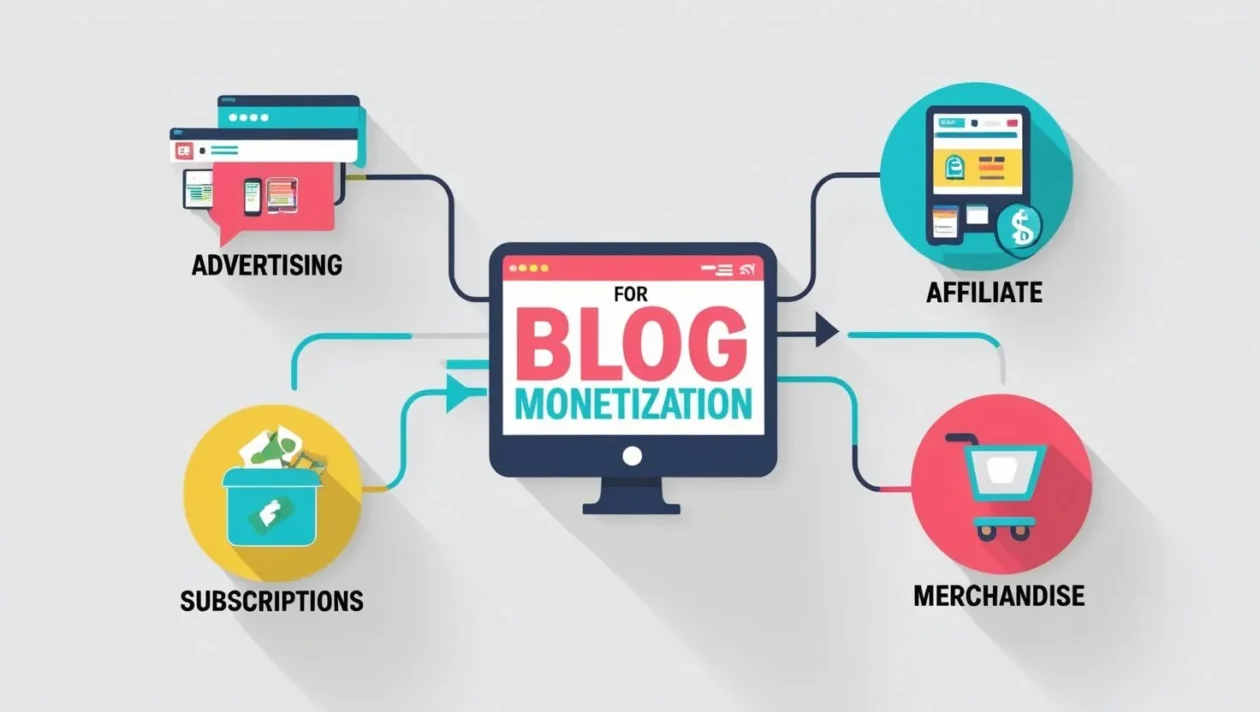
Four routes, and they suit different traffic levels. Display ads need volume: AdSense pays out only once you cross the payment threshold, which is $100 for accounts paid in US dollars and set separately for other currencies. On a young blog that can take a very long time to reach.
Affiliate income arrives earlier because it depends on intent rather than pageviews. Twenty readers who came looking for a hosting recommendation are worth more than two thousand who came for a listicle. Disclose the relationship, recommend only what you would use, and link the product rather than the homepage.
Your own products, digital or physical, pay the most per reader and cost the most to make. Services and consulting pay fastest of all and scale worst. Most blogs that earn a living use two of these four, not all of them. Our guide to monetising a WordPress blog goes through the mechanics.
Keeping it alive after the launch buzz
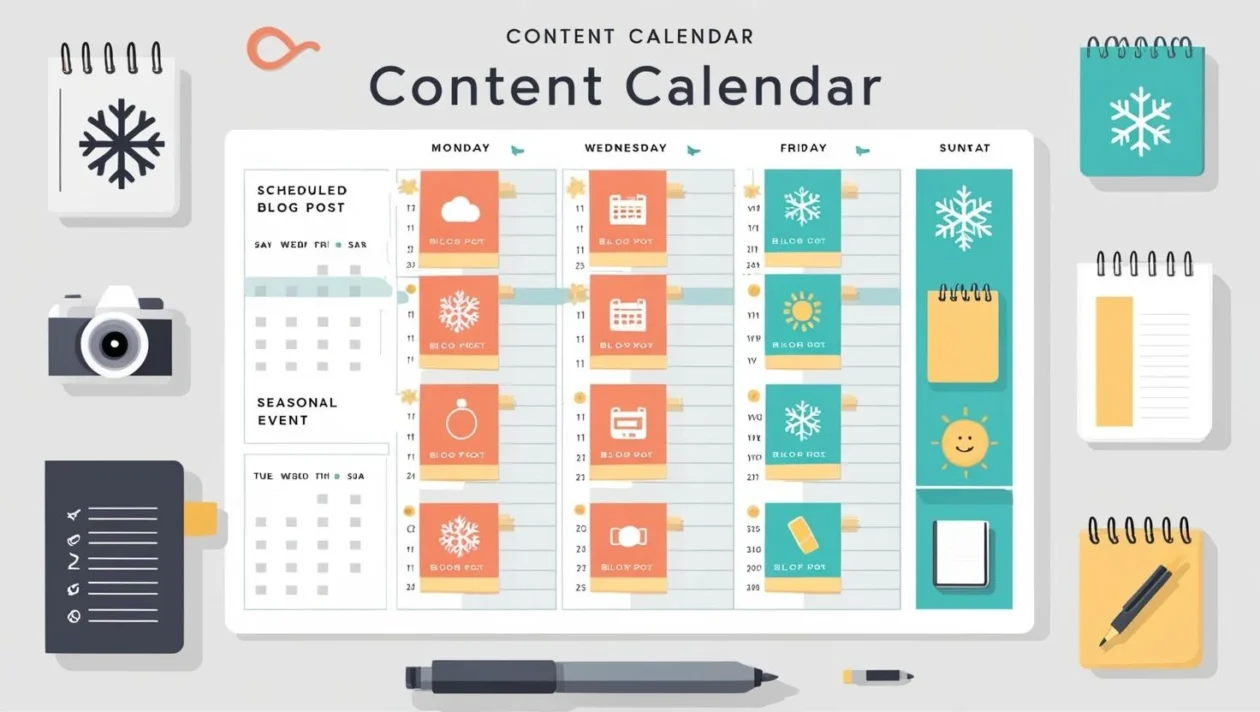
A calendar is not bureaucracy, it is the thing that stops week three from becoming month three. Pick a cadence you can hold on a bad week, not a good one. Two posts a month you actually publish beats a weekly plan you abandon in February.

Once you have twenty or thirty posts, updating beats writing. Find the posts that rank on page two, fix what has gone stale, and republish. It is faster than a new article and it usually moves further, because the page already has history.

Check the numbers monthly, not daily. Which posts bring visitors, which queries you nearly rank for, which pages people leave immediately. Daily checking teaches you nothing except anxiety.
Which path is yours
- Testing whether you enjoy writing: use a free platform for three months. Do not spend anything. If you are still writing in month four, come back and do this properly.
- Committed, on a tight budget: Hostinger Premium on the longest term you are comfortable with, a free theme, four free plugins. Around $143.52 covers four years.
- Committed, want the option to leave: the same plan on a 12-month term. You pay more per month and keep the freedom to switch hosts next year.
- Building a business, not a hobby: add a caching plugin and a paid SEO tier once traffic justifies them. Not before. Buying tools early is the most common way new bloggers waste money.
Frequently Asked Questions
How much does it really cost to start a blog?
Roughly $143.52 buys four years on Hostinger’s Premium plan, with a free domain for the first year. After that, hosting renews at $10.99 a month and the domain at about $19.99 a year, so budget near $151.87 for your first full renewal year. Prices checked August 2026 in USD.
Is the cheap hosting price real?
The price is real; the term is the catch. Hostinger’s $2.99 a month Premium rate requires a 48-month commitment paid up front, and month 49 renews at $10.99. Budget the renewal rather than the banner before you commit to any host.
Do I need WordPress, or will a free platform do?
A free platform is fine for testing whether you enjoy writing. Self-hosted WordPress is the right call if you want to own the domain, run ads, or change hosts later. The WordPress software itself is free; hosting is the part you pay for.
Which plugins do I actually need on day one?
Four: SEO, backups, security and caching. Free tiers cover all four for a blog that has not launched yet. Add a fifth plugin only when a real problem appears, because every plugin is another update stream and another chance of a conflict.
How many posts before a blog gets traffic?
There is no number that works for everyone, and anyone quoting one is guessing. What is measurable is simpler: publish consistently, cover one topic properly, and read Search Console monthly. Most new blogs see close to nothing for the first several months.
When should I switch on ads?
Later than you want to. AdSense pays out only once earnings cross the payment threshold, which is $100 for accounts paid in US dollars and set separately in other currencies. On low traffic that takes a long time, so treat ads as a later step.
What breaks if I change my permalinks later?
Every existing URL. Old links, old shares and old search results all point at pages that no longer exist unless you add redirects for each one. Set permalinks to the post name once, before you publish anything, then leave them alone.
Do I need a page builder for a blog?
No. The block editor handles a blog perfectly well. Builders earn their keep on landing pages and client work. If you do install one, know that removing it later leaves shortcode debris in every post it touched, which is the real lock-in.
The call
Buy a .com, put self-hosted WordPress on a shared plan, install four plugins, and publish three posts before you tell anyone the site exists. That is the whole setup, and it costs about $143.52 for four years on Hostinger’s Premium plan at the August 2026 check date, or a little more per month if you want the freedom to leave after twelve.
Do not buy a caching licence, a premium theme or a page builder in week one. Buy them when something is measurably broken. The money that actually pays off in year one goes into writing more posts, not into the toolbox.
And put month 49 in your calendar now, with the renewal figure next to it. Future you will be glad it was not a surprise.


[…] Console, then leave it alone and go write. If you are still at the planning stage, our guide on how to start a blog covers the order to do things […]
[…] A rejection is not fatal, but reapplying with an unchanged site wastes weeks. Our guide to starting a blog the right way covers the groundwork that also happens to be what AdSense reviewers look […]