Most guides to font combinations for web design stop at the pretty screenshot. Then you ship the pairing, your homepage drags in six font files, the headline flashes in Times before it repaints, and your Core Web Vitals go sideways. A pairing is a design decision and a loading decision at the same time. This guide gives you 16 pairings that work visually, the measured download cost of each one, and the setup that stops them from wrecking your page.
Quick verdict
- Best overall: Montserrat and Source Sans 3. It covers headings and body text, gives you a full weight range from one file each, and costs 46.4 KB of webfont, the second-lightest pairing in the table below.
- Best free pick that loads fastest: every Google Fonts pairing here is free for commercial use, so the tiebreak is weight. Playfair Display and Raleway is the lightest pairing that downloads both fonts, at 44.6 KB.
- Skip it if: you are chasing a speed budget and reaching for Lato and Merriweather. At 117.8 KB it is the heaviest pairing in the table, roughly 2.6 times the lightest, almost all of it Merriweather.
- Our call: pick two families, load one weight range each, add
display=swap, and self-host. The pairing you choose matters less to your page speed than the number of weights you load with it.
Font pairing comparison: what each one costs to load
The number that matters is not the font’s reputation, it is the bytes your visitor downloads. The column below is the latin-subset WOFF2 payload for the weights each pairing actually needs: the display weight for the heading font, and a 400 to 700 range for the body font where the family offers one.
| Pairing (heading / body) | Webfont payload, latin | Licence and availability | Best for |
|---|---|---|---|
| Archivo Black / Roboto | 60.3 KB | Google Fonts, free | Loud marketing pages |
| Montserrat / Source Sans 3 | 46.4 KB | Google Fonts, free | General-purpose business sites |
| Lato / Merriweather | 117.8 KB | Google Fonts, free | Long-form reading, if you can afford it |
| Abril Fatface / Lato | 58.4 KB | Google Fonts, free | Editorial and fashion headlines |
| Alegreya Sans Black / Alegreya | 65.6 KB | Google Fonts, free | Superfamily consistency |
| Helvetica / Garamond | Not available | Licensed, not on Google Fonts | Print work, not the web |
| Libre Baskerville / Source Sans 3 | 48.0 KB | Google Fonts, free | Education, publishing, law |
| Times New Roman / Century Gothic | 0 KB, system fonts | Bundled, but not on every device | Zero-budget internal tools |
| Georgia Pro / Futura | Not available | Both commercial, paid licence | Brands that already own the licences |
| Roboto Condensed / Open Sans | 67.8 KB | Google Fonts, free | Dense dashboards and tech blogs |
| Exo 2 Black / Alegreya Sans | 62.8 KB | Google Fonts, free | Creative portfolios |
| Bebas Neue / Old Standard TT | 60.0 KB | Google Fonts, free | Vintage and heritage brands |
| Montserrat / Open Sans | 65.6 KB | Google Fonts, free | SaaS and software marketing |
| Lato / Roboto | 64.6 KB | Google Fonts, free | Health, wellness, lifestyle |
| Playfair Display / Raleway | 44.6 KB | Google Fonts, free | Luxury and high-end retail |
| Source Sans 3 / Times New Roman | 15.2 KB, heading font only | Google Fonts plus a system font | Speed budgets under 20 KB |
Two things jump out. Source Sans 3 paired with Times New Roman downloads least of anything here, 15.2 KB, but only because the body font already lives on the reader’s machine and never downloads at all. And Lato with Merriweather costs more than any other pairing on the list, because Merriweather is an unusually heavy file once you ask it for more than one weight. More on that below.
The 16 best font combinations for web design in 2026
Every mockup below uses the same layout so you can compare like with like: the site name set in the display font, a paragraph of body copy underneath, and a photo. In all of them the first font named is the heading and the second is the body text.
Archivo Black and Roboto
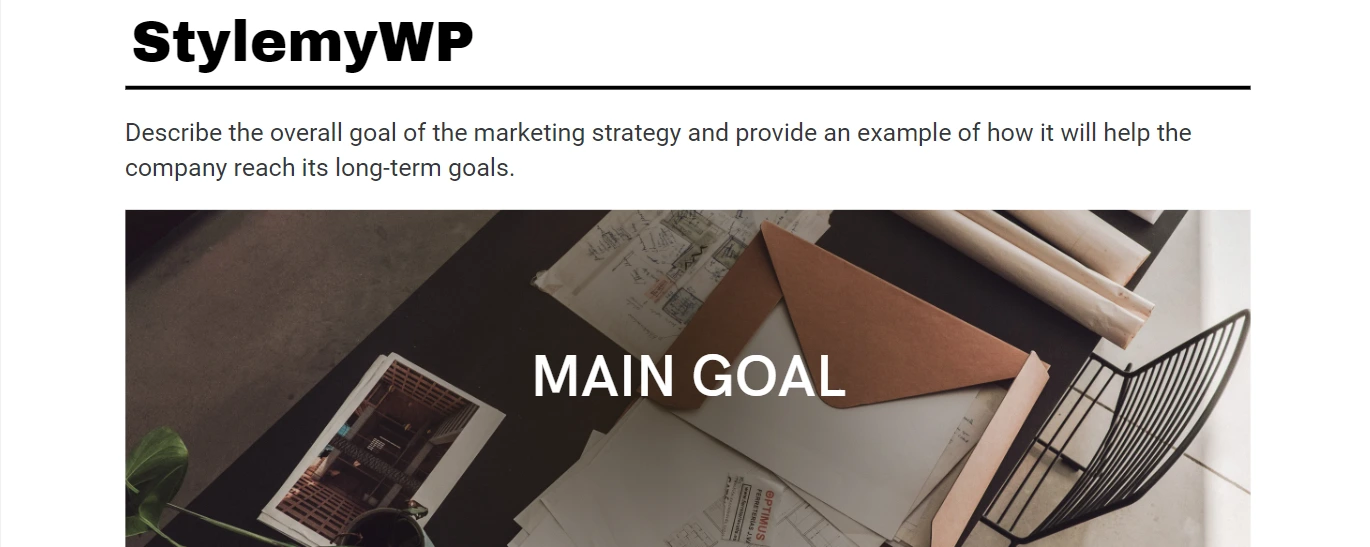
Archivo Black is a single-weight grotesque built to shout, and Roboto underneath it is about as neutral as body text gets. That contrast is the whole point: the headline does the work and the paragraph stays out of the way. It reads as confident rather than fussy, which suits landing pages and product announcements.
Archivo Black ships in one weight only, so there is nothing to over-order. Roboto is where your bytes go.
- Payload: 60.3 KB (Archivo Black 400 plus Roboto 400 to 700)
- Best for: marketing pages that need a headline with volume
- Skip it if: your headings run long. Archivo Black at large sizes eats horizontal space fast on mobile.
Montserrat and Source Sans 3
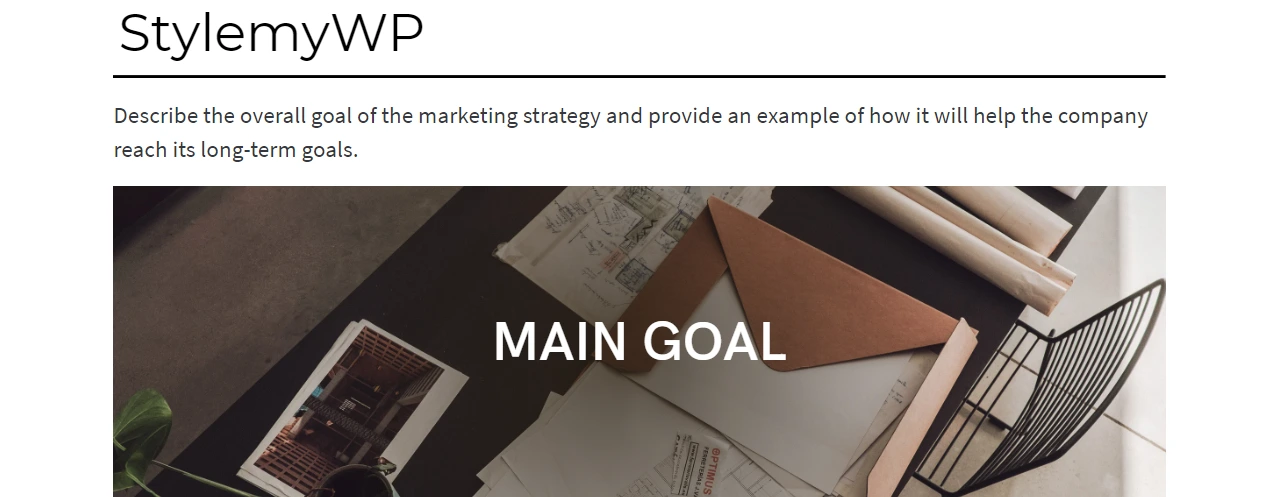
This is the pairing to reach for when nobody has given you a brand guide. Montserrat’s geometric capitals give headings some structure, and Source Sans handles paragraphs at small sizes without turning to mush. It is the safest pick on this list and it happens to be one of the lightest.
One correction worth knowing: the mockup above says Source Sans Pro, and Source Sans Pro is no longer in the Google Fonts directory. It was de-listed along with Source Serif Pro when the variable versions landed, and its specimen page now returns a 404. The font it became is Source Sans 3, which is what you should install today. Old CSS links to Source Sans Pro still resolve, so nothing has broken on live sites yet, but the family gets no further updates.
- Payload: 46.4 KB (Montserrat 700 plus Source Sans 3 400 to 700)
- Best for: business sites, agency work, anything that has to look competent rather than distinctive
- Skip it if: you want a memorable brand. This combination is everywhere, and it will not make anyone look twice.
Lato and Merriweather
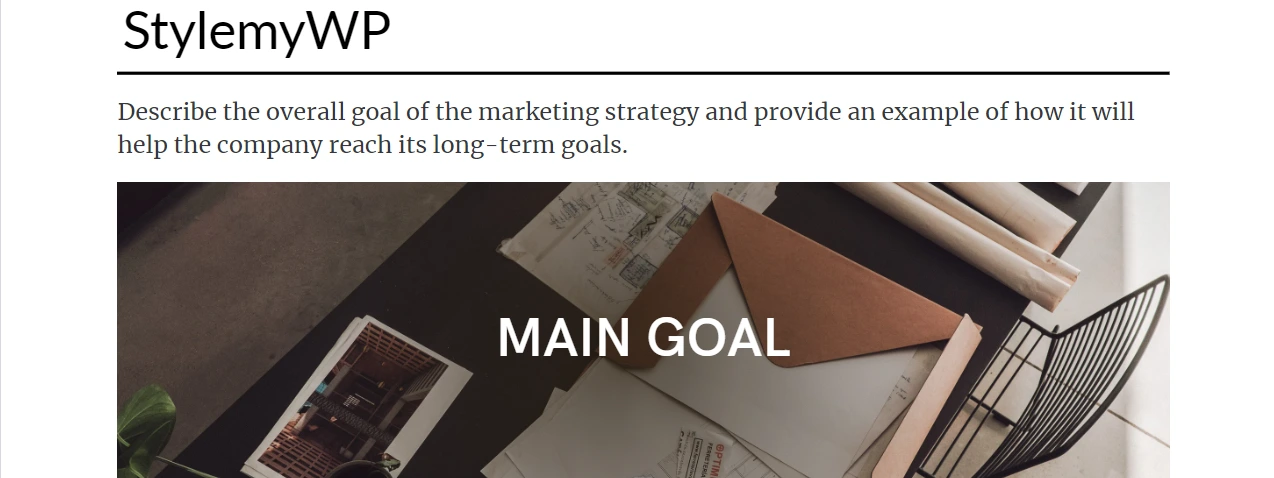
Merriweather was drawn for screens, with a tall x-height and sturdy serifs that survive being set at 18px on a phone. For a blog where people read to the end, it is genuinely comfortable, and Lato above it keeps the headings from feeling old-fashioned.
The catch is the file. Merriweather at a single weight is 48.0 KB of latin subset. Ask for 400 to 700 and Google Fonts hands you the variable file instead, which is 95.3 KB. Adding bold to your body text roughly doubles the download. That is why this pairing tops the table at 117.8 KB while visually similar combinations sit around 60 KB.
- Payload: 117.8 KB (Lato 700 plus Merriweather 400 to 700), the heaviest pairing in the table
- Best for: long-form publications where reading comfort beats a speed score
- Skip it if: you have a performance budget. Drop to Merriweather 400 only and you save 47 KB immediately.
Abril Fatface and Lato

Abril Fatface has the thick stems and hairline serifs of a fashion magazine masthead. It is a display face and nothing else, so use it at 40px and up, where the thin strokes are actually visible. Below about 24px the contrast collapses and it just looks blurry.
- Payload: 58.4 KB (Abril Fatface 400 plus Lato 400 and 700)
- Best for: editorial covers, lookbooks, restaurant and fashion sites
- Skip it if: your headings appear in a sidebar or a card grid at small sizes.
Alegreya Sans Black and Alegreya
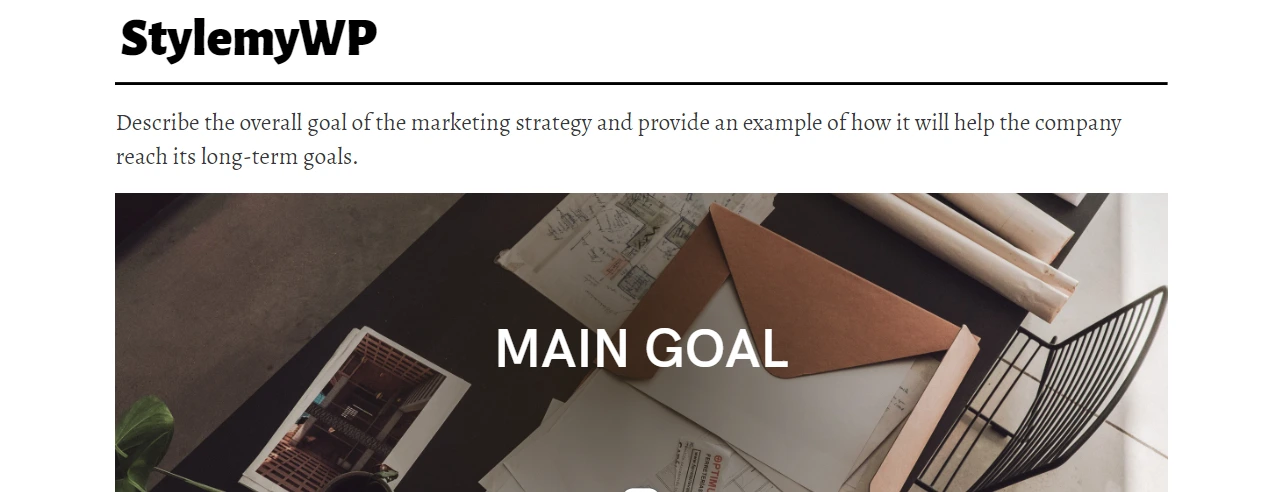
Alegreya and Alegreya Sans are a superfamily, drawn by the same designer with shared proportions. Pairing siblings is the low-risk way to combine a serif and a sans, because the letterforms already agree about x-height and rhythm. You get contrast without the mismatch you sometimes get from two unrelated families.
- Payload: 65.6 KB (Alegreya Sans 900 plus Alegreya 400 to 700)
- Best for: content sites that want a considered, literary feel
- Skip it if: you need a hard visual break between headings and body. Siblings blend, which is sometimes the opposite of what a landing page needs.
Helvetica and Garamond
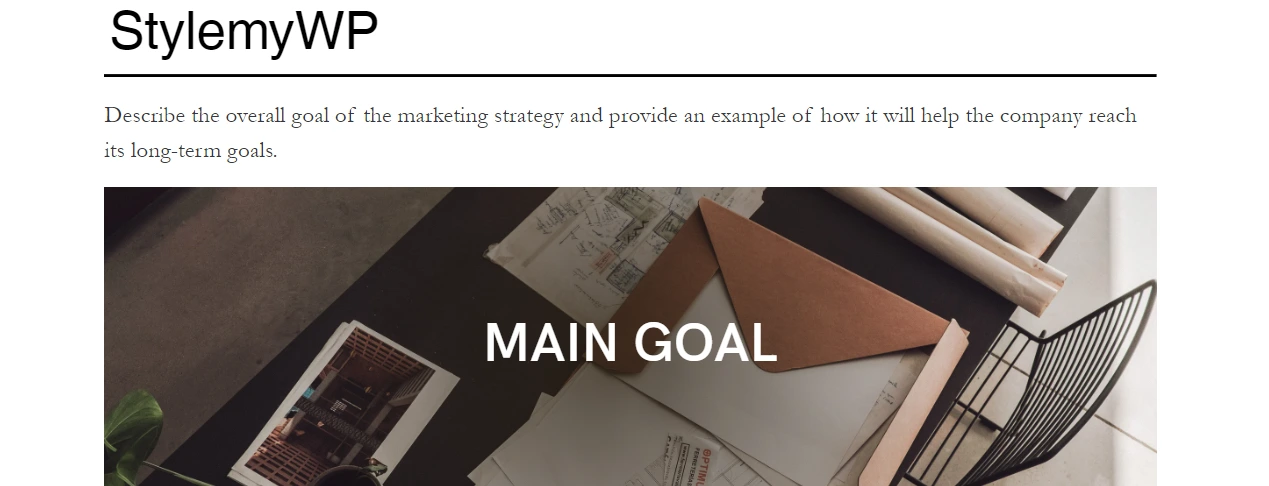
A classic in print, and a trap on the web. Helvetica is a licensed Monotype family, and there is no free version you can legally self-host. Garamond is not one font but a whole genre, and the cut you have in mind is probably commercial too. Most sites that specify Helvetica are actually rendering Arial on Windows and the system UI font on a Mac.
If you want this look without a licence, the honest substitutes are Inter or Public Sans for the Helvetica role and EB Garamond for the serif. Both are on Google Fonts and both are free.
- Payload: not available as a free webfont
- Best for: print and identity work where the licence is already paid for
- Skip it if: you are building a website. Use the free substitutes instead.
Libre Baskerville and Source Sans 3

Libre Baskerville is a web-optimised Baskerville with wider spacing and a larger x-height than the printed original, which is exactly what you want for a heading that has to hold up at 16px in a search result preview. Source Sans below it keeps the page readable and modern.
The same note applies here as above: install Source Sans 3, not the de-listed Source Sans Pro. At 48.0 KB it is the third-lightest of the pairings here that download both fonts.
- Payload: 48.0 KB (Libre Baskerville 700 plus Source Sans 3 400 to 700)
- Best for: universities, publishers, law firms, anything that trades on credibility
- Skip it if: you need many heading weights. Libre Baskerville ships only 400, 400 italic and 700.
Times New Roman and Century Gothic
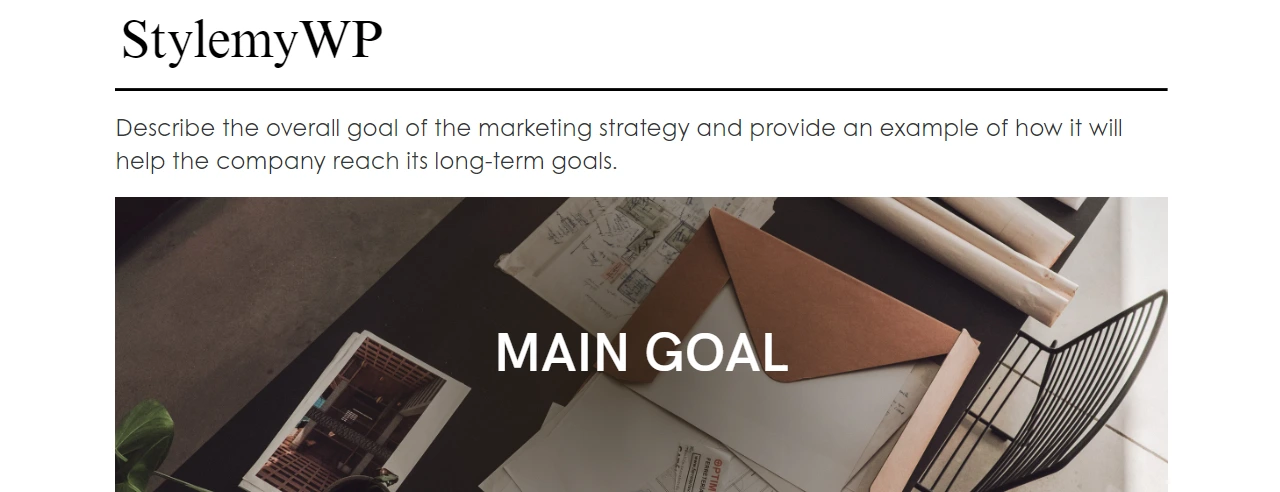
Zero download, because both fonts are already installed. That is the entire argument for this pairing, and on a slow connection it is not a bad one. The problem is the second half: Times New Roman is on essentially every desktop, but Century Gothic is not. It ships with some Microsoft Office installs and is missing from stock Windows, most Android devices and most Linux boxes.
Specify it and a large share of your visitors see whatever your fallback stack lands on instead. If you want a system-font pairing that behaves predictably, write a proper stack and accept that it will look different per platform rather than pretending it will not.
- Payload: 0 KB, but only where both fonts are installed
- Best for: intranets and internal tools on managed desktops
- Skip it if: you have real mobile traffic. Century Gothic will not be there.
Georgia Pro and Futura
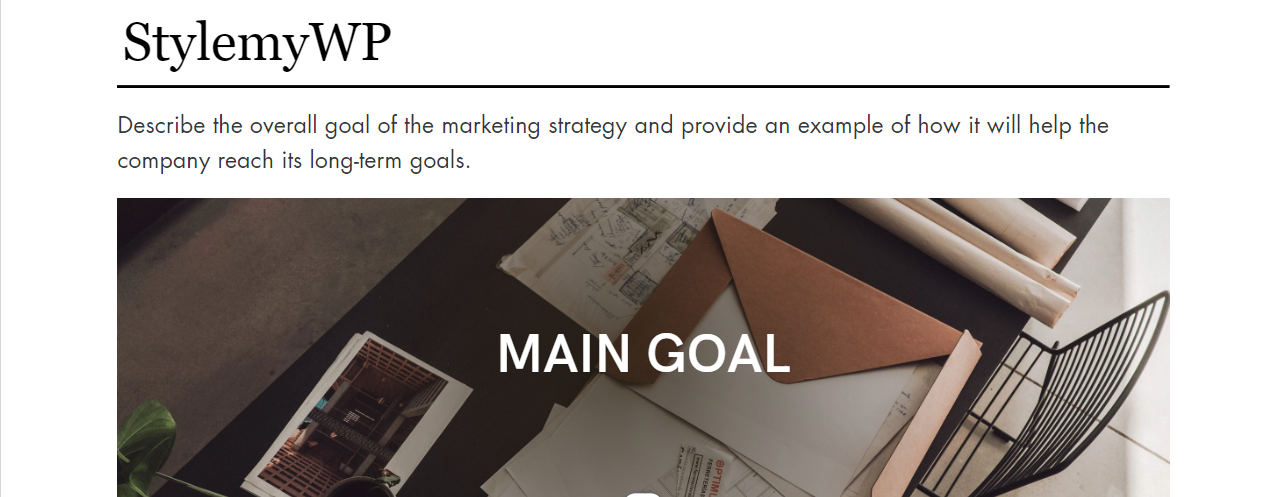
This pairing gets recommended constantly on the grounds that both fonts are already on everyone’s computer. They are not. Plain Georgia ships with Windows and macOS; Georgia Pro is a commercial family with extra weights, a condensed width and small caps, and you buy it. Futura is licensed too, and while macOS bundles a cut of it, Windows does not.
So the realistic options are to buy a webfont licence for both, or to substitute. Fraunces or Newsreader cover the Georgia role on Google Fonts, and Jost is the usual free stand-in for Futura.
- Payload: not available free; both require a paid webfont licence
- Best for: brands that already hold the licences
- Skip it if: you assumed these were free. That assumption is where the licence trouble starts.
Roboto Condensed and Open Sans
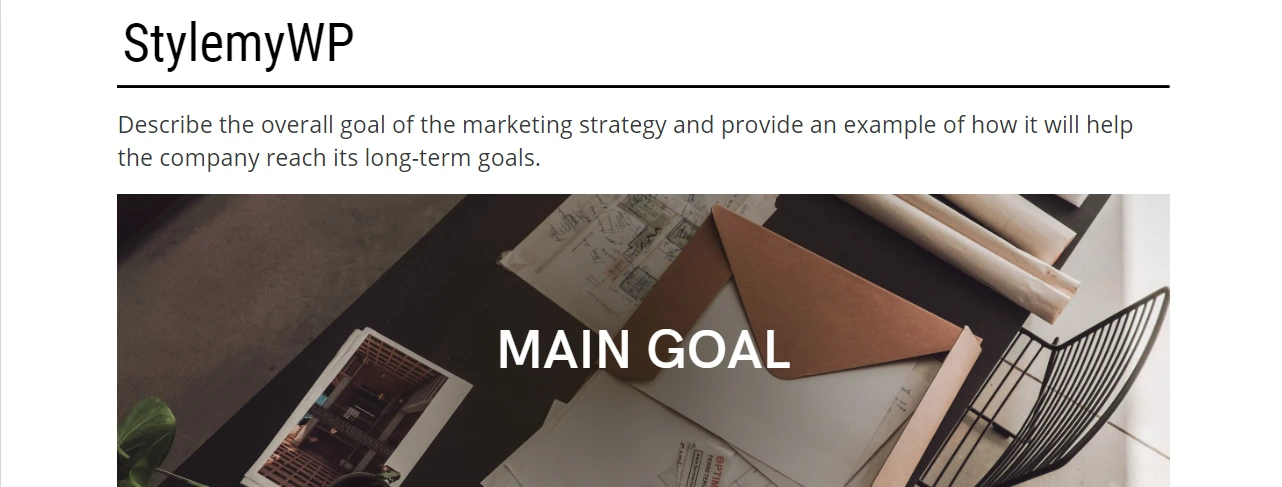
Roboto Condensed exists to fit more words in less width, which makes it useful for table headers, card titles and navigation on data-heavy pages. Open Sans underneath is one of the most legible body faces available free, with open apertures that hold up at small sizes.
At 67.8 KB this is the heaviest pairing on the list apart from Lato and Merriweather, mostly because Open Sans across a 400 to 700 range is a large variable file. If you only need regular and bold, you still get the same file, so there is no saving in asking for two static weights.
- Payload: 67.8 KB (Roboto Condensed 700 plus Open Sans 400 to 700)
- Best for: dashboards, documentation, tech blogs, anything with dense UI text
- Skip it if: your headings are short. Condensed type solves a problem you may not have.
Exo 2 Black and Alegreya Sans
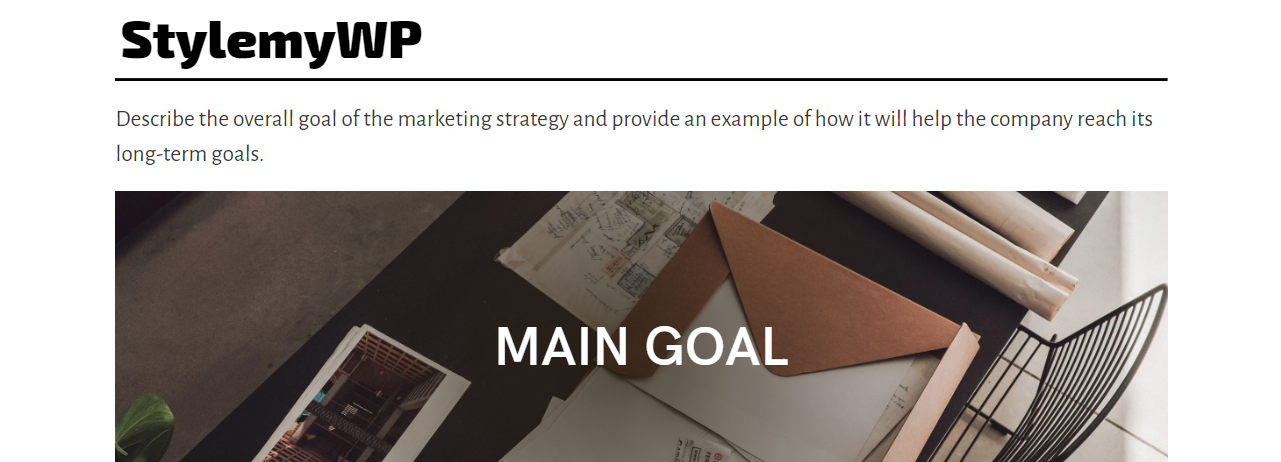
Exo 2 has a slightly technical, angular feel that works for studios and product sites that want to look engineered. Alegreya Sans underneath is warmer and a little humanist, which stops the whole page from feeling like a spec sheet.
Worth correcting a claim that follows this pairing around: Alegreya Sans is a sans-serif, not a serif. The serif in that family is plain Alegreya. If you specifically want the serif for body copy, that is the previous pairing on this list.
- Payload: 62.8 KB (Exo 2 900 plus Alegreya Sans 400 and 700)
- Best for: design studios, photography portfolios, creative agencies
- Skip it if: your audience skews conservative. Exo 2 at 900 reads as tech, not as trust.
Bebas Neue and Old Standard TT
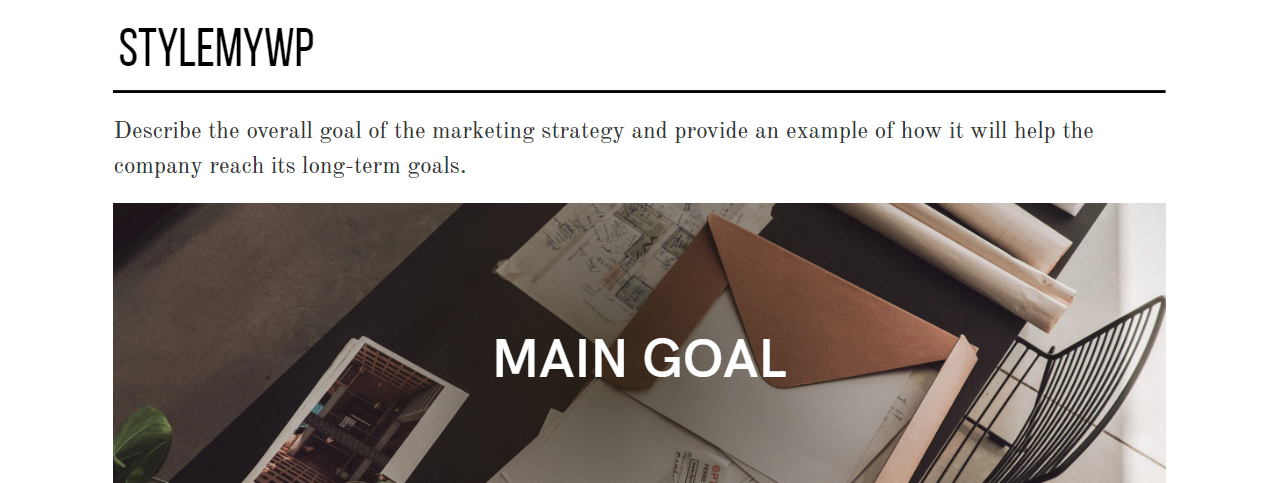
Bebas Neue is uppercase-only and gives you poster energy for 13.4 KB, the second-smallest single font file in this roundup behind Abril Fatface at 12.8 KB. Old Standard TT is modelled on late nineteenth-century book type, so the two together land somewhere between a cinema listing and a museum label.
Because Bebas has no lowercase, it cannot be your fallback for anything. Set it on headings only and give the rest of the page a sane stack.
- Payload: 60.0 KB (Bebas Neue 400 plus Old Standard TT 400 and 700)
- Best for: vintage brands, barbershops, breweries, event pages
- Skip it if: you need sentence case headings or long titles. All-caps at length is hard work to read.
Montserrat and Open Sans
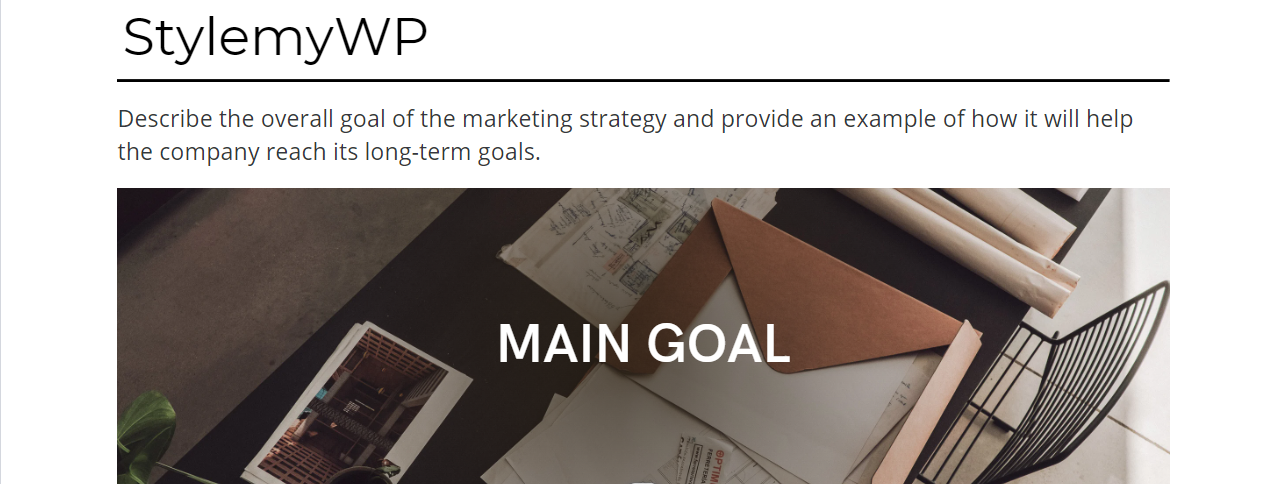
The default look of about a third of the SaaS web. It is safe, it is legible, and it will never be the reason someone remembers your site. Use it when the job is to disappear behind the product.
Compare it to Montserrat with Source Sans 3 above: same heading font, same job, 19 KB cheaper. If you like this pairing but want the bytes back, swap the body font.
- Payload: 65.6 KB (Montserrat 700 plus Open Sans 400 to 700)
- Best for: software marketing, pricing pages, help centres
- Skip it if: you want any brand distinctiveness at all.
Lato and Roboto
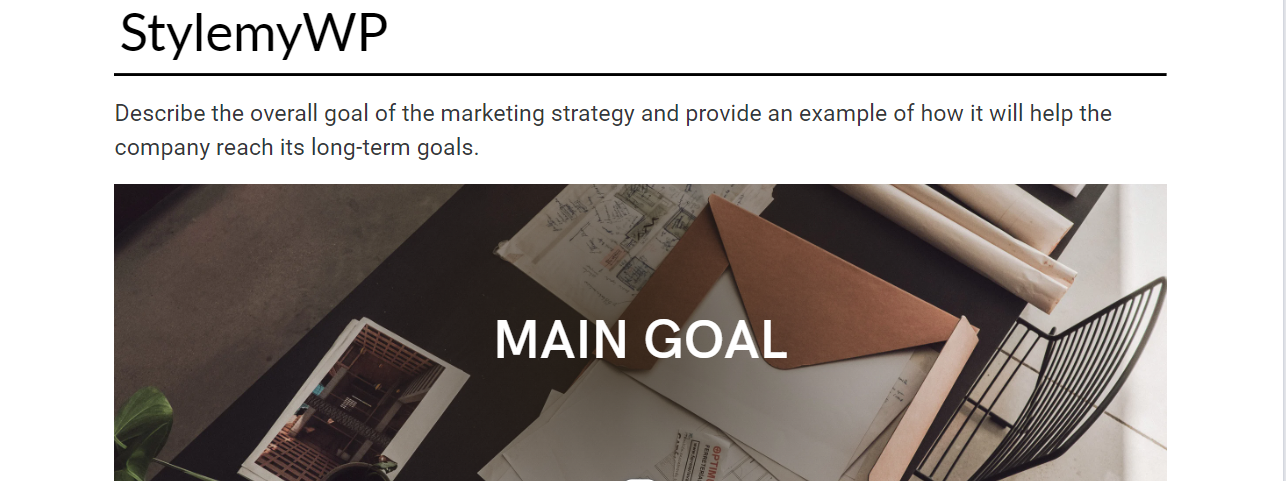
Two humanist sans faces stacked on each other. The contrast between them is so slight that most visitors will not register two fonts at all, which is either a soft, calm effect or a wasted HTTP request depending on your view.
Honest opinion: if the two fonts look this similar, pick one and use weight and size for hierarchy instead. That drops you from 64.6 KB to 23.0 KB for Lato alone, or 42.1 KB for Roboto across 400 to 700.
- Payload: 64.6 KB (Lato 700 plus Roboto 400 to 700)
- Best for: wellness, clinics, lifestyle brands wanting a quiet page
- Skip it if: you are counting requests. One family does this job.
Playfair Display and Raleway
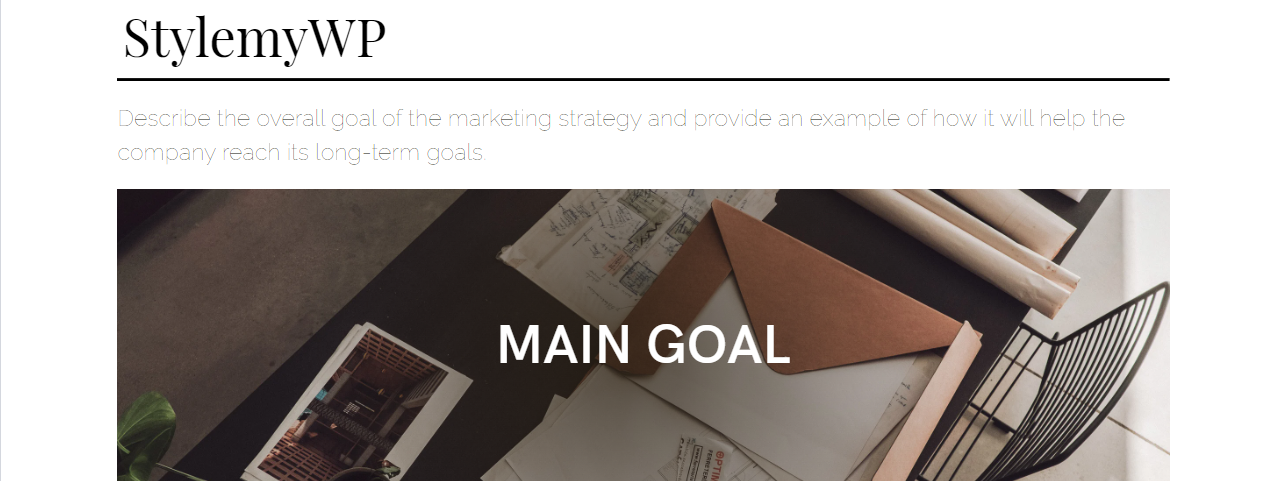
Playfair Display is the closest free font to a luxury magazine masthead, and against a light sans it looks expensive. At 44.6 KB it is also the lightest pairing here that downloads both fonts, which is a rare case of the pretty option being the cheap one.
One change to the classic recipe. The mockup uses Raleway Thin, weight 100, for body copy, and that is a mistake worth naming. Hairline strokes at paragraph size fail contrast checks on most backgrounds and are genuinely hard to read for anyone with less than perfect vision. Set Raleway at 400 for body text and save Thin for a large pull quote, if at all.
- Payload: 44.6 KB (Playfair Display 700 plus Raleway 400), the lightest full-webfont pairing in the table
- Best for: jewellery, hotels, wedding and high-end retail sites
- Skip it if: your headings are long. Playfair’s high contrast gets noisy in a three-line headline.
Source Sans 3 and Times New Roman

A hybrid, and an underrated one. You download a single webfont for headings and let the body text use a serif that is already installed. That is 15.2 KB of font on the wire, less than any other row in the table, though the comparison is not quite fair because the body font never downloads at all.
Times New Roman is installed on Windows, macOS and iOS. Android does not ship it and will fall back to its own serif, so end the stack with a generic keyword rather than hoping: Times New Roman, Tinos, Liberation Serif, serif. Accept that Android readers see a slightly different face. This is the approach to take when your speed budget is genuinely tight.
- Payload: 15.2 KB (Source Sans 3 700 only; the body font is already on the device)
- Best for: speed-first builds, documentation, government and public-sector sites
- Skip it if: your brand needs to look designed. Times New Roman carries a strong default-document association.
Font weights are where the bytes actually go
Choosing two families is the part everyone writes about. Choosing how many weights of them to load is the part that decides your page weight, and it is usually where the damage is done. Every weight and every italic is a separate face, and historically a separate file.
Variable fonts changed the arithmetic. One file carries a continuous weight range, so 400 through 700 costs one download instead of four. The trade is that the variable file is bigger than any single static weight. Measured on the latin subset:
- Montserrat: 18.3 KB for weight 400 alone, 37.1 KB the moment you ask for the 400 to 700 range.
- Merriweather: 48.0 KB for weight 400 alone, 95.3 KB for 400 to 700. Adding bold body text doubles the cost.
- Inter: 23.1 KB for weight 400 alone, 47.1 KB for 400 to 700.
- Lato, which has no variable version, charges per weight: 400, 700 and 400 italic come to 69.4 KB across three files.
There is a quirk of the Google Fonts CSS API worth knowing. Ask for a single weight of a variable family and you get a static instance. Ask for two or more, whether you write them as wght@400;700 or as a range [email protected], and you get the full variable file. Requesting the two static weights emits two font-face rules pointing at the identical URL, so the browser downloads it once. There is no saving in listing weights individually, and no penalty in using the range.
The practical rule: two families, one weight range each, italics only if your content actually uses them. Most sites can live on regular, semibold and one display weight. If you are working through a wider speed pass, font weights belong on the same list as your image optimization plugins and your caching setup.
font-display: the setting that decides whether your text is invisible
While a webfont downloads, the browser has to decide what to show. It can hide the text and wait, or paint a fallback and swap later. That choice is the font-display descriptor, and its five values behave like this:
autoleaves it to the browser, which in practice means blocking.blockgives a short block period then an infinite swap period. Text is invisible while you wait.swapgives a near-zero block period and an infinite swap period. The fallback paints immediately and the webfont replaces it whenever it lands.fallbackgives a very short block period and a short swap period. Miss the window and the fallback stays for that page view.optionalgives a very short block period and no swap period at all. If the font is not ready, the browser uses the fallback and does not swap.
Here is the part that catches people. The Google Fonts CSS API emits no font-display descriptor unless you ask for one, and the documented default is auto. Copy the plain embed code from the specimen page and you have shipped blocking fonts. Add &display=swap to the URL and the served CSS carries font-display: swap on every face.
This is not only a comfort issue. Text nodes waiting inside a block period do not count as rendered, so a blocking webfont can push out your Largest Contentful Paint, which needs to come in under 2.5 seconds at the 75th percentile to pass. If your headline is your LCP element, your font is on the critical path.
Use swap for body text you want people to read, and consider optional for decorative display faces where seeing the fallback for one page view costs you nothing. Both beat the default.
The swap flash, and how to stop it moving your layout
Switch to swap and you trade invisible text for a visible reflow: the fallback paints, the webfont arrives, and every line rewraps. If the two fonts have different proportions, the block of text changes height and everything below it jumps. That is Cumulative Layout Shift, which needs to stay at 0.1 or below at the 75th percentile, and fonts that render larger or smaller than their fallback are listed as a standard cause.
The fix is to make the fallback occupy the same space as the real font. Declare a second font-face that points at a local system font and correct its metrics with size-adjust, alongside ascent-override, descent-override and line-gap-override. Tune the percentage until the fallback and the webfont produce the same number of lines, and the swap stops shifting anything.
Two supporting habits. Preload the one font file that renders your above-the-fold text, with crossorigin on the link tag, so it starts downloading with the HTML rather than after the CSS parses. And do not preload everything, because preloading four fonts just moves the congestion earlier. If layout shift is a recurring problem on your build, our guide to fixing layout shift in WordPress covers the non-font causes too.
Self-hosting versus Google Fonts, and the German court ruling
Hotlinking fonts from Google means every visitor’s browser makes a request to a Google server, and that request carries their IP address. In January 2022 the Regional Court of Munich I ruled on exactly that. In case 3 O 17493/20 it held that embedding Google Fonts dynamically without consent breached the GDPR, rejected legitimate interest as a basis, and awarded the claimant 100 euros, on the reasoning that the operator could simply have hosted the fonts locally.
What followed is the part most articles leave out. That ruling triggered a wave of mass warning letters, and German and Austrian courts subsequently pushed back hard on those, treating automated bulk claims as an abuse of process and refusing damages where the claimant’s own crawler had triggered the data transfer in the first place. That cottage industry has largely collapsed, and the scare headlines it produced have not aged well.
The underlying compliance point survived it, though. Hotlinking still sends EU visitors’ IP addresses to a third country without consent, and no court has said otherwise. Self-hosting makes the question disappear rather than answering it, which is why it is the right default even if nobody is going to sue you. It is a five-minute job, and it sits alongside the rest of your GDPR compliance work rather than replacing it.
Speed is the second argument, and it is smaller than people claim. Self-hosting removes a DNS lookup and a TLS handshake to a second origin, which is worth something on a cold mobile connection. It does not make the font file smaller. Browser cache partitioning means a visitor never arrives with your font already cached from another site, so the old shared-cache benefit of the Google CDN no longer exists.
How to self-host fonts in WordPress
- Use the built-in Font Library if you run a block theme. WordPress 6.5 added a Font Library that installs Google Fonts locally. Go to Appearance, then Editor, then Styles, then Typography, and open the font manager. Files land in
wp-content/fonts. If you are choosing a theme, our roundup of full site editing themes covers which ones support this properly. - On a classic theme, use your optimisation plugin. WP Rocket and Perfmatters both have a one-switch option that downloads the files and rewrites the requests. Your page builder may also be loading its own copy of Google Fonts, so check its settings as well as your theme’s.
- Or do it by hand. Download the WOFF2 files, drop them in your theme, write the font-face rules yourself with
font-display: swap, and dequeue whatever your theme was enqueueing. This is the only route that gives you full control over which weights and subsets ship. - Verify it worked. Open DevTools, go to the Network tab, filter by Font, and reload. Every row should point at your own domain. Then search the Network tab for
fonts.googleapis.comandfonts.gstatic.comand confirm there are zero hits. If either still appears, something else on the page is loading fonts.
What breaks: icon fonts and third-party embeds are the usual culprits that keep calling Google after you think you are done. Chat widgets, review scripts and map embeds each pull their own fonts. Switching a live site to self-hosted fonts can also briefly change rendering if you accidentally install different weights than the theme expects, so check headings and buttons on mobile before you call it finished. And if your server response time is the real bottleneck, fonts will not save you; reducing time to first byte comes first.
What most font pairing roundups get wrong
Four errors show up again and again, including in the earlier version of this page.
- Recommending fonts that no longer exist. Source Sans Pro is still named in dozens of current pairing lists, and its Google Fonts specimen page has been returning a 404 since it was de-listed. Source Sans 3 is the family you want.
- Getting the classification wrong. Clarendon is a slab serif from 1845, not a sans-serif, and describing it as clean and sans-serif has been copied between articles for years. Alegreya Sans, similarly, is a sans, not a serif. If a guide cannot classify the fonts, treat its pairing advice with the same confidence.
- Calling commercial fonts free. Georgia Pro, Futura, Helvetica and Century Gothic get listed as though you can just use them. Two of those are paid families and none of them are universally installed. Specifying a font you do not have a licence for is not a small technicality when your client is the one who gets the letter.
- Ignoring the load cost entirely. Every list on page one of Google shows you a screenshot and never mentions that one of these pairings costs 2.6 times more than another for a very similar result.
The other thing worth saying plainly: font pairing matters less than font sizing. A well-chosen pair set at 14px with tight line height will read worse than a boring pair at 18px with 1.6 line height and a 65-character measure. Get the size, the spacing and the contrast right first. The pairing is the last five percent, and it only pays off once the fundamentals are in place, the same way a fast theme only helps once the content is worth reading.
Which pairing should you pick
- No brand guide, need something safe: Montserrat and Source Sans 3, 46.4 KB.
- Blog where people read to the end: Libre Baskerville and Source Sans 3 at 48.0 KB, or Lato and Merriweather at 117.8 KB if the reading comfort is worth the weight. Our blog theme roundup covers themes that handle long-form type well.
- Premium or luxury feel: Playfair Display and Raleway at 400, 44.6 KB.
- SaaS or product marketing: Montserrat and Open Sans, 65.6 KB, or save 19 KB with Source Sans 3 in place of Open Sans.
- Hard speed budget: Source Sans 3 for headings and a system serif stack for body, 15.2 KB.
- Something with personality: Bebas Neue and Old Standard TT, 60.0 KB, or Abril Fatface and Lato, 58.4 KB.
Whichever you take, the loading setup is the same: two families, one weight range each, self-hosted, with swap, and a preload on the single file that renders your first screen. That checklist is worth more to your Core Web Vitals than the pairing itself, and it fits inside a wider WordPress speed optimisation pass.
Frequently Asked Questions
Are the fonts in these pairings free for commercial use?
Every Google Fonts family listed here is open source and free for commercial use, including on client work. The exceptions are Helvetica, Georgia Pro, Futura and Century Gothic, which are commercial or bundled with an operating system. Check the licence tab on each specimen page before you ship.
How many font weights should a site load?
Three or four across two families covers almost every design: a display weight for headings, regular and semibold for body text, and italic only if your content uses it. Each extra weight is another download. Loading eight weights is the most common self-inflicted performance problem on WordPress sites.
Does self-hosting Google Fonts actually make a site faster?
A little, not dramatically. Self-hosting removes a DNS lookup and a TLS handshake to a second origin, which helps most on slow mobile connections. It does not shrink the font file. Because browsers now partition their cache, no visitor arrives with your font already cached from another site.
Is it illegal to use Google Fonts in the EU?
No, but hotlinking them without consent is legally exposed. A Munich court ruled in 2022 that dynamically embedding Google Fonts breached the GDPR because it sent the visitor IP address to Google, and awarded 100 euros. Self-hosting the files removes the transfer and the question.
What is the best font-display value for a WordPress site?
Use swap for body text, so readers see a fallback immediately instead of blank space. Use optional for decorative display faces, where showing the fallback for one page view costs nothing. Avoid the default, auto, which browsers treat as blocking and which can delay your Largest Contentful Paint.
Why can I no longer find Source Sans Pro on Google Fonts?
It was de-listed from the directory when its variable successor shipped, and its specimen page now returns a 404. The replacement is Source Sans 3, the same design under a new name. Existing CSS links to Source Sans Pro still resolve, but the family receives no further updates.
Can I use Helvetica or Futura on my website?
Only with a webfont licence, which you buy from the foundry. Neither is on Google Fonts and neither is installed everywhere, so specifying them usually renders something else. Inter or Public Sans stand in for Helvetica, and Jost is the common free substitute for Futura.
How do I stop the font swap from shifting my layout?
Match the fallback font metrics to the real one. Declare a font-face for a local system font and tune size-adjust, ascent-override and descent-override until both produce the same number of lines. Then preload the single font file that renders your first screen. Cumulative Layout Shift should stay at 0.1 or below.
Our call
If you want one answer: use Montserrat and Source Sans 3. It handles headings and body text, gives you every weight you need from two files, costs 46.4 KB, and it will not look wrong on a plumber’s site or a fintech dashboard. Build the design on that, and change it later if the brand earns something more distinctive.
If the site is a blog and reading comfort is the whole product, take Libre Baskerville and Source Sans 3 at 48.0 KB instead. And if you are working to a hard performance budget, put Source Sans 3 on the headings, use a system serif stack for the body, and spend the 100 KB that saves you against the heaviest pairing here on something the reader will actually notice.
The pairing is the easy part. Self-host the files, load one weight range per family, set font-display: swap, preload the one file that renders your first screen, and match your fallback metrics so the swap does not move the page. Do that and any pairing on this list will hold up. Skip it and the prettiest fonts on the internet will still feel slow.