


WordPress full site editing themes are the only way to redesign your header, footer and templates without opening a PHP file, and choosing one is still messier than it should be. Most roundups pad their lists with classic themes and page builders that never ship a single block template. This one names eight themes that actually do, with install counts and update dates from the WordPress.org directory, checked 31 August 2026, plus the ones we dropped and why.
Quick verdict
- Best overall: Ollie. The cleanest design system of the lot, a genuine onboarding wizard, and a pattern library that stays useful after launch.
- Best free: Twenty Twenty-Five. It ships with WordPress, gets core-team maintenance, and its style variations cover more ground than most paid themes.
- Best for launching this week: Extendable, whose onboarding flow builds a full site from patterns before you have picked a font.
- Skip block themes entirely if: your live site depends on classic widget areas, an Elementor or Divi theme builder header, or Customizer CSS you cannot rewrite. Migration costs a day minimum.
- Our call: start on Twenty Twenty-Five. If the design fights you after two weeks, move to Ollie. Both are block themes, so the content and templates travel.
Block themes compared
| Theme | Made by | Price | Paid tier and renewal | Active installs | Last updated |
|---|---|---|---|---|---|
| Twenty Twenty-Five | WordPress core team | Free | None | 1,000,000+ | 20 May 2026 |
| Ollie | Mike McAlister | Free | Ollie Pro from $89/yr, auto-renews yearly at the same rate | 5,000+ | 24 Jul 2026 |
| Extendable | Extendify | Free | None for the theme | 200,000+ | 27 Aug 2026 |
| Twenty Twenty-Four | WordPress core team | Free | None | 500,000+ | 19 Aug 2026 |
| Spectra One | Brainstorm Force | Free | None for the theme | 8,000+ | 25 Aug 2026 |
| Neve FSE | Themeisle | Free | None for the theme | 9,000+ | 31 Mar 2026 |
| Bricksy | Anariel Design | Free | Bricksy Pro exists; no price published | 900+ | 30 Apr 2026 |
| Aino | Ellen Bauer | Free | None | 300+ | 5 Aug 2022 |
Two things stand out. Ollie Pro is the only paid upgrade in that table with a price published on the vendor’s pricing page, which tells you something about how this market works: the themes are free and the money sits in pattern libraries and block plugins. And Extendable has more installs than any other third-party block theme here, at 200,000-plus, largely because several hosts bundle it into their onboarding.
What full site editing actually looks like in WordPress 7.1
Full site editing means your theme’s header, footer, archive pages and single-post layouts are HTML template files made of blocks, edited in the Site Editor instead of in PHP. A theme only qualifies if it ships those templates. That is the line that separates a block theme from a classic theme with a nice customizer, and it is the line most lists ignore.
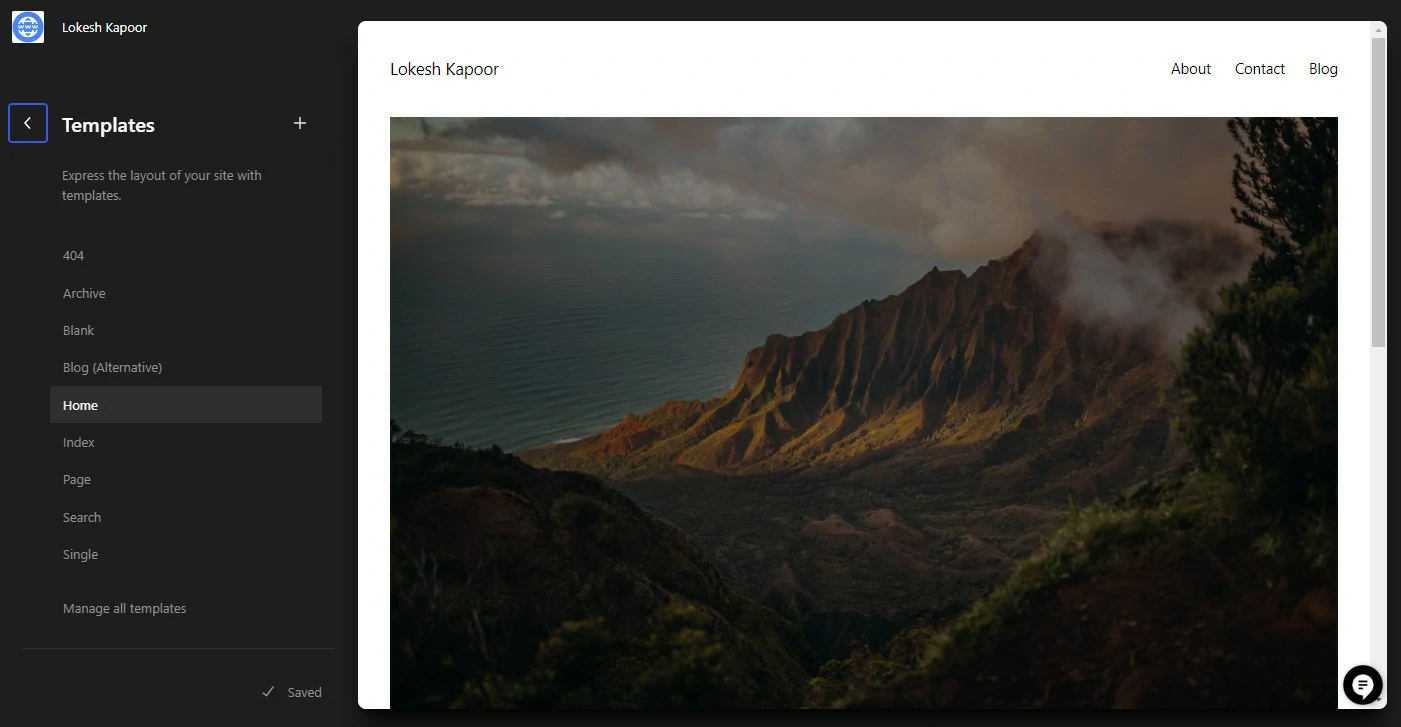
The feature has moved a long way since this post first ran. WordPress 7.1 shipped on 19 August 2026 and is the current stable release. Three changes in it matter when you are choosing a theme, all listed on the core team’s 7.1 roadmap:
- Responsive styling in the editor. You can set how a block behaves at different screen sizes from the interface, for global styles and for individual blocks, instead of writing media queries. Themes can define their own breakpoints in theme.json.
- Hover, focus and active states. Interactive states are now styleable from the sidebar, which removes one of the last routine reasons to add custom CSS to a button.
- The iframed editor is now enforced for block themes. The editing canvas is isolated from admin styles. That is good for accuracy and bad for any plugin that used to leak CSS into the canvas, which is the single most likely thing to look broken after you update.
A Design and Identity screen also pulls logo, favicon, title and tagline into one place, and the Site Editor sidebar finally respects your admin color scheme. None of this changes which theme you pick, but it does mean advice written before December 2025 is stale, because the 6.9 release redesigned the Site Editor entrance and added block-level comments.
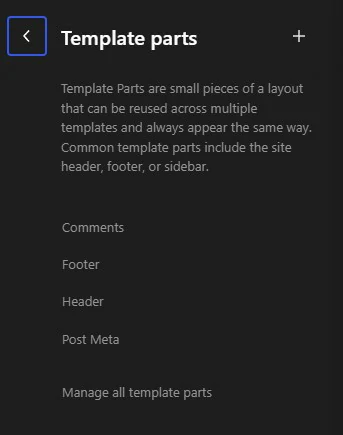
Scale check: the full-site-editing tag on WordPress.org carries 1,790 themes as of 31 August 2026. Most of them are thin lite versions of commercial themes. The eight below are the ones we would put on a client site.
Twenty Twenty-Five
Still the default, still the most installed block theme in the directory, and still the one we reach for when a client has no strong design opinion. Twenty Twenty-Five sits at version 1.5, updated 20 May 2026, on more than a million sites. There is no Twenty Twenty-Six; the project stopped shipping a new default theme with every release, so this one is getting maintained rather than replaced.
Key features: a large set of style variations that swap typography and color together, so you can change the whole look without touching a single block; patterns for the usual blog, about and contact pages; template parts split sensibly enough that a header edit does not cascade somewhere unexpected.
Price: free, and it is already installed.
Best for: blogs, personal sites, and anyone who wants to learn the Site Editor without a theme’s own conventions getting in the way. If you are starting a publication, pair it with our roundup of WordPress blog themes before committing.
Skip it if: you need a marketing site with sections that overlap, sit at odd angles, or animate. The default themes stay deliberately plain, and fighting that with custom CSS defeats the point.
Ollie
Ollie is the one we recommend most often to people who want a designed site rather than a blank one. Version 1.6.1, updated 24 July 2026, 5,000-plus installs. The install count is modest next to the defaults, and it does not matter much here; this is a theme with a clear point of view rather than a host bundle.
Key features: a setup wizard that asks what kind of site you are building and assembles the pages for you; a design system where spacing, color and type are defined as tokens in theme.json, so global changes actually stay global; and a pattern library that covers pricing tables, testimonials and feature grids, the things a marketing site needs and default themes never include.
Price: the theme is free. Ollie Pro adds the larger pattern library at $89/yr for one site, $149/yr for ten, or $299/yr for a hundred. Subscriptions auto-renew yearly at the listed rate, with no separate renewal discount advertised. On the agency plan that works out at $2.99 per site per year, which is why freelancers buy it. Patterns already placed on a site stay put if you cancel; you simply lose access to add new ones.
Best for: small business and marketing sites, and freelancers building the same shape of site repeatedly.
Skip it if: you only want a reading-first blog. You would be paying attention to design tooling you will not use, and Twenty Twenty-Five does that job free.
Extendable
Extendable from Extendify is the most recently updated theme in our table: version 2.1.9, shipped 27 August 2026, on 200,000-plus sites. If you have set up a site on a mainstream host recently, you may have used it without noticing.
Key features: an onboarding flow that picks an industry, generates matching pages, and drops in placeholder copy and images; a long list of style variations; and patterns organized by page purpose rather than by block type, which is a small thing that saves a lot of scrolling.
Price: free. Extendify’s paid products are separate from the theme.
Best for: getting a presentable site live in an afternoon, and for handing to a client who will maintain it themselves.
Skip it if: you dislike onboarding wizards that install their own plugin alongside the theme. It is easy to remove, but it is there.
Twenty Twenty-Four
The previous default has aged better than most people expect. Twenty Twenty-Four is on version 1.6, updated 19 August 2026 alongside the 7.1 release, and still runs on 500,000-plus sites. It was built around three use cases rather than one, and the portfolio patterns in particular are better than anything in Twenty Twenty-Five.
Key features: patterns grouped for business sites, portfolios and writing; generous whitespace by default; template parts that are easy to read when you open them, which matters when you are learning how block templates fit together.
Price: free, bundled with WordPress.
Best for: designers and photographers. If that is your brief, read it next to our list of portfolio website themes, which includes classic options too.
Skip it if: you want the newer style-variation tooling. Twenty Twenty-Five has more of it, and both are free, so there is no reason to start on the older one unless you specifically want its patterns.
Spectra One
Spectra One comes from Brainstorm Force, the same team behind Astra and the Spectra block plugin. Version 1.2.6, updated 25 August 2026, 8,000-plus installs. It is a block theme built to be paired with a block library rather than to stand alone, and it is honest about that.
Key features: typography and spacing scales that line up with Spectra’s blocks so nothing looks half a pixel off; a light theme.json that does not fight plugin styles; sensible defaults for form and button styling.
Price: free. The Spectra block plugin has a paid tier sold separately from the theme.
Best for: anyone already committed to Spectra, or anyone who wants a block theme that expects to be extended by Gutenberg block plugins rather than by custom code.
Skip it if: you want the theme to supply the design. On its own it is deliberately minimal, and it looks unfinished until you start adding blocks.
Neve FSE
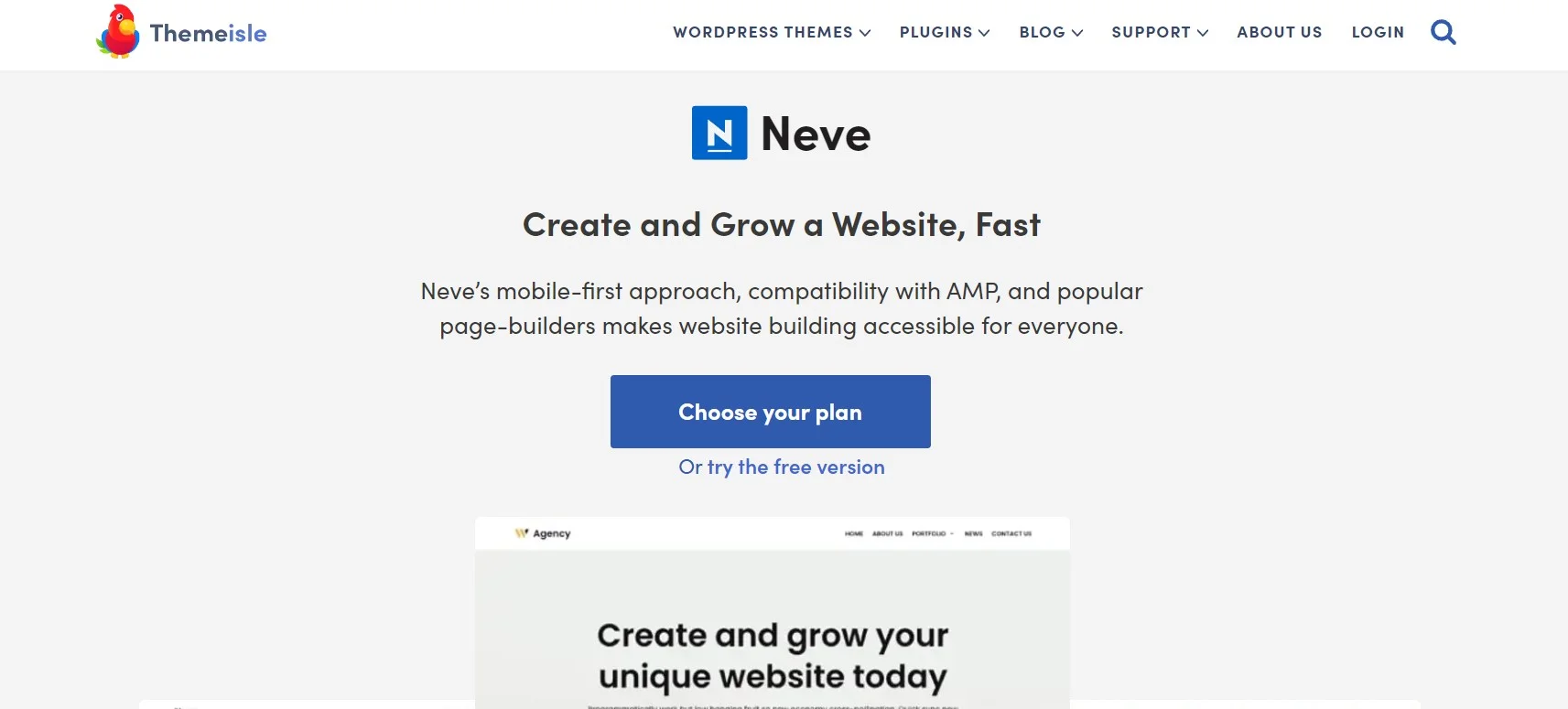
Worth being precise here, because this trips people up constantly. Neve, Themeisle’s long-running flagship, is a classic theme. Neve FSE is a separate block theme from the same company, Themeisle, and it is the one that ships block templates. Version 1.1.7, updated 31 March 2026, 9,000-plus installs.
Key features: a stripped-back build with no legacy compatibility layer, template parts for the common archive and single layouts, and patterns aimed at small business pages. Themeisle also publishes Raft, another block theme, at 10,000-plus installs and updated 26 June 2026, which leans more toward WooCommerce.
Price: free. Neve Pro is an add-on for classic Neve, not for this theme, which is exactly the sort of detail that costs someone an afternoon.
Best for: people who already trust Themeisle’s support and want a block theme without a large opinionated design system attached.
Skip it if: you want frequent updates. Five months between releases is not alarming for a stable theme, but it is slower than Extendable or Spectra One.
Bricksy
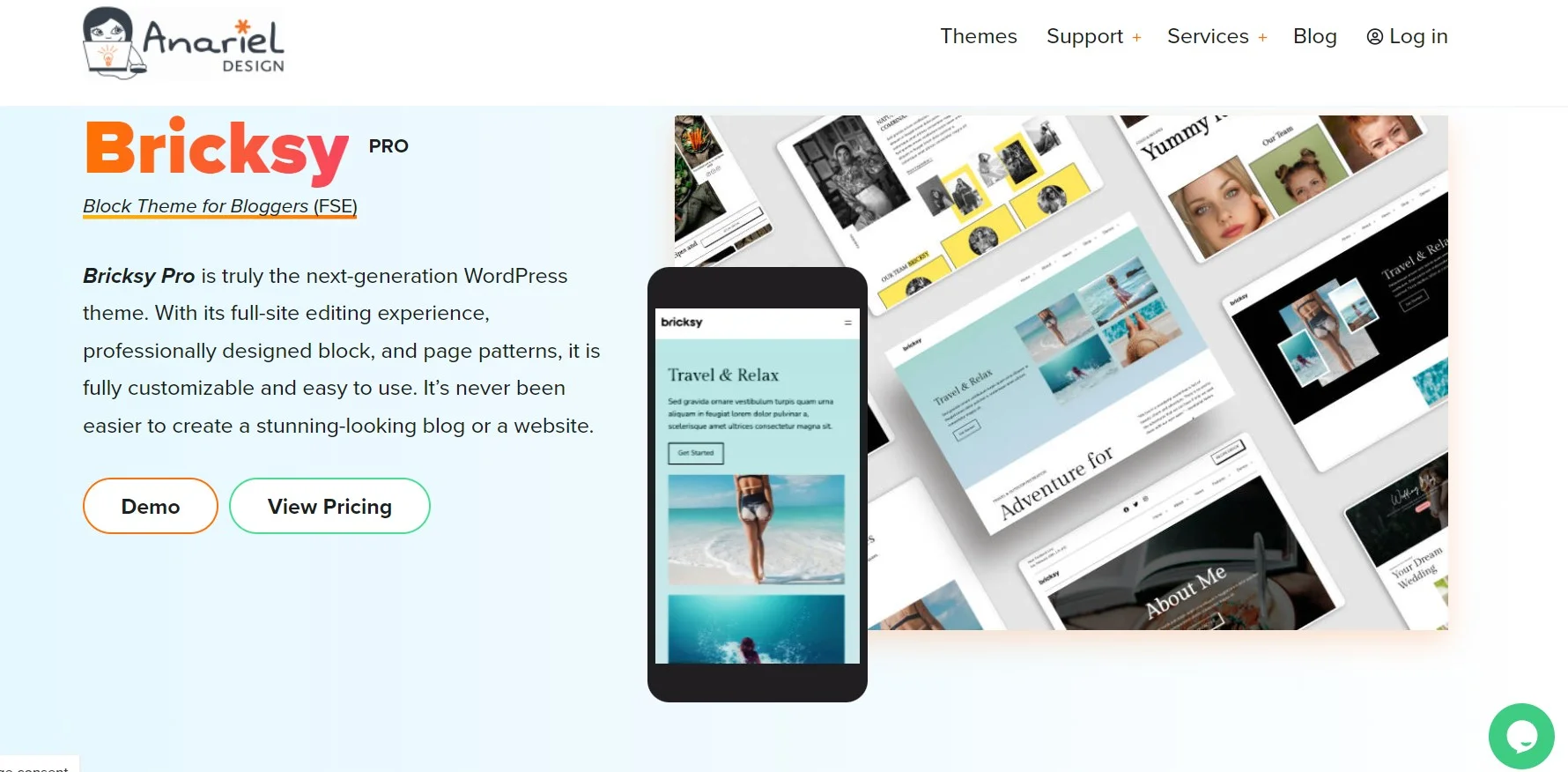
Bricksy from Anariel Design is the smallest of the maintained themes on this list at 900-plus installs, with only the abandoned Aino below it, and it earns its place on looks. Version 1.5.6, updated 30 April 2026. Anariel has been building block themes since the format existed, and it shows in how the patterns are put together.
Key features: editorial patterns with real typographic hierarchy, a strong set of query-loop layouts for archives, and color palettes that hold up when you swap them wholesale.
Price: free on WordPress.org. A Bricksy Pro tier exists with yearly, lifetime and bundle options, but the vendor’s pricing table did not display figures at the check date, so we are not quoting a number. Confirm at checkout.
Best for: magazines, editorial sites and anything where the archive page matters as much as the post.
Skip it if: a small install base worries you. At 900 sites, you will be filing your own support tickets rather than finding your problem already answered in a forum.
Aino, and why it is now a warning
Aino was one of the first serious block themes and it appears on a lot of lists, including the earlier version of this one. Its directory listing tells the real story: version 2.6.6, last updated 5 August 2022, requires WordPress 5.9, 300-plus active installs. That is four years without a release, across two major WordPress versions and a Site Editor redesign.
Skip it because: a block theme is mostly theme.json plus template files, and both of those specifications have moved. An unmaintained block theme does not fail loudly, it just quietly stops supporting features the editor now offers, and you find out when a client asks why their fonts panel is emptier than the tutorial’s.
Frost is in a milder version of the same position. It is a well-liked minimal block theme with 3,000-plus installs, but its last release was 12 March 2025. Neither theme is broken today. Both are bets on someone coming back to them.
What most roundups get wrong about FSE themes
Nearly every list of full site editing themes includes products that are not block themes. The old version of this post did it too, which is why we rewrote it. The test is simple: open the theme’s WordPress.org listing and look for the Block themes tag, or unzip it and look for a templates folder containing index.html. No templates folder, no full site editing.
By that test, here is what does not qualify, as of 31 August 2026:
- Kadence is a classic theme. Its directory listing shows 500,000-plus installs and a customizer-based header and footer builder. Excellent theme, not a block theme.
- Astra is a classic theme with strong block editor styling. Brainstorm Force ships Spectra One separately for the block theme use case, which is the honest signal.
- Divi has its own builder and its own template system. Nothing wrong with that, but it is a parallel universe to the Site Editor, not a route into it.
- SeedProd is a plugin, not a theme. It builds templates, but with its own drag-and-drop canvas.
- Bricksy is not Bricks Builder. Similar names, unrelated products. Bricksy is a block theme; Bricks is a builder with its own editor. People buy the wrong one.
The second thing lists get wrong is treating block themes and builders as a ranking. They are a choice about who controls your markup. If you want the Site Editor, use a block theme. If you want a builder, pick from the visual page builders for WordPress and stop worrying about FSE. Running Elementor Pro on a block theme is legal and occasionally sensible, but you now maintain two template systems, and every future support thread starts with working out which one is drawing the header.
What breaks when you switch a live site to a block theme
This is the section that should exist on every FSE roundup and rarely does. Switching from a classic theme is not a theme switch, it is a rebuild. Take a full copy first with one of the WordPress migration plugins and do the work on staging.
- Customizer Additional CSS disappears. That box is stored per theme. Switch themes and your CSS is still in the database but no longer applied. Copy it out before you switch, not after you panic.
- Widget areas go away. Block themes register no sidebars. Anything sitting in a classic widget area, including a lot of plugin output, needs rebuilding as blocks in a template part.
- Menus need rebuilding. The Navigation block can import an existing menu, but nested menus and custom link attributes rarely survive intact. Budget time for it.
- Builder headers and footers stop drawing. If Elementor Pro or Divi was rendering your site-wide header, that template is tied to their theme builder. Your block theme’s header takes over and looks nothing like it.
- Plugin CSS can lose to theme.json. Global styles generate their own cascade. Plugin styling that used to win now sometimes does not, usually on buttons and forms.
- The iframed editor changes plugin behavior. Since 7.1 enforced it for block themes, plugins that injected styles into the editor canvas no longer reach it. The front end is fine; the editor preview is what looks wrong.
Verify before you go live. Load a post, a category archive, a search results page and a 404 on staging. Those four cover most of what a block theme’s templates control, and archives are where half-finished migrations show up first. Then check the front page on a phone, because a header rebuilt in blocks is an easy way to introduce layout shift. If you are watching Core Web Vitals, our guide to speeding up a WordPress site covers what to measure; block themes do not automatically make anything faster, they just load less of the theme’s own CSS.
A short decision path
- New site, no design brief: Twenty Twenty-Five. Free, maintained by the core team, and you learn the Site Editor on the theme everyone writes tutorials for.
- Small business or marketing site you will design yourself: Ollie, and buy Pro if you build more than two sites a year.
- Client site that needs to be live in days: Extendable.
- Portfolio: Twenty Twenty-Four for its patterns.
- Magazine or editorial: Bricksy, with the small-vendor caveat above.
- Already using Spectra or Astra: Spectra One.
- Store: none of these first. Choose from our WooCommerce themes list, because product and checkout templates matter more than the Site Editor does.
- Search-driven content site: any of the above works, but check the markup against our notes on SEO-optimized themes first; a few block themes still emit heading levels that make no sense.
Frequently Asked Questions
Is full site editing still experimental in WordPress?
No. It has shipped in core since WordPress 5.9, and WordPress 7.1, released 19 August 2026, added responsive styling and hover states to the Site Editor. The experimental work now happens in the Gutenberg plugin, not in the block themes you install from the directory.
How do I tell whether a theme is really a block theme?
Check its WordPress.org listing for the Block themes tag, or unzip the theme and look for a templates folder containing index.html. If that folder is missing, the theme cannot use full site editing, whatever the sales page says about visual customization.
Do I still need a page builder with a block theme?
No, and running both creates work. A block theme plus a block library covers most layouts. If you prefer a builder canvas, use a builder and skip full site editing rather than maintaining two template systems that both want to draw your header.
Are block themes faster than classic themes?
Not automatically. They usually ship less theme CSS and no jQuery, which helps, but hosting, images and plugins decide the result. Measure the same URLs before and after the switch rather than trusting any theme marketing page, including the ones linked here.
Will my widgets and menus survive switching to a block theme?
Partly. Menus can usually be imported into the Navigation block, though nested items and custom link attributes often need fixing by hand. Classic widget areas do not survive at all, because block themes register no sidebars. Rebuild that content as blocks in a template part.
What happens to my Customizer Additional CSS?
It stops applying. That setting is stored per theme, so switching to a block theme leaves the CSS in your database but inactive. Copy it somewhere safe before you switch, then move whatever is still needed into global styles or a child theme stylesheet.
Can I use a child theme with a block theme?
Yes. A block child theme needs a style.css header and its own theme.json, and you override a parent template by adding a file with the same name to your child templates folder. Most small changes belong in global styles instead of a child theme.
Which block theme should a complete beginner start with?
Twenty Twenty-Five. It ships with WordPress, the core team maintains it, and most Site Editor tutorials use it, so the screenshots match what is on your screen. Move to Ollie later if you want a stronger design system and a bigger pattern library.
Our call
Install Twenty Twenty-Five. It is free, it is already on your site, the core team maintains it, and every Site Editor tutorial worth reading uses it, so the screenshots will match your screen. Spend two weeks in the Site Editor before you spend any money.
If the design starts fighting you, move to Ollie and buy Pro at $89/yr for a single site or $149/yr if you are running ten. That is the one paid tier here we can actually price, and for a freelancer building the same shape of small business site repeatedly it pays for itself on the second project. If you need a client site live this week instead, Extendable does that job better than anything else on the list.
Two things not to do. Do not install Aino because an old roundup recommended it; four years without a release is a decision the author already made for you. And do not migrate a working Elementor or Divi site to a block theme just because full site editing is the direction WordPress is going. Block themes are the better bet for anything you build in 2026 and after. They are a poor reason to rebuild something that already earns its keep.


[…] every heading you add in the editor should start at H2. Some page builder templates and a few full site editing themes let you delete or duplicate that title block, which is how pages end up with zero H1s or […]
[…] Full site editing support if you want to work that way, covered in our guide to full site editing themes […]
[…] entirely if: you publish a blog and a handful of static pages. The block editor and one of the full site editing themes already handle that without another […]