


Most WordPress social sharing plugins are still selling a feature that stopped working a decade ago. Share counts on X and LinkedIn are gone, Facebook counts went with them, and what is left is a row of buttons plus a pile of third-party JavaScript your readers pay for in load time. Eight plugins are worth a look in 2026. Two of them we would not install on a client site at all.
Quick verdict
- Best overall: Novashare. Cheapest of the paid picks with a published price, block-editor native, and it ships no JavaScript at all on a basic setup.
- Best free: AddToAny Share Buttons. Biggest public install count here, honest documentation about which counts still exist, no account to create.
- Best for Pinterest traffic: Hubbub Pro, if pin images and hover pins actually drive your sessions.
- Skip it if: you are buying for share counts. Buy for placement, Pinterest control and page weight instead.
- Our call: start free with AddToAny. Move to Novashare when you want floating bars, Pinterest hover pins and Click to Post without adding a script.
WordPress social sharing plugins compared
| Plugin | Free version | Paid price | Renews at | Counts still working |
|---|---|---|---|---|
| Novashare | No | $19.95/yr, 1 site | $16.96/yr | Pinterest, Reddit, Tumblr, Buffer, VK, Yummly |
| AddToAny Share Buttons | Yes | Free | n/a | Pinterest, Reddit, Tumblr |
| Sassy Social Share | Yes | Free, paid add-ons | n/a | Pinterest, Reddit, Buffer, VK and similar |
| Hubbub Lite / Pro | Yes | Pro $99/yr, 1 site | $99/yr | Limited, treat as a bonus |
| Shariff Wrapper | Yes | Free | n/a | Fetched server side, network dependent |
| Monarch | No | $89/yr or $249 lifetime | $89/yr | Limited, treat as a bonus |
| Social Snap | Yes | Pro price not verified | Not verified | Facebook only in Lite, per the vendor |
| Social Warfare | Yes | Pro price not verified | Not verified | Pro claims X counts via a third party |
1. Novashare
Novashare is the one we install when the site already has a speed budget and nobody wants to spend it on share buttons. It is paid only, there is no free tier, and the whole plugin is built around not loading anything you did not ask for.
Key features: inline buttons, floating sidebar that collapses to a sticky mobile bar, Pinterest image hover pins, Click to Post boxes, social follow buttons for 60-plus networks, and Bitly link shortening with UTM parameters. Every feature has a block, so you place things in the editor rather than hunting through a settings screen. The vendor states the front end is under 3.2 KB with no jQuery dependency and no JavaScript at all on basic setups. That is a vendor claim, not our measurement, but it matches the plugin’s design: plain links and inline SVG rather than an embedded widget.
Price: $19.95 for the first year on one site, renewing at $16.96 because the licence carries an automatic 15% renewal discount, per Novashare’s pricing page. Three sites is $49.95 then $42.46, and unlimited is $99.95 then $84.96. Three years on a single site works out at roughly $54 all in, which is less than a single year of either paid alternative we could price.
Best for: anyone who has already done the work on WordPress speed optimization and does not want a sharing plugin undoing it.
Skip it if: you want to try before you pay. There is no free version, only a 30-day money-back window. Also skip it if you need social login or auto-posting, because Novashare does neither.
2. AddToAny Share Buttons
AddToAny is the default answer for most sites, and the honest one. Its WordPress.org listing shows 300,000+ active installs and a 4.7 rating across 1,113 reviews, the widest of the public install counts among these plugins.
Key features: share buttons for a long list of services plus a universal share menu, floating and inline placement, per-post control, vector icons, and email sharing. It is one of the few plugins whose own documentation tells you the truth about counts: AddToAny’s share counters page states plainly that X and LinkedIn no longer provide public share counts, and that Facebook no longer provides public API access to them either, so Facebook counters are not currently displaying. Pinterest, Reddit and Tumblr are what is left.
Price: free. There is no upsell tier to walk into.
Best for: blogs and small business sites that want buttons handled in ten minutes and never touched again.
Skip it if: you need granular Pinterest control, or you want the buttons to render without the plugin’s own script. AddToAny does load a small script for its share menu, which is fine on a healthy site and noticeable on a struggling one.
3. Sassy Social Share
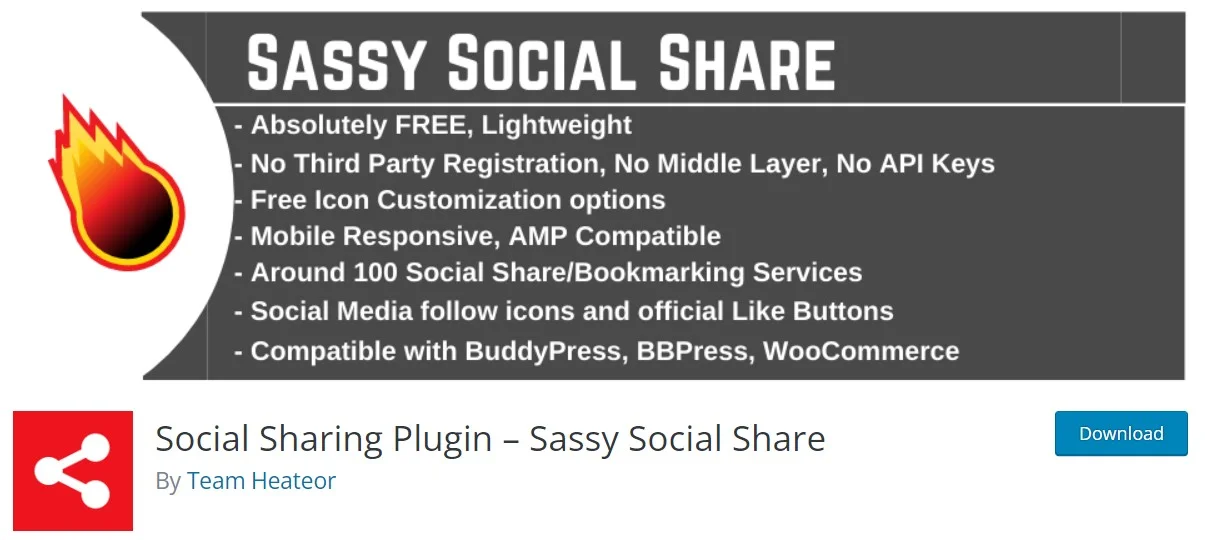
Sassy Social Share wins on breadth. Its WordPress.org listing reports 100,000+ active installs and a 4.8 rating across 522 reviews, and the plugin covers around 100 sharing and bookmarking services, including the regional ones every other plugin forgets.
Key features: standard and floating button sets, shortcode and widget placement, icon shape, size and colour controls, and per-network share counts with a caching layer so you are not hammering an API on every page view. That caching detail matters more than it sounds, because uncached count lookups are exactly how a sharing plugin quietly becomes your slowest request.
Price: free, with paid add-ons sold separately by the developer.
Best for: sites with an audience outside the usual English-language networks, where VK, Odnoklassniki or a niche bookmarking service is genuinely how people share.
Skip it if: the settings screen intimidates you. There are a lot of checkboxes, and the defaults turn on more than most sites need. Its listing also lags a little behind current WordPress on tested-up-to, which is worth watching rather than panicking about.
4. Hubbub Lite and Hubbub Pro
Hubbub is what the old Social Pug and Grow Social became after NerdPress took it over. The free Hubbub Lite listing shows 30,000+ active installs and a 4.7 rating from 173 reviews, and it was updated a month before our August 2026 check, which is more than most of this list can say.
Key features: inline and floating buttons plus follow buttons in the free tier. Pro adds the parts food and craft bloggers actually pay for: hidden Pinterest images, per-image pin descriptions, social preview control, a sticky mobile footer bar, pop-up share prompts, and a Save This email capture tool that turns a share click into a subscriber. If that last one interests you, pair it with proper newsletter plugins rather than relying on the sharing plugin to run your list.
Price: Lite is free. Pro is $99/yr for one site, Pro+ is $179/yr and Priority is $399/yr, and all three renew at the same price rather than jumping, per Hubbub’s pricing page. Multi-site licences are chosen from a dropdown before checkout. Three years of Pro on one site is $297.
Best for: recipe, craft and travel blogs where Pinterest is a real traffic channel and $99 a year is recovered in a month of sessions.
Skip it if: Pinterest is not part of your plan. Strip the Pinterest features out and Pro is a $99 version of things AddToAny does free.
5. Shariff Wrapper
Shariff Wrapper exists for one reason, and it is a good one. Ordinary share buttons that embed a network’s own widget let Facebook or X see your visitor before that visitor has clicked anything. Shariff buttons are plain links, so no third-party request fires until someone actually chooses to share.
Key features: privacy-first share buttons with an optional server-side backend that fetches counts from your own server instead of the visitor’s browser, plus the usual placement and styling controls. Its WordPress.org listing shows 30,000+ active installs, 101 ratings, and tested-up-to 6.9.7, so it is current.
Price: free.
Best for: EU-facing sites, public sector clients, and anyone whose consent banner is already a negotiation. It slots neatly next to your GDPR compliance plugins instead of fighting them.
Skip it if: you want polish. The plugin is engineered rather than designed, the documentation leans German, and the styling options will not win a beauty contest against Monarch.
6. Monarch by Elegant Themes
Monarch is not sold on its own. It comes bundled with an Elegant Themes membership alongside Divi, Extra and Bloom, which changes the maths completely depending on whether you already pay for that membership.
Key features: five placement types including floating sidebar, inline, above and below content, pop-ups and fly-ins, with trigger conditions on the pop-ups. The button styling is the nicest of anything here, with hover effects and shape options that look designed rather than bolted on.
Price: $89 per year or $249 once for lifetime access, per Elegant Themes’ pricing page, with a 30-day refund window. The lifetime option overtakes the yearly plan during the third year: two years of yearly is $178, three years is $267, so $249 only wins if you stay past year two.
Best for: existing Elegant Themes members. If you are already paying, Monarch is effectively free and you should use it before buying anything else on this page.
Skip it if: you are not a member. Paying $89 a year for share buttons alone makes no sense when Novashare is $19.95, and the pop-up and fly-in triggers are the sort of thing a dedicated tool does better if you are serious about improving your conversion rate.
7. Social Snap
Social Snap gets a section because it still ranks well and readers keep asking about it, not because we would reach for it first. The WordPress.org listing shows 10,000+ active installs, a 4.2 rating from 58 reviews, and a last update seven months before our August 2026 check.
Key features: share buttons, Click to Tweet boxes, social login, auto-posting and a content locker in the paid tier. The Lite version’s share counter works for Facebook only, per the vendor’s own listing, and the Pro pitch still promises counters across 30-plus networks including X and LinkedIn. Given what those platforms actually serve now, read that promise carefully before it becomes your reason to upgrade.
Price: Lite is free. The vendor’s pricing page was not reachable at the check date, so confirm the Pro price and its renewal at checkout rather than trusting a figure copied from a roundup.
Best for: sites that specifically want social login and content locking in the same plugin as their share buttons.
Skip it if: support response time matters to you. Several recent reviews on the listing report unanswered tickets and refund problems, and a seven-month gap between releases on a security-adjacent plugin is a fair thing to be nervous about.
8. Social Warfare
Social Warfare was the enthusiast pick for years. It is on this list so you know why it should not be your pick now.
Key features: attractive buttons, custom share images and tweet text per post, and Share Recovery for counts lost to a domain or permalink change. Pro’s headline promise is to reactivate and display X tweet counts, which it can only do by routing through a third-party counting service, not through X itself.
Price: free core plugin with a paid Pro licence. The vendor’s own page did not show a current Pro price at the check date, so treat any figure you see elsewhere as unconfirmed.
Best for: nobody starting fresh in 2026.
Skip it if: you are reading this at all. The WordPress.org listing shows 10,000+ installs, a 3.3 rating from 186 reviews with 68 of them one star, a last update in March 2025, and the directory’s own warning that the plugin has not been tested with the last three major WordPress releases and may no longer be maintained. On an existing site, plan the migration now rather than after something breaks.
What most roundups get wrong: the share counts are gone
Almost every article on this topic still lists share counts as a headline feature. Here is the actual state of play, and it has been this way for years.
X and LinkedIn switched off their public share-count endpoints years ago and never replaced them. Facebook is the one that surprises people, because it held on longest, but AddToAny’s own documentation now states that Facebook no longer provides public API access to share counts and that Facebook counters are not currently displaying. Novashare’s docs say the same thing in different words: new share counts are deprecated by Facebook.
What still works is a much shorter list: Pinterest, Reddit, Tumblr, Buffer, and a couple of regional networks. If your content does not travel on those, a count-heavy plugin is buying you an empty number. Any plugin promising you X or LinkedIn counts is either using a third-party estimator or quietly counting from the day you installed it.
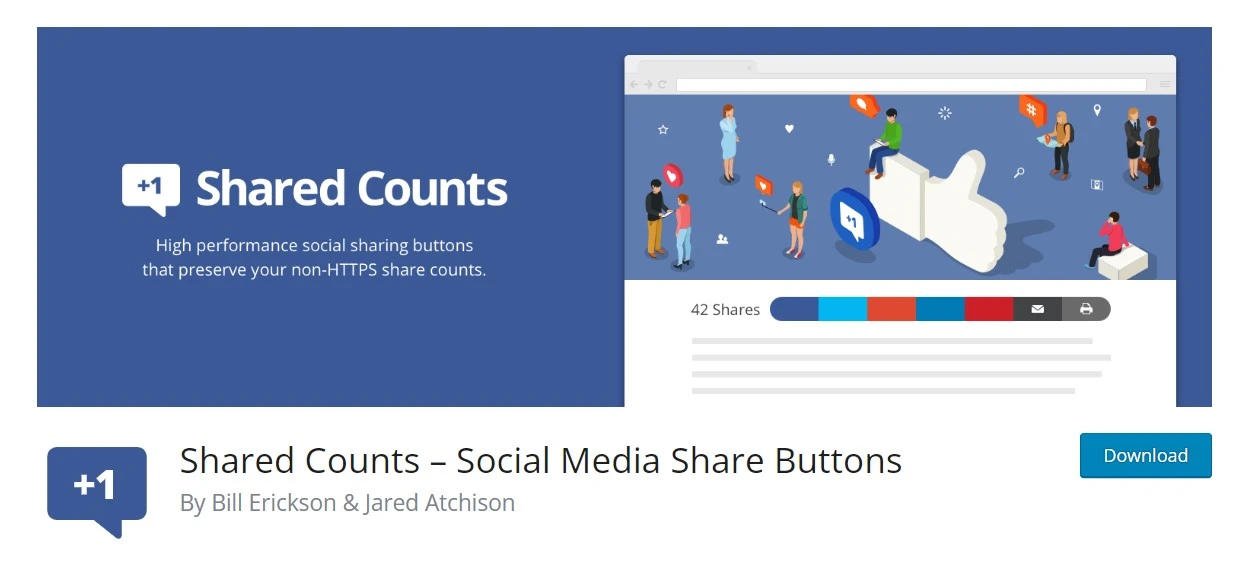
The clearest signal of where this ended up: Shared Counts, the plugin built specifically to do counts well, is no longer in the directory. Its WordPress.org page shows the plugin closed on 27 September 2024 at the author’s request. It was a good plugin. The job it existed to do stopped being possible. If it is still running on a site you manage, that is an unmaintained dependency, and it should come off at your next maintenance window along with anything else you have stopped patching.
The catch: what share buttons cost you in page speed
Sharing plugins are one of the most common sources of third-party script weight on an otherwise tidy WordPress site, and the damage rarely shows up where people look for it.
Three specific failure modes come up again and again on client sites. First, embedded network widgets: the official Facebook or X button pulls a script from their domain, which you do not control and cannot cache. Second, icon fonts, which block text rendering and are entirely avoidable now that inline SVG exists. Third, floating and sticky bars that get injected after paint and shove the content sideways, which is a layout-shift problem rather than a load-time one and needs a proper fix for layout shift in WordPress rather than a faster host.
Count lookups deserve their own warning. A plugin that queries a remote API for counts on every uncached page view has added a blocking network round trip to your render path. Every plugin worth using caches those lookups. Check that setting before you check anything else.
The metric to watch afterwards is Interaction to Next Paint. Google’s threshold is 200 milliseconds or less at the 75th percentile for a good score, with anything above 500 milliseconds counted as poor, per web.dev’s INP documentation. Sharing scripts hurt INP more than they hurt load time, because they add work to the main thread precisely when a reader starts interacting. Deferring or conditionally unloading them with Perfmatters, or handling the caching layer with WP Rocket, is usually more effective than swapping one sharing plugin for another. If you have not set the foundation yet, start with your caching plugin and your lazy loading setup before you blame the buttons.
One more option that roundups never mention: you do not need a plugin at all. A share link is just a URL with your post address appended to it. Half a dozen lines pasted into one of the code snippet plugins gives you buttons with zero settings screens, zero scripts and zero renewal invoices. You lose counts, which you were probably not getting anyway.
Which one should you install?
- You want buttons today and you are not paying: AddToAny.
- Page speed is a stated requirement: Novashare at $19.95, renewing at $16.96.
- Pinterest is a real traffic source: Hubbub Pro at $99/yr.
- You serve EU visitors and consent is a live issue: Shariff Wrapper.
- You already pay Elegant Themes: Monarch, and stop reading.
- You need unusual networks: Sassy Social Share.
- You are running Shared Counts or Social Warfare: plan a migration.
Frequently Asked Questions
Do WordPress social sharing plugins still show share counts?
Mostly no. X and LinkedIn switched off their public count endpoints years ago, and Facebook no longer exposes counts through a public API either. Pinterest, Reddit, Tumblr and Buffer counts still work in some plugins. Treat counts as a bonus, never as your reason to buy one.
Do social sharing buttons slow down WordPress?
They can. Most of the weight comes from embedded third-party widgets and icon fonts rather than the buttons themselves. Plugins that output plain links with inline SVG add very little. Check your own field data for INP and layout shift after installing, not the vendor marketing page.
Is a free social sharing plugin good enough?
For most sites, yes. AddToAny and Sassy Social Share both cover the networks people actually use, cost nothing and need no account. Pay only when you need something specific: Pinterest hover pins, sticky mobile bars, per-post share images or conditional pop-up prompts.
Which sharing plugin is best for a Pinterest-heavy blog?
Hubbub Pro at 99 dollars a year. Its Pinterest options cover hidden pin images, per-image descriptions and hover pins, which matter far more to food and craft blogs than the raw number of supported networks. Novashare also does Pinterest image hover on a cheaper licence.
Should I still install Shared Counts?
No. The plugin was closed on WordPress.org on 27 September 2024 at the author’s request, so it receives no directory updates and no security review. If a site you manage still runs it, note your settings, remove it, and replace it with a maintained alternative.
Do social share buttons help SEO?
Not directly. Share counts are not a ranking factor, and bolting buttons onto a post changes nothing on its own. Sharing can earn links and referral traffic that genuinely do help, but that comes from the content being worth passing on, not from the plugin.
Where should share buttons go on a post?
Inline above and below the content suits most blogs. Floating sidebars look tidy on desktop but often overlap text on narrow screens, and sticky mobile bars eat vertical space readers need. Pick one placement, then open the post on a real phone before you call it done.
Can I add share buttons without a plugin?
Yes. A share link is just the network’s share URL with your post address appended, so a few lines in a snippet plugin or child theme will do it. You give up counts and settings screens, and you get the lightest output available with nothing to renew.
Does Jetpack replace a social sharing plugin?
No. Jetpack Social auto-posts your new content out to your own accounts, which is a completely different job from putting share buttons in front of the people already reading you. Its free tier caps how many posts you can auto-share each month, and you may well want buttons on the page alongside it.
Our verdict
Install AddToAny. It is free, it has the biggest public install count here, and its documentation is honest about what share counts still exist, which is more than most paid plugins manage. For the majority of WordPress sites that is the whole decision.
Pay for Novashare when page weight is something you actually get judged on. At $19.95 for the first year and $16.96 to renew, it is the cheapest of the paid options with a published price, and roughly $54 across three years is not a line item anyone will question.
Pay for Hubbub Pro only if Pinterest sends you traffic worth $99 a year. Use Monarch only if an Elegant Themes membership is already on your card. Skip Social Warfare entirely, and take Shared Counts off any site still running it.
And keep the expectations honest with yourself. Share buttons are a small convenience for the handful of readers who were going to share anyway. They are not a traffic strategy. If growing an audience is the actual goal, the effort belongs in the content and in what you do with the traffic once it arrives, not in the third row of icons under your post.


[…] name plus an underscore. Decide early whether you can live with that. Once the site is live and the social sharing buttons are wired up, the mismatch shows on every post you […]