

Most keyword research tools sell you a database when what you actually need is a shortlist of pages you can realistically rank. The prices below are quoted from each vendor’s own pricing page as of 30 August 2026, and where a vendor page would not render its figures that is flagged in the relevant section. Seven tools get a section here. Since this post first ran, SE Ranking has scrapped and renamed its entire plan ladder, Ahrefs has cut its entry price from $129 to $29, a drop of about 78 percent, and Serpstat has disappeared behind a domain parking page.
Quick verdict
- Best overall: Ahrefs. The largest index of the group at 28.7 billion keywords, and the $29/mo Starter plan means you no longer need a $129 budget to get into it.
- Best free: Google Keyword Planner for demand and CPC, Google Trends for direction. Between them they cover more than most people expect, at zero cost.
- Best for client work: Semrush. The keyword list is the least of what you are paying for; the reporting, the gap analysis and the paid-search data are the rest.
- Cheapest paid tool worth having: Mangools, home of KWFinder, though its pricing shifts by region so check what your own browser is quoted.
- Skip it if: you publish fewer than four posts a month. Search Console plus a free tool will do until volume is your problem.
- Our call: Ahrefs Starter for a solo site owner, Semrush for anyone invoicing other people for SEO.
The shortlist at a glance
| Tool | Cheapest paid plan | Monthly | Annual billing | What renewal costs |
|---|---|---|---|---|
| Ahrefs | Starter | $29/mo | Not offered on Starter (monthly renewal only) | Same $29. No first-year discount. |
| Ahrefs | Lite | $129/mo | Advertised as up to 17% off; no per-month figure shown | List price. |
| Semrush | SEO | $139/mo | $117.33/mo billed annually | List price. Annual vs monthly is the only discount. |
| SE Ranking | Core | $129/mo | $103.20/mo billed annually | List price. |
| Mangools (KWFinder) | Basic | $24.50/mo | $179.40/year, which works out at $14.95/mo | List price, but regionally adjusted. |
| Google Keyword Planner | Free | $0 | n/a | Free, but needs a Google Ads account with billing details on file. |
| Google Trends | Free | $0 | n/a | Free, no account. |
| Serpstat | Could not verify | Could not verify | Could not verify | Vendor site was on a registrar parking page at the check date. |
Ahrefs: the best keyword data, and now the cheapest way in
Ahrefs is a whole SEO platform, but Keywords Explorer is the part you are actually buying. Ahrefs’ Keywords Explorer page states “28.7B Keywords filtered from 110B discovered in total” and “217 Locations”, and the tool reports clicks alongside plain search volume. That clicks column is the reason experienced SEOs pick it: plenty of high-volume keywords send almost nobody to a website because Google answers them on the results page.
Key features
- Keywords Explorer pulls ideas from Google plus Bing, YouTube, Amazon and several other engines from one seed term.
- Clicks and clicks-per-search, so you can drop keywords that look good in a spreadsheet and never convert into sessions.
- Keyword Difficulty scored from the referring domains pointing at the current top ten.
- SERP overview with position history, which tells you whether the page above you is entrenched or just new.
- Rank Tracker across the 190+ locations its product page lists, with mobile and desktop tracking, which saves you paying separately for one of the dedicated keyword rank tracking tools.
Price: Starter is $29/mo. Ahrefs’ help centre article on the Starter plan puts it at “200 Credits per month”, says the plan “can only be renewed monthly”, and states you cannot buy extra seats or extra credits on it, with Rank Tracker limited to 50 keywords and Site Explorer reports capped at 250 rows. Above it sit Lite at $129/mo, Standard at $249/mo, Advanced at $449/mo and Enterprise at $1,499/mo on an annual commitment. The Ahrefs pricing page advertises annual billing as “Pay annually, save up to 17%” without printing a per-month annual figure. There is no discounted first year here, so month one and month thirteen cost the same. Ahrefs Webmaster Tools remains free for sites you verify: the Ahrefs Webmaster Tools page lists “5K crawl credits/month per project” for Site Audit and “1K backlinks & keywords visible at once” in Site Explorer.
Best for: anyone who wants the deepest keyword index and can work inside a credit budget. Skip it if: you audit a dozen client sites a month on the cheap plan. Two hundred credits disappear fast, and Starter will not let you top them up.
Semrush: buy it for everything wrapped around the keyword tool

Semrush’s Keyword Magic Tool page says the tool runs on “more than 26 billion keywords and growing”. That is a slightly smaller index than Ahrefs, and on raw keyword discovery the two are close enough that the difference rarely decides anything. What decides it is the surrounding kit. Position tracking, the content toolset, competitor gap analysis and genuine paid-search data all live behind the same login, which is why agencies keep Semrush on the company card even when individual writers prefer something lighter.
Key features
- Keyword Magic Tool expands one seed into a large idea list you can filter by search intent, question format and difficulty.
- Keyword Gap compares up to five domains and surfaces terms your competitors rank for and you do not.
- Position Tracking with local and mobile breakdowns, plus scheduled client-ready reports.
- Domain Overview for sizing up a competitor before you copy their content plan.
- PPC data, which matters more than most SEO writers admit. A high CPC is advertisers telling you, with their own money, that a keyword converts.
Price: the Semrush pricing page lists four paid tiers: SEO at $139/mo or $117.33/mo billed annually, Starter at $199 or $165.17, Pro+ at $299 or $248.17, and Advanced at $549 or $455.67. Below them, Semrush’s plans page carries a column headed “Free” at “$0/mo”, described as “For trying out the platform. No credit card required,” listing “1 demo project” and “10 reports per day across all vital tools”. The same page offers a trial: “Try Semrush free for seven days. Cancel anytime.” Renewal is at list price, so the only saving on offer is annual versus monthly.
One thing worth checking before you buy: the entry SEO plan is described as including basic keyword research and competitor analysis, while the fuller keyword research and optimisation toolset is listed against Starter. Read the feature grid rather than assuming Keyword Magic arrives at $139.
Semrush also will not touch your site. You still need Rank Math or one of the other WordPress SEO plugins to map the keyword you picked onto the actual page.
Best for: freelancers and agencies who bill for SEO and need reporting a client will read. Skip it if: all you want is keyword ideas. You would be renting nine tools to use one.
SE Ranking: repriced, renamed, and no longer the budget pick
SE Ranking used to be the answer when someone said Semrush was too expensive. That answer has expired. The old Essential, Pro and Business ladder has gone, and the SE Ranking pricing page now lists two self-serve plans: Core at $129/mo, or $103.20/mo billed annually, and Growth at $279/mo, or $223.20/mo annually, with a custom Enterprise tier above them. That same page advertises a “free 14-day trial” that is “fully functional” with “No credit card required”.
Core now costs the same as Ahrefs Lite. That reframes the whole pitch: you are not buying it to save money any more, you are buying it because the client-facing side is genuinely good.
Key features
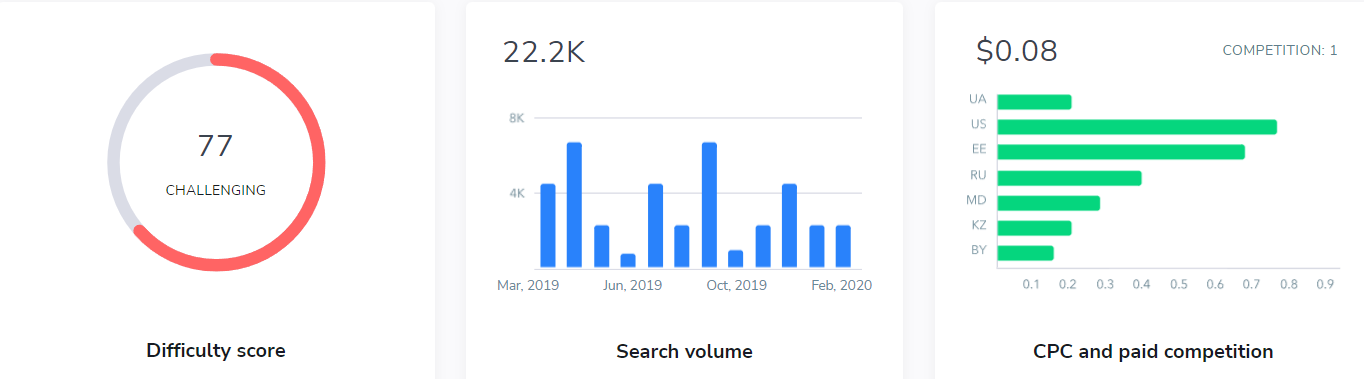
- Keyword research reporting difficulty, monthly volume with a twelve-month trend, CPC and paid competition side by side.
- Competitive research covering both organic and paid search, including which new domains have appeared in your results.
- Website audit that you can rerun and diff against the previous crawl to prove your fixes landed.
- White-label reporting and multi-site management, which is the honest reason most agency toolkits include it.
Best for: small agencies who send monthly reports with their own logo on them. Skip it if: you are one person with one site. At $129/mo you are paying agency money for a solo workload.
Mangools and KWFinder: the cheapest tool here that is not a toy
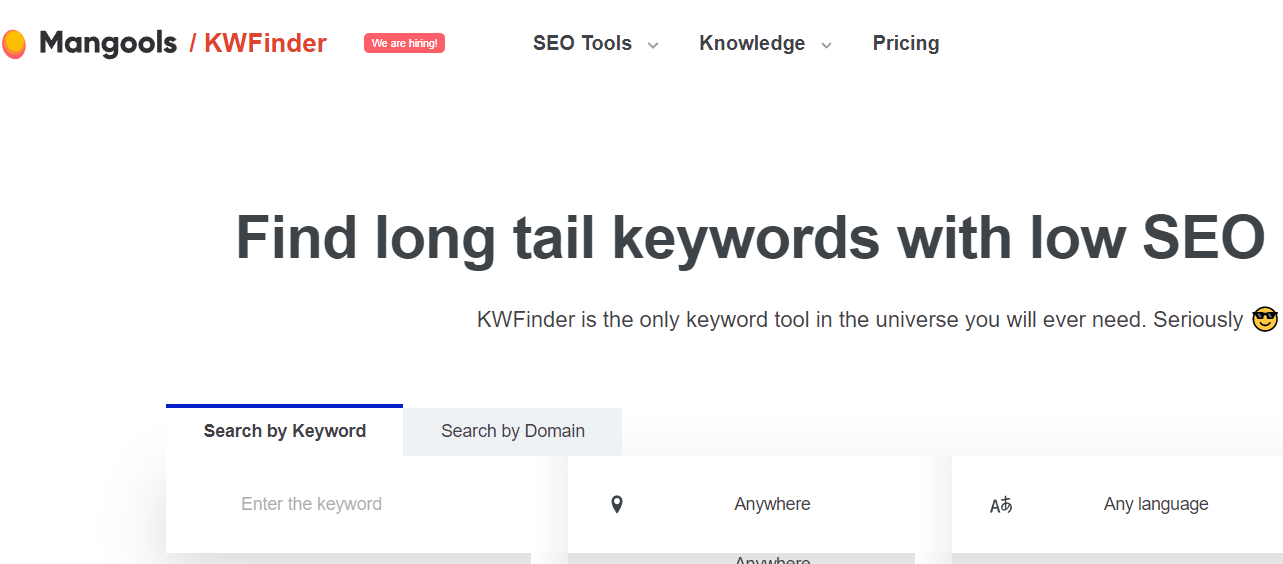
KWFinder is the keyword half of Mangools, sold alongside SERPChecker, SERPWatcher, LinkMiner and SiteProfiler. It is built around one job: type a seed term or a competitor domain, get a list of long-tail phrases with a difficulty score attached, and pick the ones you can win. The interface is the friendliest of the paid tools here, which sounds trivial until you watch someone abandon a $139 subscription because they could not find anything in it.
Price, with a caveat that matters: the USD figures this article carries are Basic at $24.50/mo or $179.40/year, Premium at $34.50/mo or $269.40/year, and Agency at $64.50/mo or $539.40/year, and they are indicative rather than confirmed. The Mangools plans and pricing page builds its price table in the browser and returned no readable figures on recheck, and Mangools varies what it charges by region, so the number on your screen may not be the number above. Usage is metered by the day rather than the month, and the Mangools FAQ confirms limits are “refreshed every 24 hours”, but the per-plan lookup and tracked-keyword allowances are not stated on any Mangools page that renders as readable text, so they have been left out rather than guessed. Open the pricing page yourself and confirm both the price and the limits at checkout.
Best for: bloggers and small site owners whose research question is “find me twenty posts I can actually win this quarter”. If you have just started a blog, this is the first paid tool that earns its money. Skip it if: you need backlink depth or a database that can survive an enterprise content audit.
Google Trends: free, and the only one measuring direction
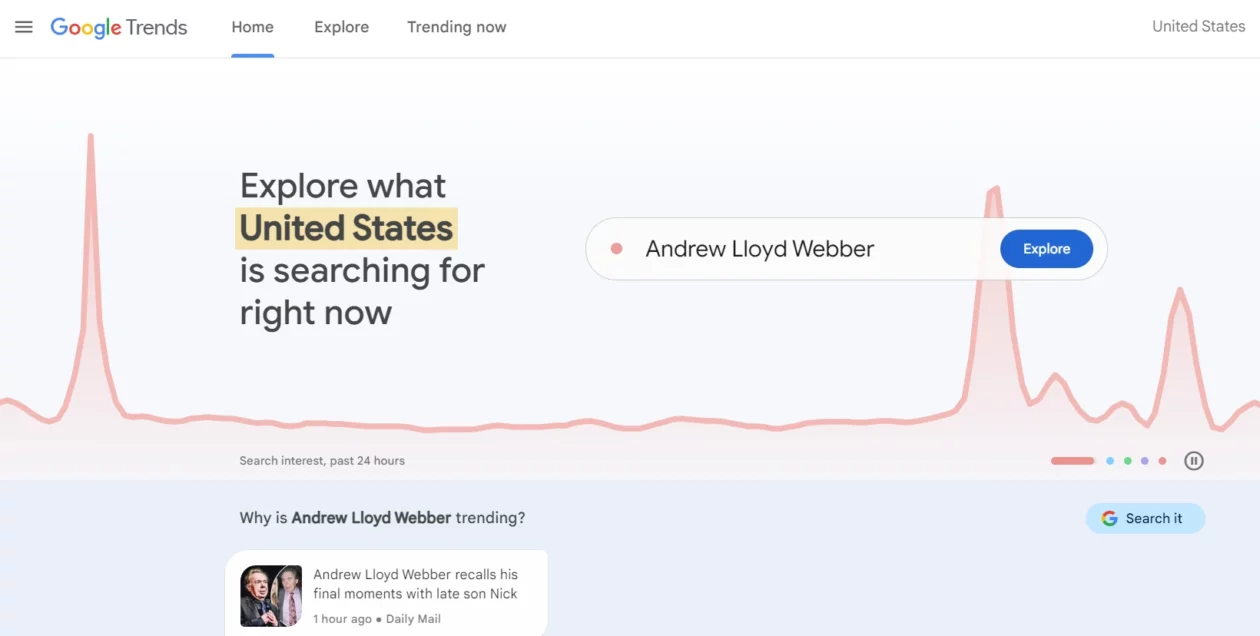
Google Trends is free, needs no account, and does not give you search volume at all. Google’s own documentation explains that each data point is divided by the total searches for that geography and time range, then scaled from 0 to 100. What you get is relative interest, not people. Once you accept that, it becomes the most useful free tool on this list, because none of the paid tools answer the question it answers: is this topic growing or dying?
Use it to time seasonal posts, to compare two topics before you commit a quarter of your calendar to one of them, and to catch a term that is quietly fading before you build twelve articles on top of it. If you are planning what to monetise on a WordPress blog, the seasonality curve is worth more than another volume estimate.
Best for: content planning and timing. Skip it if: you need an absolute number for a traffic forecast. It cannot produce one, and no amount of squinting at the chart will change that.
Google Keyword Planner: free, and the data comes from the source
Keyword Planner lives inside Google Ads, and it is the only tool on this page whose numbers come from Google rather than from a model of Google. That advantage comes with a toll gate: Google’s own help documentation states you must complete account setup by entering your billing information to access basic features such as getting ideas for new keywords. You do not have to run a campaign or spend anything, but you do have to hand over a card.
The catch is granularity. Without active ad spend, volumes come back as wide ranges, so a keyword doing 400 searches and one doing 900 can look identical. That makes it poor for ranking a shortlist and perfectly good for the earlier question of whether demand exists at all. The CPC column is the real prize: it is the best free read on commercial intent you can get, and commercial intent is what actually moves your conversion rate, not raw traffic.
Best for: validating demand and reading buying intent off CPC before you write anything. Skip it if: you need to separate two similar keywords by volume. Pair it with Trends and accept the fuzziness, or pay for a tool.
Serpstat: not a single number could be verified, so read this carefully
On 30 August 2026, serpstat.com would not load the product. Requests to serpstat.com and www.serpstat.com came back from NIC.UA, the domain registrar, instead of from Serpstat, and no pricing page could be opened. Every Serpstat price this article used to quote has therefore been deleted rather than repeated, because a stale number is worse than no number.
That could be a registrar or DNS problem that clears up next week, and Serpstat has been trading for a decade, so this is not an obituary. It does mean nobody can currently confirm what you would be buying. If Serpstat is on your shortlist, load the site yourself first, and do not put a card into anything until you can see a working application behind it.
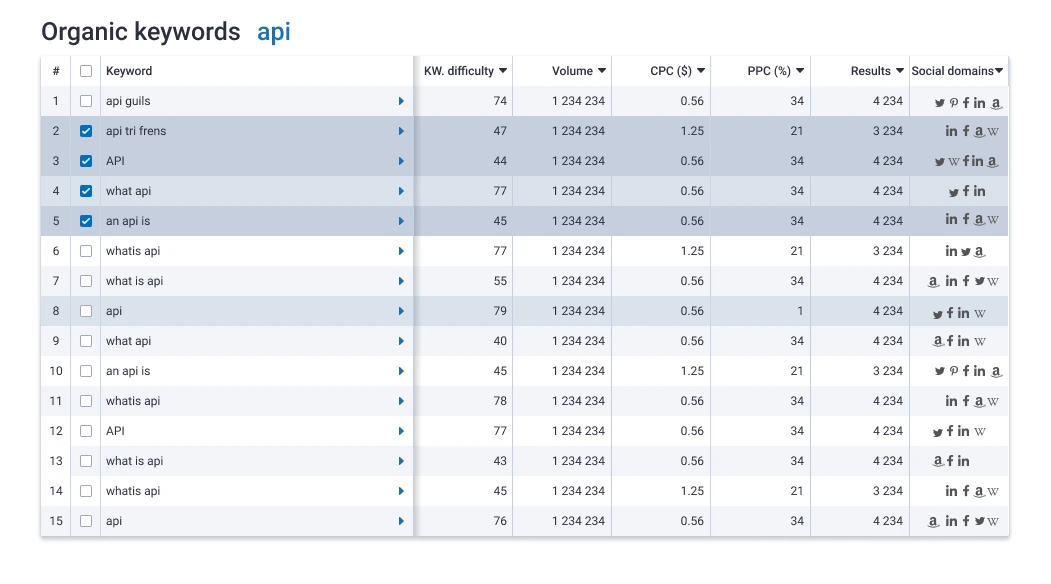
What it did, on paper: keyword research with volume and difficulty, keyword clustering, competitor and PPC research, rank tracking, a site audit and automated reporting. Clustering was its genuine differentiator, since grouping several hundred keywords into page-sized topics is tedious work that most of its rivals still charge extra for.
Best for: nobody, until the site loads. Skip it if: you need to buy something this week.
What most keyword tool roundups get wrong
Volume figures are estimates and everybody in the industry knows it except the reader. No vendor has Google’s real numbers. They model volume from clickstream panels and their own crawl data, then smooth the result. Two tools will disagree by a factor of three on the same keyword and both will present it with the same confident precision. Compare keywords inside one tool. Never build a traffic forecast by mixing figures from two.
Difficulty scores are backlink proxies wearing a costume. They mostly count referring domains pointing at the current top ten. They cannot see that the results are all forum threads, or that the query is owned by a brand you will never outrank, or that Google now answers it above the fold and nobody clicks anything. Sort your long list by difficulty if you like, then open the live results and use your eyes before committing a week to a post.
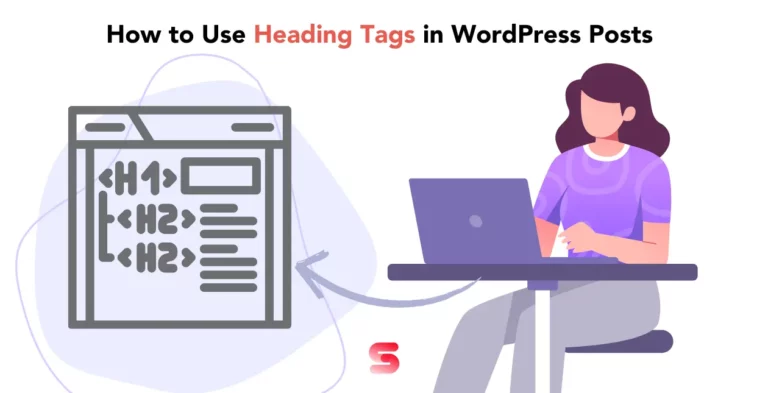
The tool is a small share of the outcome. Choosing the keyword is the cheap part. Writing something better than what already ranks, getting your heading tags in a sensible order, actually optimising the post in WordPress, and making the page fast enough that people stay on it is the expensive part. If you have never audited your site’s speed, that will move rankings further this quarter than upgrading from a $29 plan to a $449 one.
Nobody warns you about cannibalisation. Every roundup tells you to find more keywords. Eighteen months later you have three posts quietly competing for the same query and all three underperform. The fix is merging the thin ones and redirecting the weaker URLs, not another subscription.
So which one should you actually buy?
- New site, under about thirty posts: pay for nothing. Search Console, Keyword Planner and Trends will keep you busy for a year. Your bottleneck is publishing, not data.
- Publishing weekly and want exactly one paid tool: Ahrefs Starter at $29/mo. Best data-per-dollar on this page by a distance.
- Budget-conscious blogger who wants a tool they will enjoy opening: Mangools Basic, after you have confirmed your regional price.
- Billing clients for SEO: Semrush. You are paying for the reporting and the paid-search data as much as the keywords.
- Small agency living on white-label reports: SE Ranking Core, with your eyes open about the price rise.
- Only need to know whether a topic is rising: Google Trends, and keep the money.
Frequently Asked Questions
What is the cheapest keyword research tool that is actually usable?
Ahrefs Starter at $29 a month. Ahrefs’ Starter plan help-centre article lists 200 credits a month, access to Site Explorer, Keywords Explorer, Rank Tracker and Site Audit, monthly renewal only, and Rank Tracker capped at 50 keywords. Mangools Basic is listed lower still, but its price table is built in the browser and returned no readable figures at the check date, so confirm your own quote at checkout.
Do I need a paid keyword tool to rank a WordPress blog?
No. Google Search Console plus Keyword Planner will carry a new site through its first year, because the bottleneck is publishing volume rather than data. Paid tools start earning their keep once you have enough pages that picking the wrong topic costs you real money.
Is Semrush or Ahrefs better for keyword research?
Ahrefs, on the keyword data alone. It reports 28.7 billion keywords against Semrush’s 26 billion, and its entry plan costs $29 rather than $139. Semrush is the better buy if you also run ads, manage client reporting, or want the wider marketing toolset in one login.
Why do two tools show different search volumes for the same keyword?
Because none of them can see Google’s real numbers. Each vendor models volume from clickstream panels and its own crawl, then smooths the output. Treat volume as an order of magnitude rather than a measurement, and only compare keywords within a single tool.
Is Google Keyword Planner really free?
Yes, but there is a condition. Google’s help documentation says you must complete account setup by entering billing information before basic features such as keyword ideas unlock. You never have to run a campaign. Without active spend, volumes are shown as broad ranges instead of specific numbers.
What happened to Serpstat?
On 30 August 2026, serpstat.com did not load the product: the domain answered from the NIC.UA registrar rather than from Serpstat, so no pricing could be verified. That may be a temporary registrar or DNS issue. Load the site yourself before paying for a subscription.
Does keyword difficulty predict whether I can rank?
Only loosely. Difficulty scores are largely backlink proxies, so they miss intent mismatch, brand-dominated results, and queries where Google answers above the fold and nobody clicks. Use difficulty to sort a long list quickly, then open the live results and judge what is really ranking.
Should I pay annually to get the discount?
Only after a month on monthly billing. Worked out from the prices in the table above, annual billing saves about 16 percent at Semrush ($139 down to $117.33 a month) and exactly 20 percent at SE Ranking ($129 down to $103.20). Mangools is in a different league: $179.40 a year is $14.95 a month against $24.50 billed monthly, a saving of about 39 percent, though Mangools varies prices by region. Ahrefs advertises up to 17 percent off for annual billing, but not on the $29 Starter plan, which renews monthly only. Keyword tools are unusually easy to stop opening by week three, so prove the habit is real before you lock in the cheaper rate.
Our pick
- Buy Ahrefs Starter if you own one site, publish regularly, and want the deepest keyword index for $29/mo. Watch the 200-credit ceiling and upgrade to Lite only when you actually hit it.
- Stay free if you are under roughly thirty published posts. Keyword Planner for demand, Trends for direction, Search Console for what you already rank for. That combination has taken plenty of sites past their first thousand monthly visitors.
- Choose Semrush instead if other people pay you for SEO. The reporting, the gap analysis and the PPC data are what you are really billing for.
- Do not buy Serpstat until its own website loads for you.
If you want one sentence: Ahrefs Starter is the one to put on a card today, and the $110 a month you save against the $139 default buys a lot of writing time. Prices here come from each vendor’s own pricing page as of 30 August 2026, except the Mangools and Serpstat rows flagged above, and this market changes its plan names more often than it changes its data, so open the links above before you commit.


[…] the spot and what else they rank for. If you are still building your target list, our roundup of keyword research tools covers cheaper ways to do that half of the […]
[…] for beats a 20,000-search query owned by four domains with a decade of links. Our comparison of keyword research tools covers the free and paid options for checking that, and Google Search Console is a legitimate free […]