


Choosing plugins for agencies is a licensing problem before it is a features problem. Any of these tools will run one site happily. The question is what thirty client sites cost you in year two, after the introductory pricing lapses and the plan that sounds unlimited turns out to license one site. This roundup covers the agency stack that actually earns its fee: site management, backups, staging, client reporting and white-label, with first-year and renewal prices.

Quick verdict
- Best overall: MainWP Pro. $199/year or $599 once, unlimited sites, and the dashboard lives on your own server rather than someone else’s.
- Best free: ManageWP’s free core. Unlimited sites, one-click updates and uptime monitoring at $0, with the paid extras bolted on per site only where you need them.
- Skip it if: you look after fewer than about ten client sites. A management dashboard costs more in setup and maintenance than it saves until the portfolio is big enough to feel the repetition.
- Our call: MainWP Pro plus UpdraftPlus Enterprise plus Perfmatters Unlimited comes to $518.95 for the first year and covers unlimited client sites for all three jobs. MainWP publishes its renewal and Perfmatters renews lower than its first year; UpdraftPlus does not publish one, so budget for a rise there.
Agency plugin prices at a glance
Every row below is the tier an agency would actually buy, not the single-site tier that makes the headline look good. Read the renewal column first.
| Tool | Job on an agency stack | Sites covered | First year | Renewal |
|---|---|---|---|---|
| MainWP Pro | Self-hosted dashboard: updates, backups, client reports | Unlimited | $199/yr | $199/yr, or $599 once with no renewal |
| ManageWP | Hosted dashboard, free core plus per-site add-ons | Unlimited on the free core | $0, then $1–$2 per site per month | No renewal; billed monthly on usage |
| InstaWP | Staging, sandboxes and disposable client demos | Per plan | From $5/mo, sandbox tier $2/mo | No renewal; billed monthly or daily |
| UpdraftPlus Enterprise | Scheduled offsite backups and restores | Unlimited | $195/yr | Renewal rate not published |
| WP Rocket Multi | Caching across a client portfolio | 50, 100 or 500 | $299/yr | Auto-renews; no renewal discount advertised |
| Perfmatters Unlimited | Per-page script and asset unloading | Unlimited | $124.95/yr | $106.21/yr |
| WP Mail SMTP Agency | Transactional email deliverability and logging | 100 | $389/yr | $449/yr |
| Multicollab Lite | Client review and suggestions inside the editor | 1 live plus 2 staging | $299/yr | $598/yr |
| Crocoblock Lifetime | Dynamic content, custom fields, filters, forms | Unlimited | $999 once | None; one-time purchase |
| Divi | Theme plus builder membership | Unlimited | $89/yr, or $249 once | Renewal rate not published |
| Rank Math Business | SEO across client sites from one account | 100 client sites | €299.88/yr | €335.88/yr |
MainWP: the dashboard you host yourself
MainWP inverts the usual model. Instead of your client sites reporting into a SaaS you rent, you install the dashboard plugin on a WordPress site you own, and each client site runs a small child plugin that answers to it. Nobody else holds the keys to thirty logins, which is a conversation worth having before a client’s legal team has it with you.
The catch is honesty about scale: the MainWP Dashboard listing on WordPress.org shows around 20,000 active installs against ManageWP’s million-plus worker plugin. Smaller community, fewer people who have hit your exact bug first.
- Key features: one-click updates across every connected site, scheduled backups, uptime and broken-link monitoring, white-labelled client reports, staging integrations, and a free tier that already covers unlimited sites.
- Price: Essentials free for unlimited sites. Pro is $29/month, $199/year, or $599 as a one-time lifetime purchase, per the MainWP pricing page.
- Best for: agencies past about fifteen sites who want the maintenance retainer to run itself and the data to stay in-house.
- Skip it if: you do not want to own another WordPress install. The dashboard is a site, and it needs hosting, updates and a backup of its own.
ManageWP: free until it isn’t
ManageWP’s free tier is genuinely generous and the reason its worker plugin sits on more than a million sites. Bulk updates, uptime monitoring, a security check and one-click login across unlimited sites, for nothing. The money starts when you want the things a retainer is actually sold on.
Do the sum before you commit. Thirty client sites with backups at $2, client reports at $1 and white label at $1 is $4 per site per month, which is $120 a month and $1,440 a year. MainWP’s $599 lifetime costs less than five months of that. The per-site pricing is fair at ten sites and painful at fifty.
- Key features: hosted dashboard, bulk updates, uptime monitoring, one-click login, plus paid add-ons for backups, client reports, white label, performance checks and SEO ranking.
- Price: free on unlimited sites. Add-ons are billed monthly in arrears on what you used: $2 per site per month for backups, $1 per site per month each for the security check, performance check, client reports, white label and SEO ranking, per the ManageWP pricing page.
- Best for: a portfolio under about twenty sites, or anyone who wants monitoring today without buying anything.
- Skip it if: the portfolio is growing. Per-site billing scales linearly and a flat-fee dashboard overtakes it fast.
InstaWP: staging without the ceremony
Most agency accidents happen because someone tested a plugin update on production at 4pm on a Friday. InstaWP spins up a throwaway WordPress install in seconds, so trying a risky update, prototyping a client pitch or reproducing a bug stops being a half-hour of ceremony.
Pricing has moved to a usage model rather than annual licences, which suits agency work better than it reads: sandboxes are cheap, production sites cost more, and you can kill either the day you stop needing it. Our longer InstaWP review goes through the staging and migration workflow in detail.
- Key features: instant WordPress sandboxes, templates so a new client demo starts pre-configured, push to live, staging pulls from existing sites, and shareable magic-login links for clients who will not remember a password.
- Price: the sandbox tier is $2/month; production plans run $5, $9, $15, $25 and $45 a month for Starter through Elite. Billing is daily or monthly with no annual contract, and the InstaWP pricing page offers up to 10% off for paying a year upfront on Plus and above. New accounts get $25 in credits.
- Best for: anyone whose host charges for staging environments, or who pitches with working prototypes rather than screenshots.
- Skip it if: your managed host already gives every site a one-click staging copy you are happy with. Do not pay twice for the same button.
UpdraftPlus: backups that actually restore
A backup you have never restored is a rumour. UpdraftPlus earns its place because the restore path is boring and well-trodden across roughly three million active installs, and because it will write to Google Drive, Dropbox, S3 or your own SFTP box rather than leaving the copy on the server that just caught fire.
One housekeeping note for anyone updating old documentation: the vendor now trades as Team Updraft, and updraftplus.com redirects there. Same plugin, new front door.
- Key features: scheduled incremental backups, remote storage to a dozen destinations, one-click restore, migration and cloning between sites, and multisite support on the higher tiers.
- Price: free on WordPress.org. Premium runs $70 for 2 sites, $95 for 10, $145 for 35, $195 for unlimited and $399 for the Gold bundle, per the Team Updraft pricing page. Renewal rates are not published there.
- Best for: the Enterprise tier at $195. It is only $50 more than the 35-site Agency tier and removes the site cap entirely, which means you never have to audit your own licence when you win a new client.
- Skip it if: your host already takes verified offsite backups with a tested restore. Compare alternatives in our WordPress backup plugins roundup before you buy a second layer.
WP Rocket: caching across a portfolio
The agency case for WP Rocket is that it is the caching plugin you can hand to a client without a training session. It sets sensible defaults on activation, and the settings that break things are behind labels rather than buried in a config file.
Buy the right tier. Multi is $299 for 50 sites, which is $5.98 per site per year. The 3-site Plus tier at $119 works out at $39.67 per site. From eight client sites onward, Multi is cheaper than any combination of Single and Plus licences that would cover them.
- Key features: page caching, cache preloading, GZIP and browser caching, delayed JavaScript execution, critical CSS generation, database cleanup and a lazy-loading module.
- Price: $59 for 1 site, $119 for 3, $299 for the Multi tier at 50, 100 or 500 sites, per the WP Rocket pricing page. The licence auto-renews after a year and no renewal discount is advertised, so budget for the same figure again.
- Best for: agencies who bundle a performance line item into a maintenance retainer and want one plugin behaving the same way on every site.
- Skip it if: your host bakes in server-level caching that conflicts with it, which several managed WordPress hosts do. Free options are covered in our WordPress cache plugins comparison.
Perfmatters: the script scalpel
Perfmatters does the job caching cannot: turning off the assets that should never have loaded. A contact form plugin that loads its JavaScript on all 400 pages, a slider library running on the checkout, an emoji script nobody asked for. Its script manager disables them per page, per post type, or everywhere but the two URLs that need them.
It is also the only paid tool in the table above with a published renewal price lower than its first year. Every tier renews 15% cheaper, which is rare enough to be worth naming.
- Key features: per-page script manager, unused CSS removal, local analytics hosting, lazy loading, preloading and prefetching, DNS prefetch, and a long list of WordPress bloat toggles.
- Price: $29.95 for 1 site, $59.95 for 3 and $124.95 for unlimited, renewing at $25.46, $50.96 and $106.21, per the Perfmatters pricing page. The unlimited tier is just over twice the three-site price, so it makes sense from the seventh site onward.
- Best for: agencies inheriting sites built by somebody else, where the plugin list is long and nobody knows what half of it does.
- Skip it if: you build lean and control every plugin on the site. There is less to unload, and the free groundwork matters more than the plugin.
WP Mail SMTP: the plugin that prevents an awkward phone call
Default WordPress mail goes out through PHP from a shared server IP with no authentication, and modern spam filters treat that exactly as you would expect. The client does not report it as a bug. They report it three weeks later as “we have not had an enquiry all month”.
Watch the pricing structure here, because it is the clearest renewal trap in this article. The introductory discount is a flat $60 on every tier. That is 61% off the $99 Pro plan and 13% off the $449 Agency plan, so the tier you would actually buy as an agency gets almost no discount at all.
- Key features: authenticated sending through SendLayer, SMTP.com, Brevo, Postmark, Gmail or Outlook, full email logging so you can prove a form was submitted, delivery failure alerts and weekly summaries.
- Price: Pro is $39 first year then $99 for 1 site; Elite $89 then $149; Developer $189 then $249 for 20 sites; Agency $389 then $449 for 100 sites, per the WP Mail SMTP pricing page.
- Best for: any agency running lead-generation sites, where a lost form submission is a lost client relationship.
- Skip it if: the free version already routes through your SMTP provider and you do not need the logs. The free plugin covers authenticated sending; the paid tiers mostly buy logging, reporting and support.
Multicollab: client review inside the editor
Content approval is where agency timelines go to die. The usual process is a Word document, three rounds of tracked changes, and someone re-keying the final copy into WordPress. Multicollab puts Google-Docs-style inline comments, suggestions and mentions directly into the block editor, so the client reviews the page rather than a description of the page.
Per site it is the priciest of the dollar-billed tools here, and the pricing is unapologetically editorial-desk pricing rather than agency pricing. Lite covers one live site and two staging copies. If you want it on twenty client sites, you are into Enterprise, which starts at $2,500.
- Key features: inline commenting and suggestion mode in Gutenberg, @mentions with email notifications, editorial comments in the media library, review-and-approve workflows and an activity log.
- Price: Lite is $299 a year against a regular $598, Pro is $599 against a regular $1,198, and Enterprise starts at $2,500, per the Multicollab pricing page. Both paid tiers offer a 14-day trial, and the promotional price doubles on renewal.
- Best for: content-heavy retainers with a named client stakeholder who reviews every post, and publishers running an in-house editorial desk.
- Skip it if: your clients approve copy over email and are happy doing so. Buying a workflow tool does not create a workflow.
Crocoblock: dynamic content without custom code
When a client wants a directory, a booking system or a filterable property listing, the choice is a custom build or Crocoblock. The JetPlugins suite handles custom post types, custom fields, dynamic templates, front-end filters, form builders and booking logic, across Elementor, Bricks, Gutenberg and Divi.
Read the licence carefully, because this is the one that catches agencies out. All-Inclusive at $199 a year covers one site. Two client sites on annual licences is $398 a year, and the $999 unlimited lifetime overtakes that during year three. If Crocoblock is going into your standard build, buy the lifetime and stop thinking about it.
- Key features: JetEngine for custom post types and dynamic templates, JetSmartFilters for front-end filtering, JetFormBuilder, JetBooking and JetAppointment, JetMenu, plus 200+ ready-made templates.
- Price: All-Inclusive $199/year for 1 site, All-Inclusive Plus $249/year for 1 site, and Lifetime at $999 once for unlimited sites. Individual JetPlugins start at $43/year for one project, per the Crocoblock pricing page.
- Best for: agencies who repeatedly build listing, directory, booking or membership sites and want one toolkit rather than eight unrelated plugins.
- Skip it if: you build brochure sites. The suite is deep, the learning curve is real, and none of it helps a five-page site for a dentist.
Elementor Pro and Divi: the build layer
Elementor Pro remains the default for a reason: the free plugin passed ten million active installs, so any developer you hire has already used it and any client you inherit is probably already on it. The Pro tiers are sold by site count, from single-site plans up through Advanced at 3 sites, Expert at 25 and Agency at 1,000.
One warning on the price. Elementor’s pricing page serves several concurrent price SKUs for the same named plan, so the figure you are quoted can differ between sessions. Confirm the number at checkout rather than trusting any roundup, this one included.

Divi answers the licensing question more cleanly. One membership, unlimited client sites, no per-site maths ever. That is a real operational saving for an agency that ships twenty sites a year, even for people who prefer another builder’s editor.
- Key features: visual builder with a theme, role editor for locking down what clients can touch, global elements, split testing, and a large template library.
- Price: Divi is $89 a year or $249 once, both covering unlimited sites, per the Elegant Themes membership page. The Divi Pro bundle, which adds Divi AI, Cloud, VIP and Teams, is $277 a year. Annual renewal rates are not published.
- Best for: Elementor Pro if your team and your client base already speak it. Divi if unlimited sites for a flat fee matters more than the editor.
- Skip it if: you have moved to block themes and the site editor. Compare the field in our roundup of visual page builders for WordPress.
Rank Math: SEO across a client portfolio
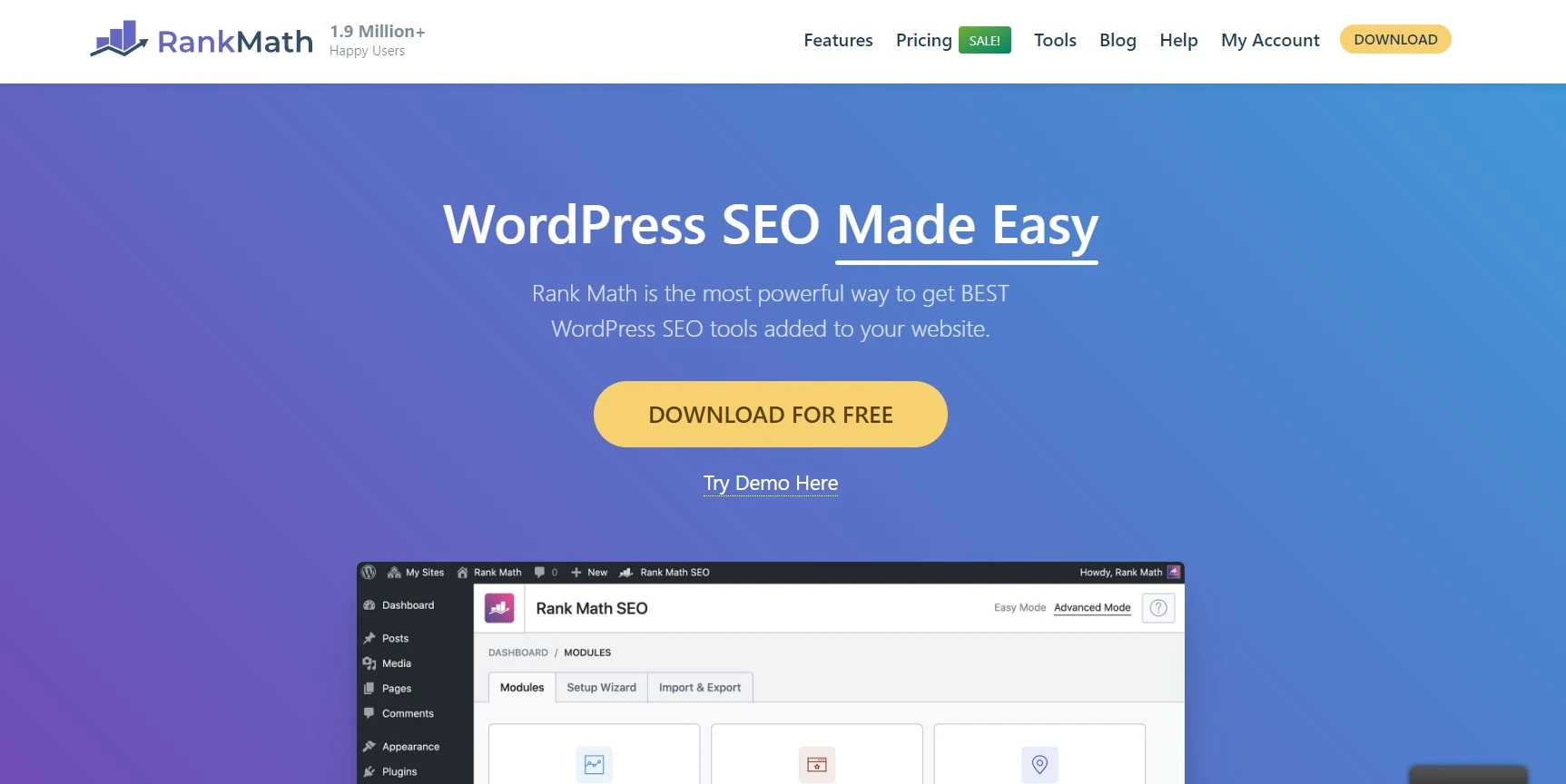
The screenshot above is dated: the badge reads 1.9 million users, while the Rank Math listing on WordPress.org now shows around 4 million active installs. What matters for agencies is the client-site model, where one Business or Agency subscription covers a whole portfolio instead of a licence per site.
Note the currency. Rank Math quotes in euros with tax added at checkout, so its numbers cannot be lined up against the dollar prices elsewhere in this article. Renewals cost more than year one on every tier: PRO rises by €12, Business by €36 and Agency by €120.
- Key features: schema markup, redirection manager, 404 monitor, Search Console and Analytics integration, keyword rank tracking, and content AI on the paid tiers.
- Price: PRO is €95.88/year renewing at €107.88, Business is €299.88/year for 100 client sites renewing at €335.88, and Agency is €659.88/year for 500 client sites renewing at €779.88, plus taxes, per the Rank Math pricing page. The free version covers the basics.
- Best for: agencies selling SEO as a retainer line item who need rank tracking for many clients from one login.
- Skip it if: you only need titles, meta descriptions and a sitemap. The free tier does that on unlimited sites of your own.
Wordfence and Kadence Security: the security layer
Wordfence sits on around five million sites and its free tier is the one most agencies actually run: an application firewall, a malware scanner comparing core files against the repository, and login hardening with two-factor authentication. Premium buys real-time firewall rules instead of rules delayed by 30 days, which matters most on sites that are actively targeted.
The other name in this category has changed twice and your old notes are wrong. iThemes Security became Solid Security and now ships as Kadence Security, still under the better-wp-security slug, at roughly 700,000 installs. iThemes, SolidWP and Kadence all now sit under Liquid Web, which is worth knowing before you standardise a client stack on any of them.

- Key features: Wordfence gives you a firewall, malware scanning, live traffic view and brute-force protection. Kadence Security covers two-factor authentication, passkeys, brute-force protection and file change detection.
- Price: both plugins are free on WordPress.org. Wordfence Premium is sold per site per year, but the Wordfence pricing page was not reachable at the check date, so confirm the current figure at checkout. Kadence sells bundles at $99, $299 and $499 a year on the Liquid Web Kadence page, with the security firewall included from the Pro tier; site allowances are not stated per plan.
- Best for: running the free tiers everywhere as a baseline, then paying only on the client sites that get attacked.
- Skip it if: your host runs a firewall at the edge and you would rather not duplicate it in PHP. Our WordPress security plugins roundup covers the alternatives.
What most agency roundups get wrong
They quote year one and stop. First-year pricing is a customer acquisition cost, not a price. WP Mail SMTP Agency is $389 to start and $449 every year after. Multicollab Lite doubles from $299 to $598. Rank Math Business climbs from €299.88 to €335.88. Across a full agency stack that gap is easily a four-figure surprise in month thirteen, and it lands right when you have already trained the team on the tool.
“Unlimited” is doing a lot of work. Crocoblock’s All-Inclusive plan sounds like an agency plan and licenses exactly one site. Elementor’s tiers are counted in sites, so a growing portfolio quietly forces an upgrade. Perfmatters, UpdraftPlus Enterprise, MainWP and Divi mean it literally. Check which kind you are buying before you promise a client it is covered.
Half the brands have changed hands. Any roundup still recommending “iThemes Security” has not been opened in three years, and this post was one of them until today. UpdraftPlus now trades as Team Updraft. iThemes became Solid Security and is now Kadence Security under Liquid Web. Ownership changes affect roadmaps, support quality and renewal pricing, which is exactly the stuff an agency plans around.
Per-site pricing gets recommended without arithmetic. ManageWP at $4 per site per month looks trivial next to a $199 annual licence, right up until you multiply. Thirty sites is $1,440 a year. Always multiply the monthly by twelve, then by your actual site count, before you compare it to anything.
A short decision path
- Under 10 client sites? Run ManageWP’s free core, UpdraftPlus free and Wordfence free. Spend nothing. Revisit at 15 sites.
- 10 to 30 sites, and updates are eating your Mondays? MainWP Pro at $199 a year plus UpdraftPlus Enterprise at $195. That is the retainer running itself.
- Selling performance work? Add WP Rocket Multi at $299 for 50 sites and Perfmatters Unlimited at $124.95. Together they cover both caching and script control across the whole book.
- Building anything with structured data? Crocoblock Lifetime at $999. Skip the annual tiers unless you are certain it stays on one site.
- Clients who redline every paragraph? Multicollab, and price it into the retainer, because at $299 a site it does not absorb quietly.
Some links in this article are affiliate links. If you buy through them we may earn a commission at no extra cost to you, and it does not change which tools we recommend.
Frequently Asked Questions
How many client sites before a management dashboard pays for itself?
Around ten to fifteen. Below that, connecting sites and learning the tool eats more hours than bulk updates save. Past thirty the maths is emphatic: ManageWP at $4 per site per month is $1,440 a year, while MainWP Pro stays flat at $199.
Which agency plugins renew at a higher price than the first year?
WP Mail SMTP, Multicollab and Rank Math all publish higher renewals. WP Mail SMTP Agency rises from $389 to $449, Multicollab Lite from $299 to $598, and Rank Math Business from EUR 299.88 to EUR 335.88. Perfmatters is the only tool here with a published renewal below its first-year price.
Is Crocoblock All-Inclusive really only one site?
Yes. The $199 and $249 annual All-Inclusive plans each license a single site, which surprises agencies who read the name as a portfolio plan. Only the $999 lifetime purchase covers unlimited sites. Two client sites on annual licences cost $398 a year, so lifetime wins during year three.
What happened to iThemes Security?
It was renamed Solid Security and now ships as Kadence Security, still under the better-wp-security slug on WordPress.org with roughly 700,000 active installs. iThemes, SolidWP and Kadence are all now owned by Liquid Web. Old tutorials naming iThemes Security are describing the same plugin.
Can one Rank Math subscription cover all my client sites?
Yes, on the Business and Agency tiers. Business covers 100 client sites at EUR 299.88 a year and Agency covers 500 at EUR 659.88. The cheaper PRO tier is limited to your own personal sites, so it is not the right licence for client work.
Do I need both WP Rocket and Perfmatters?
They do different jobs, so many agencies run both. WP Rocket handles page caching and delivery. Perfmatters unloads scripts and styles that should never have loaded on a given page. If you build lean sites yourself, caching alone is usually enough.
Is a free backup plugin good enough for client sites?
For a small portfolio, yes. The free UpdraftPlus handles scheduled backups to remote storage. Paid tiers add incremental backups, multisite support and easier restores across many sites. What matters more than the tier is whether you have actually tested a restore recently.
How do I stop paying for the same feature twice?
Audit the host first. Managed WordPress hosts often include staging, offsite backups, edge caching and a firewall. Buying InstaWP, UpdraftPlus, WP Rocket and Wordfence on top of that duplicates four line items. List what the host provides before you approve any licence renewal.
Our call on the best plugins for agencies in 2026
Buy MainWP Pro. At $199 a year, or $599 once if you would rather never think about it again, it covers unlimited client sites, keeps every client credential on infrastructure you control, and replaces the Monday morning update ritual. Add UpdraftPlus Enterprise at $195 for backups without a site cap. That is $394 a year for the two jobs that actually get an agency sued when they go wrong.
Add Perfmatters Unlimited at $124.95 if you sell performance work, taking the stack to $518.95 in year one. Add Crocoblock’s $999 lifetime only if structured content is part of your standard build. Everything else on this list is a per-project decision, not a stack decision.
The one habit worth keeping regardless of what you buy: before every renewal, open the vendor’s pricing page and check the number against what you are being charged. Three of the tools here cost more in year two than year one, and none of them will remind you.


[…] The tracker itself handles multiple search engines and multiple locations per project, and it will pull Google Analytics and Search Console into the same report so the client sees positions and clicks side by side. Agencies stacking this with other client-facing tooling should also look at our list of WordPress plugins for agencies. […]
[…] reporting and multi-site management, which is the honest reason most agency toolkits include […]