


Most keyword rank tracking tools sell you a number that Google does not actually have. There is no single position for your page: it moves by city, by device, by whether the searcher is logged in. What a tracker really gives you is a consistent yardstick, measured the same way every day, so you can tell a real slide from noise. That is worth paying for. It is also worth paying a lot less for than the pricing pages suggest.
Some links below are affiliate links. If you buy through one, we may earn a commission at no extra cost to you. It does not change what we recommend, and the free picks stay in the list.
Quick verdict
- Best overall: Semrush. The Position Tracking report is the one we would hand a client without apologising for it, and the keyword research sitting next to it is the reason you keep the tab open. $139/month, or $117.33/month billed annually.
- Best free: Google Search Console. Real average positions from real searches, no sampling, no seat limit. If you are not already reading it weekly, no paid tracker will help you.
- Best cheap paid: Rank Math PRO, at €7.99/month billed annually on the Rank Math pricing page. It tracks 500 keywords and lives inside wp-admin, which is where you were going to fix the page anyway.
- Skip it if: your site is under six months old, or you have fewer than about 30 pages. You do not have enough ranking history for a tracker to say anything a Search Console screenshot would not.
- Our call: Search Console for everyone, plus one paid tracker only when someone other than you needs to read the report.
Keyword rank tracking tools compared
Two things to notice before you read the table. First, the headline price on almost every SEO platform is the annual price divided by twelve, so paying month to month costs noticeably more. Second, the WordPress-plugin end of this market discounts the first year: AIOSEO renews at exactly twice its opening price, while Rank Math rises only about 12%. Either way the renewal column matters more than the sticker.
| Tool | Entry paid price | Renews at | Tracked keywords | Free option |
|---|---|---|---|---|
| Semrush | $139/mo, or $117.33/mo billed annually | Same (subscription) | 500/day on the SEO plan | Free account (10 reports/day), plus a 7-day trial |
| Ahrefs | $129/mo (Lite); Starter tier $29/mo | Same (subscription) | 750 on Lite | Yes, free plan for your own site |
| SE Ranking | $129/mo, or $103.20/mo billed annually | Same (subscription) | 2,000/day on Core | 14-day trial, no card |
| Ranktracker | $39/mo, or $31/mo billed annually | Same (subscription) | 500/day on Launch | 7-day trial |
| SEO PowerSuite | $349/year (Professional) | $349/year | Desktop app, no server cap | Yes, free edition |
| Google Search Console | Free | Free | Queries you already rank for | It is the free option |
| Rank Math PRO | €7.99/mo billed annually (€95.88/yr) | €8.99/mo (€107.88/yr) | 500 | Yes, free plugin |
| All in One SEO Elite | $299.60 first year | Double the first-year price | Rank tracking listed on Elite only | Yes, free plugin (no tracking) |
| Sitechecker | €89/mo, or €75/mo billed annually | Same (subscription) | 500 on Basic | Trial only |
| SERPWatcher (Mangools) | Not quoted, see note below | Not quoted | Not quoted | Trial |
Semrush
Semrush is a full SEO platform where rank tracking is one report among thirty. The report in question is Position Tracking: you give it a domain, a location down to city level, and a keyword list, and it re-checks positions daily and draws a visibility line you can hand to a client without explaining what it means.
The reason people pay Semrush money is not the tracker on its own. It is that the tracker sits next to the keyword database, so when a term slips you can immediately look at who took the spot and what else they rank for. If you are still building your target list, our roundup of keyword research tools covers cheaper ways to do that half of the job.
- Daily position checks with device and city-level targeting
- SERP feature tracking, so you can see when a featured snippet ate your clicks
- Competitor positions on the same keyword set, in the same view
- Scheduled PDF reports, which is the feature agencies actually renew for
Price: the Semrush pricing page showed an SEO plan at $139/month, or $117.33/month billed annually, with 500 keywords tracked daily. Starter is $199/month, Pro+ is $299/month and Advanced is $549/month, each cheaper per month on annual billing. The same page lists a free account that asks for no card, and the FAQ on it sets the limits: a maximum of 10 requests a day to the Analytics reports, one website, and 10 keywords in Position Tracking. Semrush also promotes a seven-day free trial from that page.
Best for: freelancers and agencies who report to someone else and need the research tools anyway. Skip it if: you run one site and only want positions. You would be paying roughly $1,400 a year for a graph.
Ahrefs

Ahrefs Rank Tracker is the tidiest of the big-platform trackers. It shows position, change, volume and estimated traffic in one grid, splits desktop from mobile, and lets you tag keywords so a hundred-term list does not turn into soup. Per the docs it also tracks share of voice, which is a more honest headline metric than average position.
The catch is that Ahrefs prices tracked keywords tightly. Lite gives you 750, which sounds generous until you add a second site. And the credit system on lower tiers means you can burn through your allowance running research reports and then find the tracker is the least of your problems.
Price: the Ahrefs pricing page listed Lite at $129/month with 750 tracked keywords, Standard at $249/month with 2,000, Advanced at $449/month with 5,000, and Enterprise at $1,499/month on an annual commitment. Annual billing saves up to 17%. There is a $29/month Starter tier and a free plan that reports on a site you have verified.
Best for: people who already live in Ahrefs for link data and want the tracker included. Skip it if: tracking is the only reason you are signing up. The free plan on your own verified site will tell you most of it.
SE Ranking

SE Ranking used to be the cheap alternative to Semrush. It is not any more, and the honest thing to say is that it repositioned upmarket. What it kept is the best white-label reporting in this list: your logo, your domain, your client login, no visible vendor branding. If you resell SEO, that is the entire pitch.
The tracker itself handles multiple search engines and multiple locations per project, and it will pull Google Analytics and Search Console into the same report so the client sees positions and clicks side by side. Agencies stacking this with other client-facing tooling should also look at our list of WordPress plugins for agencies.
Price: the SE Ranking pricing page showed Core at $129/month, or $103.20/month billed annually, with 2,000 keywords tracked daily. Growth is $279/month, or $223.20/month annually, with 5,000. Enterprise is quote-only. The 14-day trial does not ask for a card.
Best for: small agencies who need reports that look like their own work. Skip it if: you are a solo blogger. The 2,000-keyword allowance is sized for people managing twenty clients.
Google Search Console

Search Console is the only tool in this roundup whose numbers come from Google rather than from a robot pretending to be a searcher. The Performance report gives you impressions, clicks, CTR and average position for every query that actually sent you a person, filtered by country, device and date. It is free, and it is the baseline every paid tool is trying to beat.
What it will not do: tell you where you rank for a keyword you have never had an impression for, show you competitor positions, check daily on a schedule, or produce a client-ready PDF. Data also lags by a couple of days, and “average position” is averaged across every impression, so a page that ranks 3rd in the UK and 40th in the US shows up as a meaningless middle number.
It earns its place for a second reason: the Core Web Vitals and Page Experience reports flag the layout and speed problems that quietly cost you positions. If yours are red, start with our guide to fixing cumulative layout shift in WordPress before you buy anything.
Price: free for anyone who can verify a domain, per Google’s own Search Console documentation. Best for: literally everyone with a website. Skip it if: never. Set it up first, then decide whether you still need a paid tracker.
Rank Math
This one was not in the original version of this post and it should have been, because it is the cheapest credible rank tracking most WordPress owners will ever need. Rank Math connects to Search Console, then adds its own tracked-keyword list and shows position history for each post right inside wp-admin, in the same screen where you would edit the content.
That proximity is the whole argument. A standalone tracker tells you a term dropped; you then open another tab, find the post, and start editing. Rank Math shows the drop attached to the post. The WordPress.org listing puts it at over 4 million active installations, so it is not a gamble on an unknown plugin either.
Price: the Rank Math pricing page quoted euros: PRO at €7.99/month billed annually (€95.88/year) renewing at €8.99/month, with 500 tracked keywords. Business is €24.99/month annually, renewing at €27.99, with 10,000 keywords. Agency is €54.99/month annually, renewing at €64.99, with 50,000.
Best for: bloggers and single-site owners who want positions and on-page fixes in one place for about €96 in year one and €108 after that. Skip it if: you need competitor tracking or client-facing reports. It does not pretend to do either.
All in One SEO (AIOSEO)
AIOSEO’s Search Statistics add-on does the same job as Rank Math’s tracker: Search Console data plus a tracked keyword list, rendered in wp-admin. It is competent, the reporting screens are clearer than Rank Math’s in places, and if you are already running AIOSEO you have no reason to switch plugins just for this.
The problem is where the feature sits in the price list. On the pricing page’s own plan cards, Keyword Rank Tracking is listed under Elite, the top tier, and not under Basic, Plus or Pro. We would rather you knew that before you bought a cheaper tier expecting a tracker. If you are choosing your SEO plugin from scratch, compare them properly in our guide to the best WordPress SEO plugins.
Price: the AIOSEO pricing page renders its prices in a regional currency, and it quoted Japanese yen at the check date, so the figures you see may not be dollars at all. The structured data on that same page lists first-year prices of $49.60 (Basic), $99.60 (Plus), $199.60 (Pro) and $299.60 (Elite). Whichever currency you are shown, the renewal is exactly double the first-year figure on every tier, and the page says as much itself: special introductory pricing, all renewals at full price.
Best for: sites already standardised on AIOSEO across several installs. Skip it if: rank tracking is why you are buying. Rank Math PRO does it for a small fraction of the renewal price.
Ranktracker
Ranktracker does one thing and does not apologise for it. You add keywords, pick a location and a check frequency, and get a clean history chart. The interesting design choice is that frequency is a lever: track less often and your keyword allowance goes up, which is the correct trade for evergreen content and a rare bit of honest pricing in this category.
Price: the Ranktracker pricing page showed Launch at $39/month, or $31/month billed annually, with 500 daily keywords; Growth at $89/month, or $71/month annually, with 1,000; Scale at $149/month, or $119/month annually, with 2,000; and Authority at $299/month, or $239/month annually, with 5,000. Annual billing takes 20% off the monthly rate. There is a 7-day trial and no free tier. Currency is chosen at checkout, so what you pay may not be dollars.
Best for: affiliate and content sites tracking a few hundred terms weekly rather than daily. Skip it if: you want backlink or research data in the same subscription. This is a tracker with a few extras bolted on, not a platform.
SEO PowerSuite (Rank Tracker)
SEO PowerSuite is desktop software, not a web app, and that is either the selling point or the dealbreaker. Because Rank Tracker runs on your machine and queries search engines itself, there is no server-side keyword cap. People tracking tens of thousands of terms use it for exactly that reason and accept that it means leaving a laptop running.
The trade-offs are real. You will want proxies and captcha handling once volume climbs, the interface is a decade behind the web tools, and there is no shareable dashboard link. There is also a genuinely usable free edition, which is rare enough to mention: it does not save projects between sessions, but it will answer “where do I rank right now” for nothing.
Price: the SEO PowerSuite buy page listed Professional at $349/year, Enterprise at $599/year and Max+ at $899/year, with multi-year discounts (Professional is $558 for two years). The free edition is $0. These are annual licences, so the renewal is the same figure again.
Best for: high-volume trackers who would rather buy hardware time than a bigger subscription. Skip it if: you need anything cloud-based, scheduled or shareable.
Sitechecker
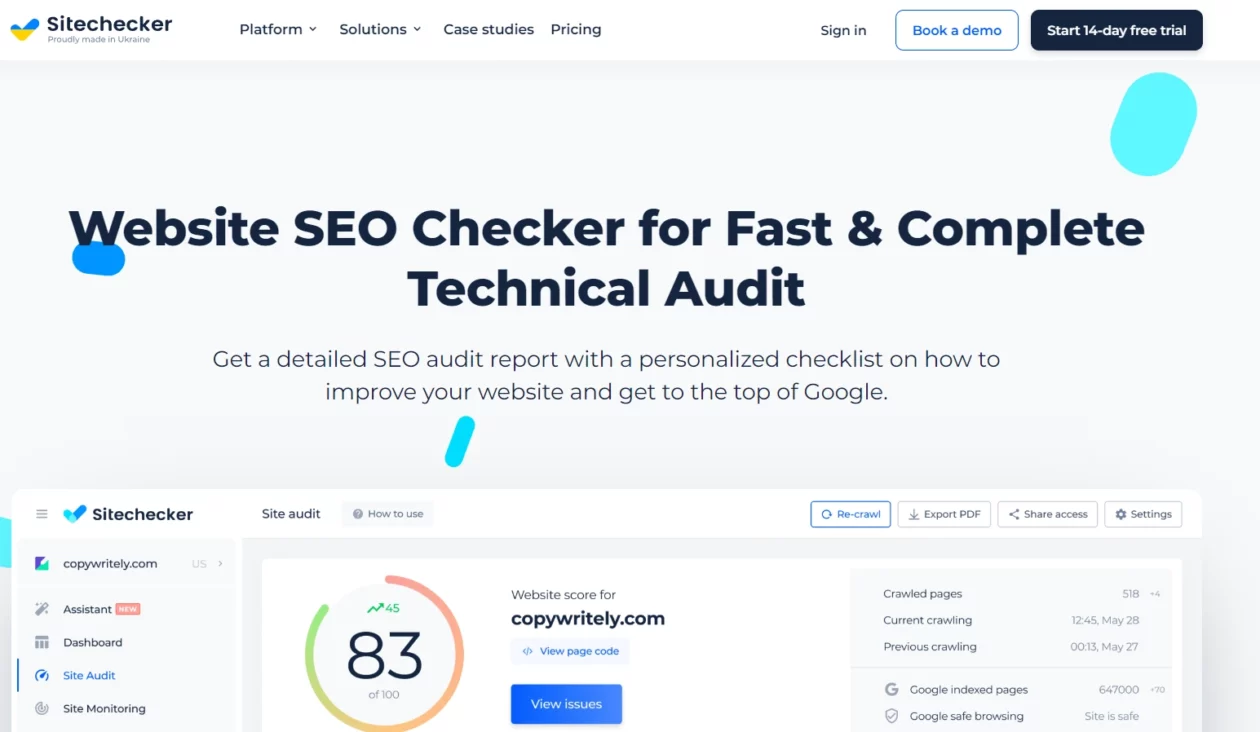
Sitechecker leads with site auditing and treats rank tracking as the second half of the story, which is a sensible way round: it can show a position drop next to the crawl issue that plausibly caused it. If your rankings are sliding and you suspect the site rather than the content, that pairing saves real time. Speed problems are the usual culprit, and our guide to speeding up a WordPress website covers the fixes.
Price: the Sitechecker plans page lists Basic at €89/month, or €75/month billed annually, with 500 tracked keywords. Standard is €219/month, or €183/month annually, with 2,500. Premium is €379/month, or €316/month annually, with 5,000. Enterprise is quote-only. The same page also carries a second, higher price set in US dollars, $99 and $83 for Basic and $249 and $208 for Standard, so check which currency your checkout is in before you subscribe.
Best for: technical SEO work where audit and rankings belong in one report. Skip it if: you only want positions. €89/month is a lot for the tracking half.
SERPWatcher by Mangools
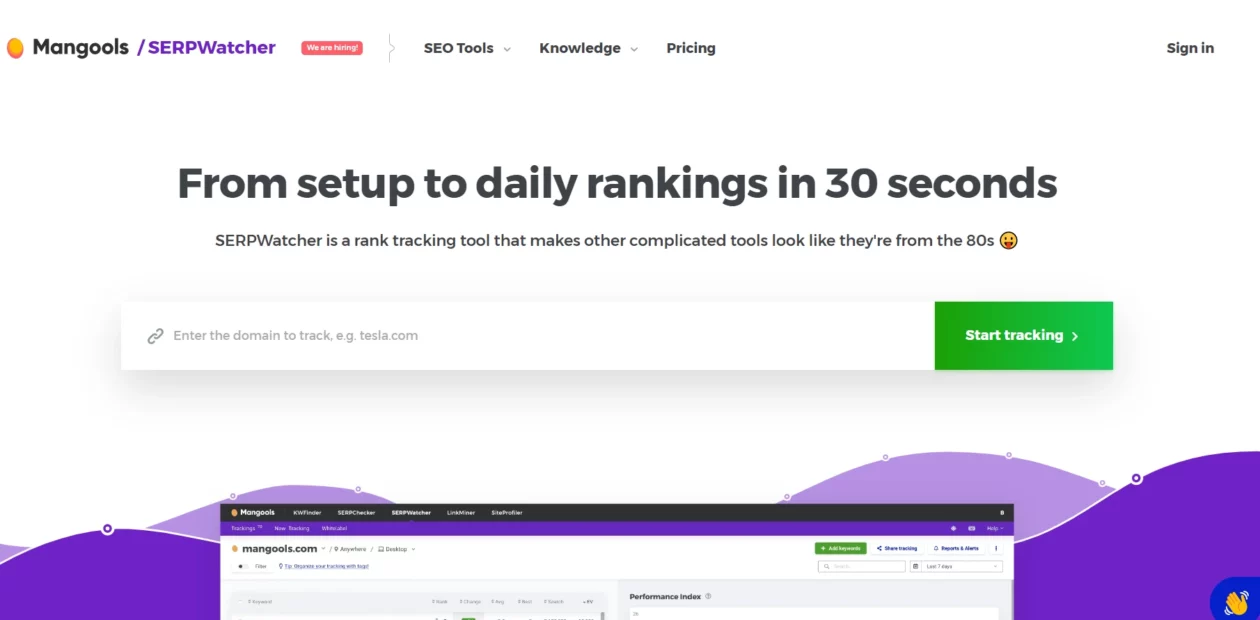
SERPWatcher is the tracker inside the Mangools bundle, and it is the friendliest interface in this roundup by a distance. Its Performance Index rolls your whole keyword set into one score weighted by search volume, which is a better morning glance than a list of ups and downs. Daily desktop and mobile checks, tagging, email alerts and shareable reports are all documented on the product page.
Price: we could not confirm one. The Mangools plans page names three plans, Basic, Premium and Agency, but no plan price appeared in the version of that page we were able to read. We are not going to repeat a number from a third-party review and call it verified, so treat the cost as unconfirmed and check it at checkout before you budget for it.
Best for: people who find Semrush and Ahrefs overwhelming and want one clear number. Skip it if: you need a big keyword allowance; the upper limits here are modest by platform standards.
Serpstat: a warning rather than a recommendation
Serpstat used to sit in this list with a price next to it. When we tried to re-check that price in August 2026, every request to serpstat.com redirected to a registrar parking page at NIC.UA rather than to the product. We could not load a pricing page, so we have removed the pricing claim entirely instead of copying forward what we published in 2023.
This may well be a temporary DNS or billing problem, and the company may be trading normally by the time you read this. But the honest position is that we could not verify anything, and “the vendor’s own domain would not load” is not a footnote you should have to find out about after paying. Check it yourself before committing.
The catch most rank tracker roundups leave out
Rank tracking is a lagging metric that feels like a leading one. That is the trap. A position chart tells you what already happened, at a level of precision Google does not really offer, and it is extremely easy to spend an hour a week reading it and zero hours fixing anything. Here is what tends to go unsaid:
- Two trackers will disagree, and neither is lying. Each queries from a different location and data centre. If you switch tools, expect your baseline to shift by several positions on day one. Compare a tool against itself over time, never against another tool.
- Keyword allowance is the real price, not features. Every vendor here gates on tracked keywords. Count the terms you would genuinely act on, which is usually 50 to 200, and buy the tier that fits. Most people buy three tiers too much.
- The plugin market runs on renewal doubling. AIOSEO renews at exactly twice the first-year price. Budget for year two, not year one.
- Pricing pages geo-switch without telling you. Rank Math quoted euros, Sitechecker carries euro and dollar price sets side by side on one page, and All in One SEO priced itself in yen for us. Do not assume a review’s dollar figure is what your card will be charged.
- A drop is often technical, not editorial. Before rewriting a post that slipped, check whether a URL changed without a redirect (our WordPress redirect plugins guide covers doing that properly) and whether the page got slow. A decent cache plugin has rescued more rankings than most content edits.
- Position without CTR is half the picture. Holding position 4 while an AI overview absorbs the clicks looks fine on a tracker and terrible in the bank. Read positions next to Search Console clicks or you are measuring the wrong thing.
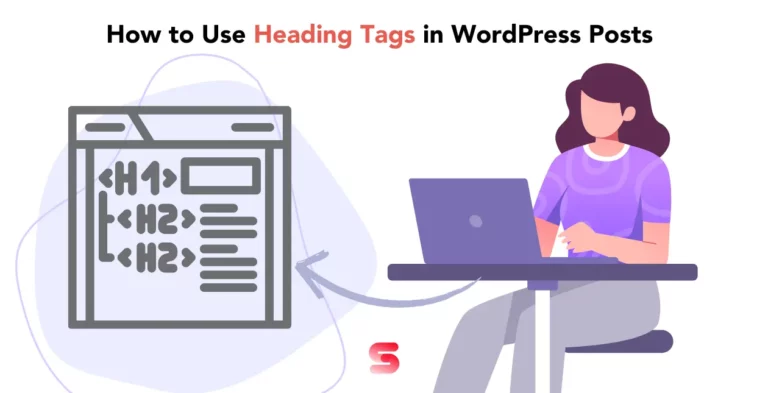
And when the fix genuinely is editorial, it is usually structural rather than a rewrite: sharpen the intent match, tidy the heading tag hierarchy, and work through the rest of our checklist for optimising blog posts in WordPress.
Which one should you actually pick?
- You are three months into a new site. Search Console only. Nothing else will have enough data to say anything. Spend the money on writing instead, and check our guide on starting a blog for what to prioritise first.
- You run one WordPress blog and want positions in wp-admin. Rank Math PRO. Under a hundred euros a year, 500 keywords, and the fix lives in the same screen as the problem.
- You are a freelancer with a handful of clients. Semrush if you also need research and competitor data. SE Ranking if what you actually need is a report with your logo on it.
- You run affiliate or content sites and track hundreds of evergreen terms. Ranktracker on weekly checks. The frequency-for-allowance trade is designed for exactly this and costs a fraction of a platform seat. Pair it with a serious look at how you monetise the traffic, because position four on a keyword that never converts is a hobby.
- You track five figures of keywords and hate subscriptions. SEO PowerSuite, and accept the desktop-app life.
- You are still choosing a theme and stack. Do that first. A tracker on a slow, badly structured site just documents the decline in high resolution.
Frequently Asked Questions
Do I need a paid rank tracker if I already have Google Search Console?
No, not at first. Search Console reports real average positions for queries that already sent you impressions, for free. You need a paid tracker once you want daily checks, city-level locations, competitor positions on the same keywords, or a branded report for a client.
How many keywords should I actually track?
Fewer than the pricing tiers imply. Most single-site owners get everything useful from 50 to 200 commercially relevant terms. Tracking thousands produces a chart nobody reads and pushes you into a tier that costs several times more. Count the keywords you would genuinely act on.
Why do two rank tracking tools show different positions for the same keyword?
Because there is no single position to report. Each tool queries from its own location, device profile and data centre, and Google personalises results on top of that. Treat every tracker as a private yardstick: compare it against its own history, never against a rival tool’s number.
Is daily rank tracking worth paying extra for?
Usually not for a blog. Daily checks earn their cost on volatile SERPs, ecommerce promotions, news and client reporting where someone expects a fresh number. For evergreen content, weekly checks show the same trend and several tools give you a larger keyword allowance in exchange.
Can I track keyword rankings from inside WordPress?
Yes. Rank Math and All in One SEO both pull Search Console data into wp-admin and add their own tracked keyword lists on paid tiers. Rank Math includes 500 tracked keywords on its cheapest paid plan; AIOSEO lists keyword rank tracking only on its top Elite tier.
What is the cheapest credible way to track keyword rankings?
Google Search Console plus a WordPress SEO plugin tier. Search Console costs nothing, and Rank Math PRO was listed at €7.99 per month billed annually when we checked in August 2026, with 500 tracked keywords. That combination covers most single-site owners completely.
Do rank trackers still matter now that AI overviews take clicks?
They matter, but position alone now tells you less than it used to. A keyword can hold position three and lose traffic because an AI answer sits above it. Read tracked positions alongside Search Console clicks and CTR, and prefer tools that also report SERP features.
Does annual billing really save money on these tools?
On the subscription platforms, yes, typically 15 to 20 percent. Semrush, Ahrefs, SE Ranking, Ranktracker and Sitechecker all discount annual plans. The WordPress plugins work differently: the advertised price is a first-year discount and the renewal can be double, so budget for year two.
Our verdict
Stay free if you own one site and Search Console is still telling you things you have not acted on. That is most people reading this, and there is no shame in it. Set up the Performance report, filter to your money pages, and check it once a week.
Buy Rank Math PRO if you want tracked positions without leaving WordPress. At roughly €96 for the first year and €108 on renewal, with 500 keywords, it is the least regrettable purchase in this roundup.
Choose Semrush instead if you bill someone for SEO. The Position Tracking report, the competitor data and the scheduled PDFs are what you are buying, and $117.33/month billed annually is defensible when it is a line on an invoice.
Our pick, overall: Search Console plus Rank Math PRO for site owners; Semrush for anyone with clients. Everything else in this list is a good tool solving a narrower problem, and the two vendors we could not verify are not worth the risk while the ones we could are this well priced.


[…] it. If what you actually want is to know whether the headings are working, that’s a job for rank tracking tools and Search Console, not an editor […]
[…] Rank Tracker across 190+ locations on mobile and desktop, which saves you paying separately for one of the dedicated keyword rank tracking tools. […]
[…] Redirect to the closest genuine replacement or serve a 410, then watch what happens with your rank tracking tool for a few weeks rather than assuming it […]
[…] to it. If it was purely position tracking you were after, a cheaper option is one of the rank tracking tools built for that single […]