

Most roundups of membership plugins for WordPress still recommend a product that no longer exists under that name. Restrict Content Pro is now Kadence Memberships, and Paid Memberships Pro has left the WordPress.org repository entirely. If you are pricing a members-only build this year, a lot of the advice online describes a market that already changed. Here is what the surviving options cost, what they charge at renewal, and which one fits the site in front of you.
Quick verdict
- Best overall: MemberPress Growth. Deepest feature set of the five, no transaction fee, and one vendor for the paywall, the courses and the member dashboard. It is not cheap at $699 a year on renewal.
- Best free: Paid Memberships Pro. The open-source core still does levels, restriction and recurring Stripe payments with 25 free add-ons, and you can run a real membership site on it without paying anything.
- Best if you already sell things: WooCommerce Memberships. If orders, coupons and customer accounts already live in WooCommerce, adding a members tier there beats bolting a second system alongside it.
- Skip it if: you only need one gated category or a private client area. That is a role or capability problem, not a $400-a-year problem.
- Our call: launch on free Paid Memberships Pro. Move to MemberPress once missing features or payment fees cost you more in a year than the licence does.
Some links below are affiliate links. If you buy through one we may earn a commission at no extra cost to you, and it does not change which plugin we tell you to buy.
Membership plugins for WordPress compared in 2026
Every figure here comes from the vendor’s own pricing page, and each of those pages is linked once in that plugin’s section further down. Read the renewal column before the first column: two of these five advertise a first-year price that is exactly half of what you pay in year two.
| Plugin | Free version | Entry paid plan | Renewal | Sites on entry plan |
|---|---|---|---|---|
| MemberPress | No | Launch, $199.50 first year | $399 a year | Not stated on the pricing page |
| Paid Memberships Pro | Yes, self-hosted | Standard, $499 a year | Not stated on the pricing page | 1 site |
| Kadence Memberships (was Restrict Content Pro) | Yes, on WordPress.org | Kadence Pro, $299 a year | Not stated on the pricing page | Priced per site |
| MemberMouse | No, 14-day trial | Basic, $149.50 first year | $299 a year | Not stated on the pricing page |
| WooCommerce Memberships | No | ₹19,175 a year as served here | Not stated on the product page | Not stated on the product page |
What changed since the last roundup you read
Two things happened that most membership plugin lists have not caught up with, and both of them change who you should trust with a recurring revenue stream.
First, Liquid Web retired the StellarWP brand and cut its plugin portfolio down to four products it intends to keep funding: Kadence, LearnDash, The Events Calendar and Give. In its own announcement of the change the company says Restrict Content Pro’s “membership and content tools are becoming part of Kadence Memberships”. The rename landed in version 4.0.0 of the free plugin, and the WordPress.org listing now reads Membership Plugin – Kadence Memberships, on version 4.0.2, with 9,000+ active installs and a last-updated date of 6 August 2026. Existing licences keep working. The standalone product does not exist any more.
Second, Paid Memberships Pro is no longer in the WordPress.org repository at all. Its WordPress.org listing has been closed since 17 October 2024, with the reason recorded as Author Request. The plugin is still free, still GPL and still actively developed. You just install it from the vendor rather than from your dashboard’s plugin search, which is a real operational difference when you hand a site over to a client who updates plugins by clicking the blue button.
Neither change is a reason to panic. Both are a reason to check who owns a plugin before you build a subscription business on top of it. Ownership churn is now a legitimate selection criterion, alongside features and price.
MemberPress
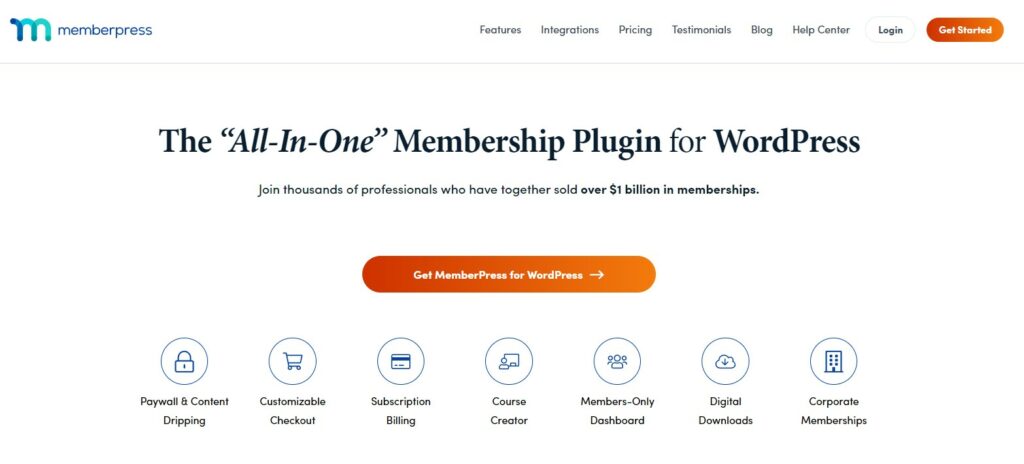
MemberPress is the one that tries to be the whole business in a plugin. Rules-based content protection, a course builder, a members-only dashboard, coaching and community modules on the higher tiers, and corporate accounts if you sell seats to companies. If the paywall is your product rather than an accessory to it, this is the shortest route from empty site to something you can charge for.
- Key features: paywall and drip rules, course builder with AI credits, member dashboard, subscription billing, digital downloads, corporate memberships and an affiliate platform on the top tier.
- Price: Launch $199.50 for the first year then $399, Growth $349.50 then $699, Scale $499.50 then $999, per the MemberPress pricing page. Every tier renews at exactly double its introductory price. There is a 14-day refund window. The pricing page does not state a site licence count, so confirm that at checkout.
- Best for: paid newsletters, coaching programmes and content businesses that want billing, gating and courses from one vendor and one support desk.
- Skip it if: you plan to sit on the Launch plan forever. Launch carries a 4.9% transaction fee on every successful payment; Growth and Scale advertise 0%.
That fee deserves arithmetic rather than a shrug. At renewal prices the gap between Launch and Growth is $300 a year. A 4.9% fee reaches $300 at roughly $6,100 of payments processed in a year. Below that, Launch is the cheaper plan. Above it, you are paying MemberPress extra for the privilege of being on the cheap tier. Work out your realistic year-two revenue before you pick, and if you are still guessing, read up on improving your conversion rate first, because the answer decides the plan.
One practical note: MemberPress will happily send member emails, but it is not a mailing list. Pair it with one of the newsletter plugins if broadcast email is part of the offer.
Paid Memberships Pro
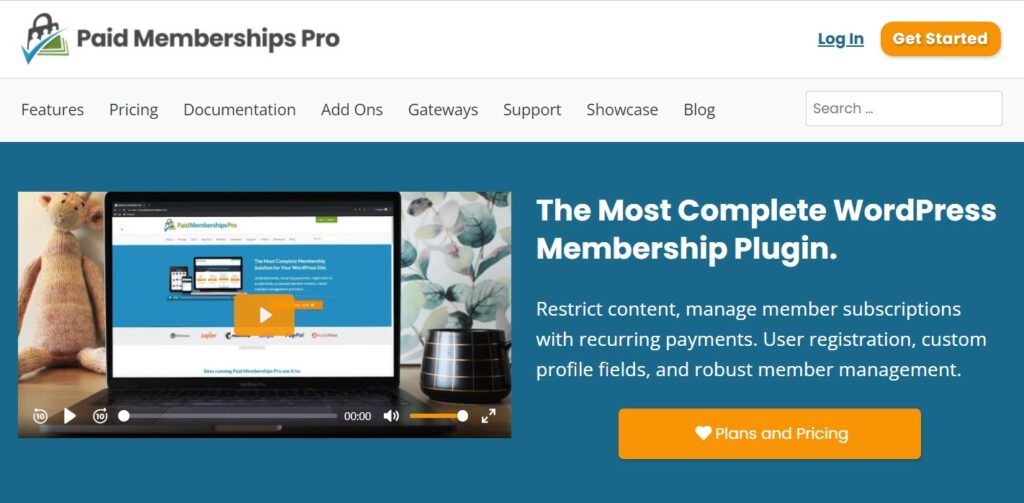
Paid Memberships Pro has the most honest free tier in this list. The open-source core handles membership levels, content restriction, registration, member management and recurring payments through Stripe or PayPal, and ships with 25 free add-ons. That is a launchable membership site for nothing, which is not true of anything else here except the free Kadence Memberships plugin.
- Key features: unlimited levels, content and category restriction, recurring billing, member directory, discount codes, and 54 premium add-ons behind the paid plan.
- Price: free core. Standard is $49 a month or $499 a year for a one-site licence with every premium add-on and support, per the PMPro pricing page. Annual billing saves $89 against twelve monthly payments, which total $588. The Max and Max 2x tiers at $999 and $2,999 a year are managed hosting bundles, not plugin licences, so ignore them unless you want PMPro to host you. There is a 100-day refund window.
- Best for: anyone who wants to test the idea before spending, and freelancers who would rather quote a client one flat annual number than a fee that scales with revenue.
- Skip it if: you manage a stack of client sites on one licence. Standard covers a single site, and $499 is the highest US dollar entry price in the table above.
The catch is distribution. Since PMPro left WordPress.org in October 2024 you download the zip from the vendor and install the PMPro Update Manager add-on so that updates still appear in the WordPress dashboard. That is fine on a site you maintain. It is a support ticket waiting to happen on a site you hand over. Document it, or keep the site on a managed WordPress host that will notice the plugin going stale.
Kadence Memberships (formerly Restrict Content Pro)

The engine people liked about Restrict Content Pro is intact. It was always the lean option: levels, restriction, discount codes, a member dashboard, and none of the course-builder weight that MemberPress carries. Our older Restrict Content Pro review still describes how the plugin behaves day to day. What changed is the wrapper around it.
- Key features: membership levels, content and category restriction, discount codes, member management, payment gateway support, and a free plugin on WordPress.org that covers a basic paywall.
- Price: the plugin is free. The premium membership features now live inside Kadence, which lists Essentials at $99 a year, Pro at $299 and Elite at $499. Essentials does not include memberships, so $299 is the real entry price, and the page says plans are priced per site. Renewal terms are not stated on the pricing page at the check date.
- Best for: sites already running the Kadence theme and blocks, where the membership licence arrives as part of a bundle you were buying anyway.
- Skip it if: you are not a Kadence user. You would be buying a whole website suite to get one membership plugin, and the standalone product you were originally shopping for is not on sale any more.
If you do want it, Kadence Memberships is sold inside the Kadence plans. Judge it as a suite purchase, not as a membership plugin purchase, because that is what it now is.
MemberMouse
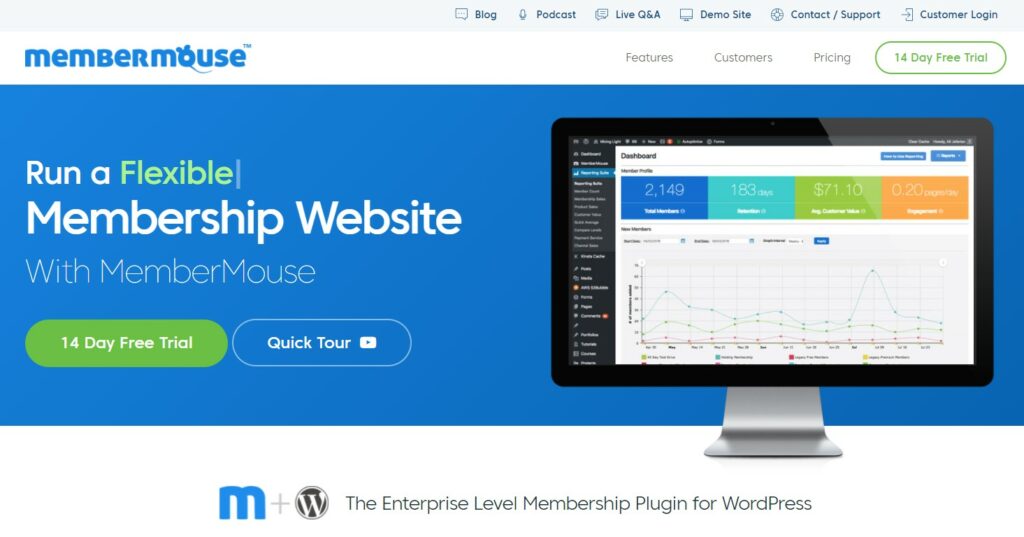
MemberMouse sells reporting. Its pitch has always been the dashboard on its own homepage: member counts, retention, average customer value, engagement, all inside WordPress instead of in a spreadsheet you rebuild every month. Everything else it does, the other four also do.
- Key features: revenue and retention reporting, one-click upsells, membership levels and bundles, employee accounts with limited admin access, and shortcode-style tags for personalising member-facing pages.
- Price: Basic $149.50 for the first year then $299, Plus $249.50 then $499, Pro $349.50 then $699, per the MemberMouse pricing page, which states plainly that all annual renewals are at full price. Like MemberPress, every tier doubles in year two. Basic at $149.50 is the cheapest first-year US dollar entry price in the comparison table above.
- Best for: operators who already have members and want to see churn and lifetime value without exporting anything.
- Skip it if: you have no members yet. The reporting is the reason to pay, and reporting on an empty site is an expensive blank screen.
There is no free tier here, only a 14-day trial, so budget for the licence from day one.
WooCommerce Memberships
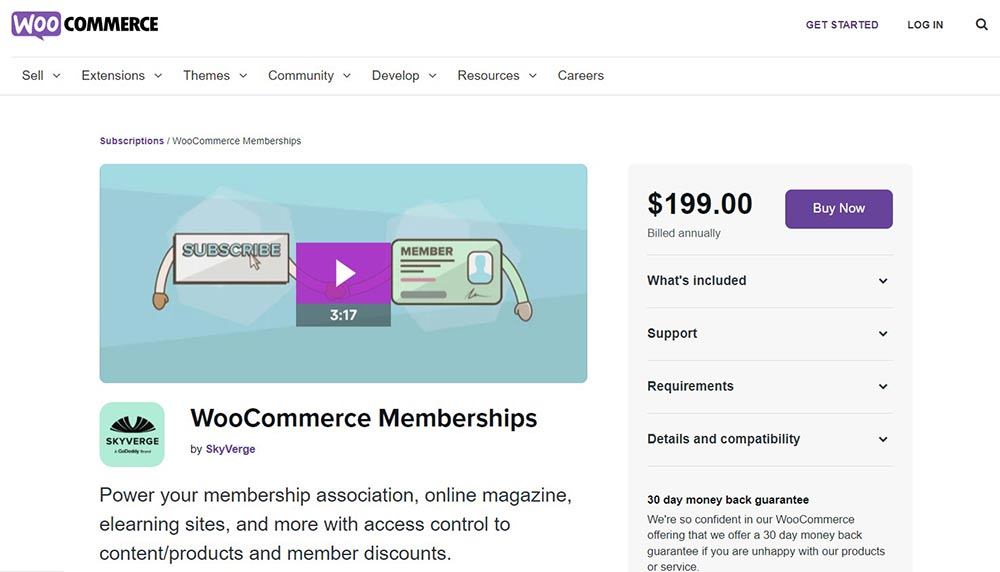
This is the only option on the list that assumes you already have a store. Membership access is granted by buying a product, which means your existing checkout, coupons, tax setup, customer accounts and order history keep working and the members area is just another thing an order can unlock. Member-only pricing on products is the feature people actually buy it for.
- Key features: membership plans tied to product purchases, content and product access rules, member discounts, drip scheduling, and member area tabs inside the standard WooCommerce account page.
- Price: the WooCommerce Memberships product page geo-switches currency and served ₹19,175 for one year to this check, with a 30-day money-back guarantee. We are not converting that into dollars and we are not ranking it against the dollar prices above, because a converted figure would be a number nobody is actually charged.
- Best for: established WooCommerce stores adding a paid tier, subscription boxes, and wholesale or trade pricing behind a login.
- Skip it if: you do not already run WooCommerce. Installing a full store to gate a blog is a lot of moving parts to maintain.
Budget for the second licence. Memberships on its own sells fixed-term access, such as a year at a time. Recurring monthly billing needs WooCommerce Subscriptions as well, which the same store listed at ₹26,884 a year at the check date. If you are already assembling a store stack, our list of WooCommerce plugins worth installing covers what else usually ends up in the cart.
What most roundups get wrong about membership plugins
Four things, in rough order of how much money they cost people.
The renewal is the price
MemberPress and MemberMouse both advertise introductory pricing that is exactly half the renewal figure. A $199.50 quote becomes $399, and $149.50 becomes $299. If you are budgeting a client site, the second year is the number that matters, because that is the number they will be paying for as long as the site exists.
A transaction fee is part of the licence cost
A percentage of revenue is a price, and it is the only price on this page that grows when the site succeeds. MemberPress Launch at 4.9% is the clear example, but payment gateways stack on top of all of these: whatever Stripe or PayPal takes is charged on the same payment. Add the plugin fee and the gateway fee together before you compare tiers.
Membership sites break page caching
Logged-in members bypass most full-page caching, which is exactly the mechanism that makes a normal WordPress site fast. A membership site therefore runs more PHP and hits the database harder on every request than the brochure sites you are used to tuning. Configure your caching plugin to exclude the account, checkout, login and members-only URLs, then make sure object caching is switched on at the host. The rest of the usual advice on speeding up a WordPress site still applies, it just does less of the work here.
The gateway is the lock-in, not the plugin
Swapping membership plugins is a data migration, and it is survivable. Moving live recurring subscriptions between payment gateways usually is not, because cards were authorised against the old gateway and cannot simply be handed to a new one. Decide on Stripe or PayPal or Authorize.net with more care than you decide on the plugin. When you do migrate, take a full backup with one of the backup plugins first, and rehearse the move on a staging copy using a migration plugin rather than on the live site at 11pm.
A short decision path
- You already run WooCommerce. WooCommerce Memberships. Do not add a second billing system to a site that already has one.
- You already run Kadence. Kadence Memberships, because the licence is bundled with the suite you are paying for.
- Courses are the actual product. Use a proper learning platform and let it handle access. Start with our WordPress LMS plugins comparison, or go straight to LearnDash versus LifterLMS if you have narrowed it to those two.
- Budget is zero and the idea is unproven. Free Paid Memberships Pro. Spend nothing until somebody pays you.
- The paywall is the business. MemberPress Growth. Pay the $699 renewal and stop assembling things.
- You have members and no idea why they leave. MemberMouse, for the reporting.
Frequently Asked Questions
Is Restrict Content Pro dead?
No, but the standalone product is. Version 4.0.0 renamed the plugin Kadence Memberships, and Liquid Web has folded its premium features into the Kadence suite. Existing installs and licences keep working, and the free plugin is still updated on WordPress.org, most recently on 6 August 2026.
Can I still get Paid Memberships Pro for free?
Yes. The core plugin is still free and GPL. It left the WordPress.org repository on 17 October 2024 at the author’s request, so you download the zip from paidmembershipspro.com and install the PMPro Update Manager add-on to keep receiving updates inside your WordPress dashboard.
Do I need WooCommerce Subscriptions as well as WooCommerce Memberships?
Only for recurring billing. Memberships on its own sells fixed-term access, such as twelve months paid up front. Monthly recurring plans need Subscriptions too, which is a second annual licence on the same store. Price both before you promise a client monthly pricing.
What is the MemberPress transaction fee?
The Launch plan charges 4.9% on every successful payment. Growth and Scale advertise 0%. At renewal prices the gap between Launch and Growth is $300 a year, so once you process about $6,100 a year the fee costs more than simply moving up a tier.
Will a membership plugin slow my site down?
It changes what makes it fast. Logged-in members bypass full-page caching, so the site runs PHP and database queries on requests a normal page would have served from cache. Choose hosting with object caching, and exclude account, login and checkout pages from your cache plugin.
Which membership plugin is best for selling online courses?
If the curriculum is the product, use a learning management system rather than a membership plugin. Membership plugins gate content well, but their course builders are thinner. Use a membership plugin when the paywall matters more than lessons, quizzes and progress tracking do.
Can I switch membership plugins later?
Yes, though it is real work. Levels, members and subscription records all have to move, and active recurring payments usually cannot be transferred between gateways without customers re-entering card details. Back up first, rehearse on staging, and migrate during your quietest week.
Is a free membership plugin enough to launch with?
Usually yes. Free Paid Memberships Pro and the free Kadence Memberships plugin both handle levels, content restriction and Stripe payments. You start paying when you need premium add-ons: drip scheduling, extra gateways, group accounts, or support with a guaranteed response time.
Do these plugin prices renew at the same rate?
Not always. MemberPress and MemberMouse both list introductory prices that are exactly half the renewal figure, so a $199.50 first year becomes $399. Paid Memberships Pro, Kadence and WooCommerce do not state renewal terms on their pricing pages, so confirm at checkout.
Our call
Build the first version on free Paid Memberships Pro. It costs nothing, it does levels and restriction and recurring Stripe payments properly, and it lets you find out whether anyone will pay before you spend anything. Just write down that it updates from the vendor rather than from WordPress.org, so whoever maintains the site next is not surprised.
When the site earns, move to MemberPress Growth at $349.50 for the first year and $699 after that, and skip Launch unless you are certain you will stay under roughly $6,100 of payments a year. If you already sell products, stay in WooCommerce and buy Memberships instead. If you already run Kadence, the licence is in the box. MemberMouse earns its place only once you have enough members for its reporting to tell you something.
Whichever you pick, the plugin is the small decision. The gateway, the hosting and the content people are actually paying for are the large ones, and if you are still working out what to charge for, our guide to monetising a WordPress blog is a better place to start than any plugin comparison.



[…] differ mostly in content dripping, course structure and payment gateways, and our roundup of membership plugins for WordPress compares them properly. Whichever you pick, plan for churn from day one: a membership that is not […]
[…] optional. If memberships rather than courses are the actual business, weigh both against dedicated WordPress membership plugins first, and our notes on monetising a WordPress site cover the surrounding […]