

Most Elementor addons are sold on widget count, which is the least useful number on the page. What decides your bill is how many sites the licence covers, what it renews at, and how much CSS and JS the plugin loads on pages that use none of it. Prices below were checked in August 2026 against each vendor’s own pricing page, because the figures circulating in roundups are usually two years stale.
Quick verdict
- Best overall: Crocoblock, at $199 a year for one site, if the build involves custom post types, filters, bookings or listings. Nothing else here does that job.
- Best free: Essential Addons for Elementor. The free plugin covers post grids, tabs, WooCommerce elements and a header and footer builder, and it is one of two addons here past a million active installs.
- Best value for one paid site: The Plus Addons at $43 a year. It costs $4 more than the cheapest option below and its vendor states your widgets keep rendering if the licence lapses, which the cheapest option does not.
- Skip the category if: you need two or three specific widgets. Install one small plugin instead. A 100-widget library is a permanent dependency, and every widget you place binds that page to the vendor.
- Our call: read the renewal-and-expiry column before the price column. One of these suites switches its paid widgets off when the licence runs out. Most do not. That single line matters more than the few dollars separating the mid-range sticker prices.
Some links below are affiliate links. If you buy through them we may earn a commission, at no extra cost to you. It does not change what goes in the table.
| Addon | Free version | Paid entry | Renewal and expiry | Bigger licences |
|---|---|---|---|---|
| Essential Addons | Yes, 1M+ installs | $4.99/mo billed annually ($59.88/yr), 1 site | Annual. Vendor states existing widgets keep working on expiry; updates and support stop | Unlimited sites $9.99/mo billed annually ($119.88/yr); lifetime unlimited $299.99 |
| ElementsKit | Yes, 1M+ installs | $49/yr, 1 site | Auto-renews. Vendor states the plugin keeps working on expiry; updates and support stop | 5 sites $119/yr; unlimited $249/yr; lifetime $147 / $357 / $747 |
| Happy Addons | Yes, 400,000+ installs | $39/yr, 1 site | Annual. Vendor states HappyAddons Pro stops working when the licence expires | 5 sites $69/yr; 100 sites $99/yr; 1,000 sites $189/yr; lifetime from $149 |
| Qi Addons | Yes, 200,000+ installs | $49, 1 site, includes a year of updates | No renewal or expiry terms published on the product page | Unlimited sites $99 |
| The Plus Addons | Yes, 100,000+ installs | $43/yr, 1 site | Auto-renews with a stated 20% discount on continuous yearly renewals. Vendor states the site stays intact on expiry | 5 sites $111/yr; unlimited $184/yr; lifetime $139 / $249 / $349 |
| Ultimate Addons (UAE) | No | $69/yr, up to 3 sites | Renews at $69/yr, printed on the page. Vendor states the plugin keeps working on expiry | Lifetime $349 list, discounted at the check date |
| Crocoblock | No | $199/yr All-Inclusive, 1 site | Annual. No renewal rate or expiry terms published on the pricing page | All-Inclusive Plus $249/yr; lifetime unlimited $999; JetEngine alone $75/yr |
| Dynamic Content for Elementor | No | Not verified | Not verified | The vendor’s pricing page was not reachable at the check date |
Three of these sell an unlimited-site subscription, and the annual figures run from $119.88 for Essential Addons to $184 for The Plus Addons and $249 for ElementsKit. Qi Addons asks $99 for unlimited sites with a year of updates included, and Happy Addons charges $99 a year for a hundred. Same number, very different licence, which is roughly how much the word unlimited is worth here.
The best Elementor addons in 2026
Eight made the list. The bar was a plugin still being maintained and a price published somewhere it could be checked at the source, which is why every section below links the pricing page its figures came from. Two addons that appeared in the previous version of this article did not clear that bar, and they are named further down.
Essential Addons for Elementor
Essential Addons is the default answer for a site that needs ten more widgets and no drama. The free build alone passes a million active installs on its WordPress.org listing, and it covers the gaps most people hit in week one: post grids, filterable galleries, advanced tabs and accordions, data tables, and a header and footer builder. If you are working out how to build a blog with Elementor on the free plugin, the post grid and smart post list widgets are where you start.
The paid tier adds WooCommerce elements, dynamic tags and extensions like conditional display and content protection. Every widget and extension has an on/off switch, which matters more than the widget count does.
- Key features: 100+ widgets, 15+ extensions, header and footer builder, 20+ WooCommerce widgets, per-widget enable and disable, WPML compatible.
- Price: the pro plan is billed annually at $4.99 a month for one site, which is $59.88 a year, and $9.99 a month for unlimited sites, which is $119.88 a year. Lifetime unlimited is $299.99. Figures from the Essential Addons pricing table, checked August 2026.
- Best for: your first paid addon, and for freelancers who want one unlimited licence covering every client site.
- Skip it if: you need dynamic content from custom fields and custom post types. This is a widget library, not a data layer.
ElementsKit
ElementsKit is the other free plugin past a million installs, per its WordPress.org listing, and it leans harder on site structure than on decoration. Its mega menu builder and header and footer builder are the reason most people install it, and the sticky and parallax modules cover the effects work you would otherwise hand-code. If you want a blurred animated sticky header, the advanced sticky module gets you most of the way without touching CSS.
The paid tiers unlock conditional content, cross-domain copy and paste, protected content, a custom widget builder and the social feed widgets. It also runs a rolling discount, so the sticker price and the checkout price rarely match.
- Key features: 90+ widgets, 20+ modules, mega menu builder, header and footer builder, widget builder, conditional content, cross-domain copy and paste.
- Price: list prices are $49 a year for one site, $119 a year for five, and $249 a year for unlimited. Lifetime is $147, $357 and $747 for the same three tiers. From the ElementsKit pricing page, checked August 2026.
- Best for: sites where the navigation is the hard part. The mega menu builder is the strongest single reason to buy it.
- Skip it if: you already run a dedicated mega menu plugin. You would be paying twice for the headline feature.
Happy Addons
Happy Addons has the lowest paid entry price in this list and, on the evidence of its WordPress.org listing at 400,000+ active installs and an update logged on the day of this check, one of the better maintained. The free build is unusually generous, and the paid extras are the ones you reach for daily: display conditions, cross-domain copy and paste, presets, and on-demand asset loading so unused widget CSS never ships.
Its preset system is the closest thing here to global widgets without Elementor Pro: save a styled widget once, drop it in anywhere, restyle from one place.
- Key features: free tier with most widgets unlocked, 400+ presets, display conditions, cross-domain copy and paste, on-demand asset loading, CSS transform controls, theme builder.
- Price: $39 a year for one site, $69 for five, $99 for a hundred and $189 for a thousand. Lifetime starts at $149 for one site. From the HappyAddons pricing page, checked August 2026.
- Best for: a single site on a real budget, and for agencies who want a hundred activations for under $100 a year.
- Skip it if: you might let the licence lapse. This is the one vendor here whose FAQ states that HappyAddons Pro stops working when the subscription expires, which means the paid widgets on your pages go with it. Essential Addons, ElementsKit, The Plus Addons and Ultimate Addons all state the opposite; Qi Addons, Crocoblock and Dynamic Content publish no expiry terms at all.
Qi Addons for Elementor
Qi Addons comes from Qode Interactive, a theme shop, and it shows in the best way: the widgets are designed rather than assembled. Its WordPress.org listing shows 200,000+ active installs of the free plugin. The styling defaults are tasteful enough that you can ship a section without a half hour of spacing fixes.
It is strong on the small decorative pieces that eat time. If you have been comparing button widgets for Elementor, Qi has several with hover states that do not need custom CSS.
- Key features: 100+ widgets, theme builder module, WPML compatible, careful typography and hover defaults, free version with no time limit.
- Price: $49 for a single website and $99 for unlimited websites, each including a year of premium support and updates and a 14-day money-back guarantee. From the Qi Addons product page, checked August 2026.
- Best for: designers who want defaults they do not have to fight, and anyone who wants unlimited sites cheaply.
- Skip it if: you need dynamic listings, filters or a WooCommerce builder. Qi is a styling library first.
The Plus Addons for Elementor
The Plus Addons, from POSIMYTH, bundles builders that other suites sell separately or leave out, with a free build at 100,000+ active installs on its WordPress.org listing. Header, footer, blog, WooCommerce, form, grid, popup and widget builders all sit inside the one licence, and its FAQ states two things worth more than any widget count: renewals carry a standing 20 percent discount, and if the licence lapses the site stays intact with all its widgets.
The popup builder is the standout, and it removes one common reason to buy Elementor Pro. If you are working out how to create popups with Elementor, this is the cheapest route that does not involve a second plugin. It also covers the scroll and background effects that usually cost a separate animation plugin, and its video player widgets handle YouTube and Vimeo without a third-party embed.
- Key features: 120+ widgets, popup builder, header and footer builder, WooCommerce builder, mega menu, AJAX filters, social reviews and feeds, cross-domain copy and paste, white-label.
- Price: list prices are $43 a year for one site, $111 for five and $184 for unlimited. Lifetime is $139, $249 and $349. A discount code was applied on the page at the check date, cutting those to $39, $89 and $129. From The Plus Addons pricing page, checked August 2026.
- Best for: people who want popups, a mega menu and a blog builder without buying three plugins.
- Skip it if: you want a small install. Eight builders and 120+ widgets is a lot of settings screen to learn, and most sites use a fifth of it.
One more use it covers cheaply: a horizontal scrollable menu on mobile, which is otherwise a custom CSS job on most themes.
Ultimate Addons for Elementor
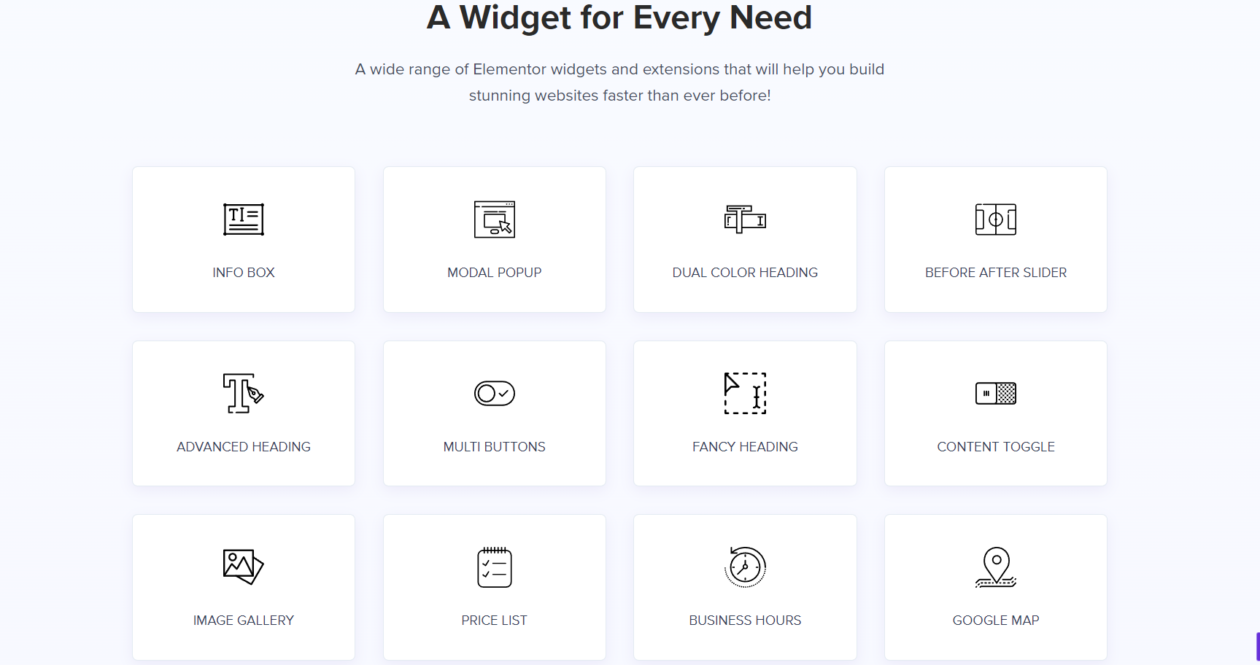
Ultimate Addons for Elementor, or UAE, comes from Brainstorm Force, the team behind the Astra theme. It is the most conservative library here, which is a compliment: 70-odd widgets, no novelty effects, a modular architecture that lets you switch off everything you are not using, and cross-site copy and paste that actually works across domains.
It is also the only vendor here that prints an explicit renewal figure beside the purchase price, which we will come back to.
- Key features: 70+ widgets and extensions, modular enable and disable, cross-site copy and paste, WooCommerce styling, white-labelling, 24/7 support.
- Price: $69 a year for up to three sites, and the page states it renews at $69 a year. Lifetime lists at $349 and was discounted on the check date. All pricing in USD. From the Ultimate Addons pricing page, checked August 2026.
- Best for: three-site freelancers who want a boring, stable library and a renewal price they can plan around.
- Skip it if: you only have one site. At $69 you are paying for two activations you will not use, and Happy Addons or The Plus Addons cost less for one.
Crocoblock
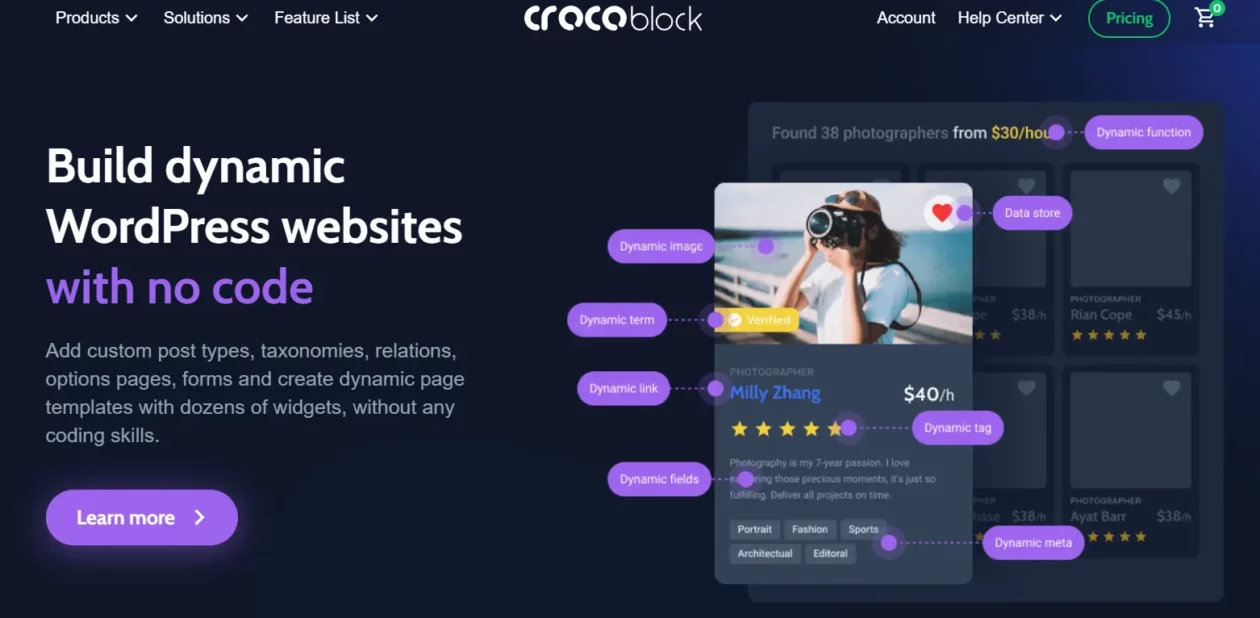
Crocoblock is not a widget library and comparing it to one on price misses the point. It is 22 JetPlugins, and the ones that matter are JetEngine for custom post types, taxonomies, relations and dynamic listings; JetSmartFilters for AJAX filtering; JetBooking and JetAppointment for reservations; and JetThemeCore for template structure. If your brief contains the words directory, listing, booking or filter, this is the only entry here that answers it.
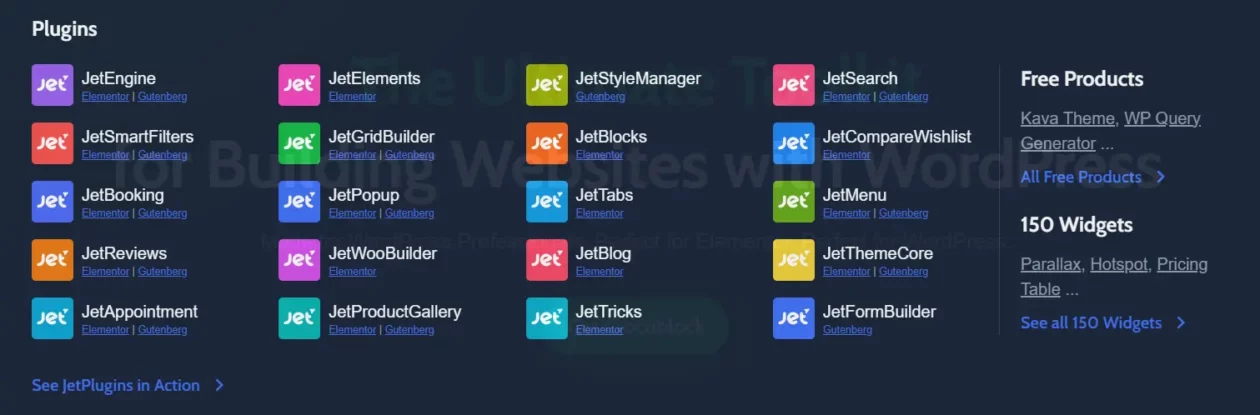
JetThemeCore is also the fastest route to a custom single post layout that pulls real fields rather than placeholder text. The trade-off is a genuine learning curve: JetEngine assumes you understand post types and meta fields before you open it.
The vendor lists JetPlugins as working with free Elementor, so Crocoblock is not automatically a second subscription on top of Elementor Pro. It also sells builder-specific bundles for Gutenberg, Bricks and Divi.
- Key features: 22 JetPlugins, custom post types and fields via JetEngine, AJAX filters, booking and appointments, theme and template builder, 200+ ready-made templates, form builder.
- Price: All-Inclusive is $199 a year for one site, All-Inclusive Plus is $249 a year, and a lifetime unlimited licence is $999 once. Single plugins are sold separately, with JetEngine at $75 a year for one project. From the Crocoblock pricing page, checked August 2026.
- Best for: directories, listings, booking sites, membership sites and anything driven by custom fields.
- Skip it if: you are building a five-page brochure site. At $199 a year it is just over five times Happy Addons’ $39, and you would be buying a database layer to style a contact page.
Dynamic Content for Elementor
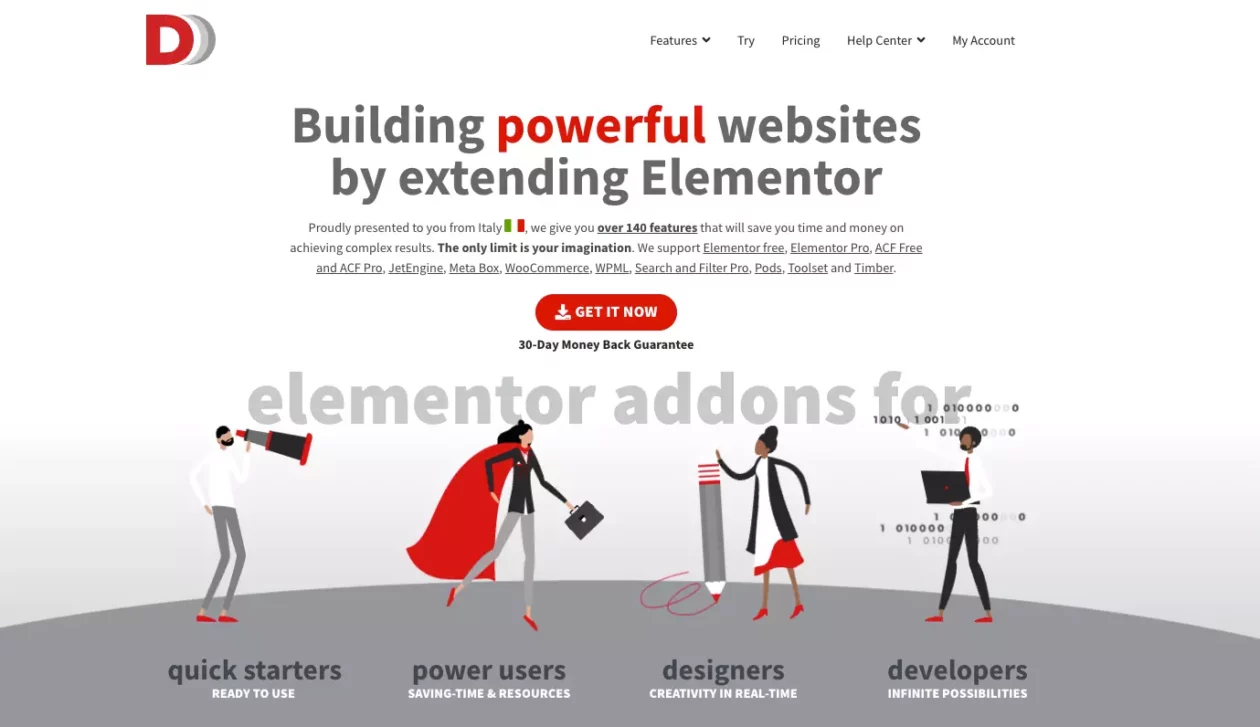
Dynamic Content for Elementor, still widely called Dynamic.ooo, is the specialist. It exists to connect Elementor to data you already have, and its own homepage lists the integrations that define who it is for: Elementor free and Pro, ACF free and Pro, JetEngine, Meta Box, WooCommerce, WPML, Pods, Toolset and Timber. The widget names tell the same story, as the screenshot below shows: ACF Repeater, ACF Flexible Content, ACF Relationship, ACF Gallery.
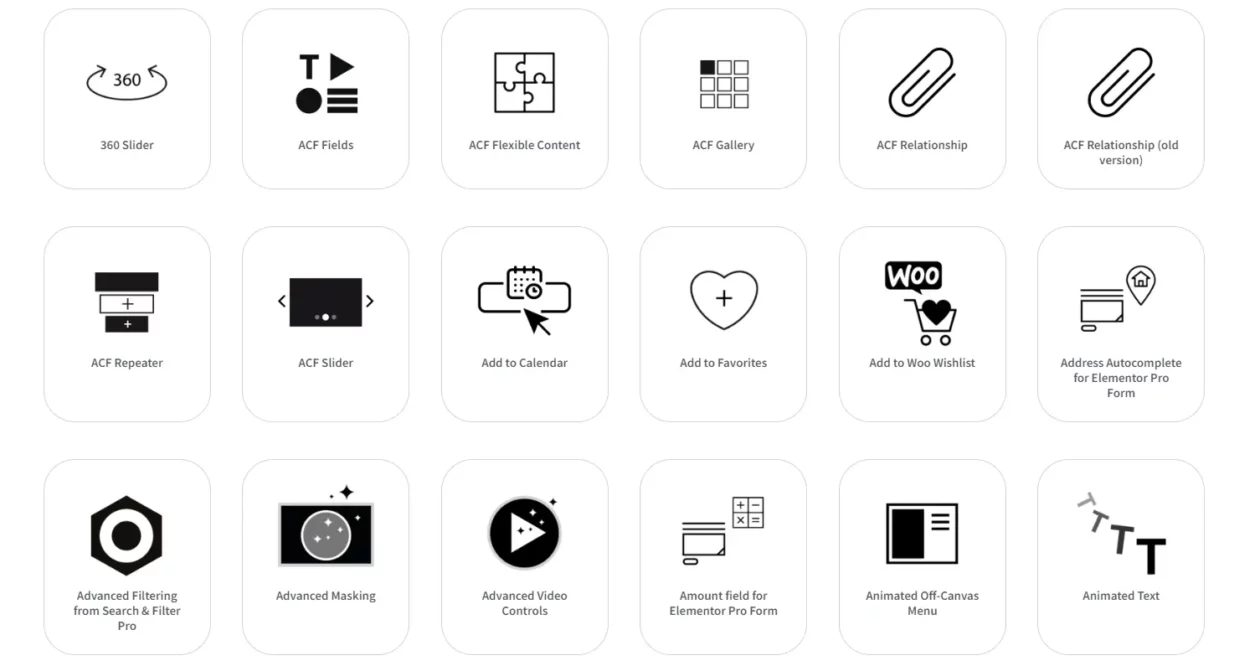
It is the answer to two problems that come up constantly: how to hide a widget when an ACF field is empty, and how to build the conditional logic that otherwise needs one of the dynamic visibility and display condition plugins. There is no free version on WordPress.org, so the licence is the only way in.
- Key features: ACF, Meta Box, Pods, Toolset and JetEngine integration, dynamic visibility conditions, dynamic tags, dynamic post layouts, and add-on fields for Elementor Pro forms including address autocomplete and amount fields.
- Price: the vendor’s pricing page was not reachable at the check date, so no figure is quoted here. Confirm the current price at checkout before you buy.
- Best for: sites already running ACF or Meta Box where the design has to react to the data.
- Skip it if: you have no custom fields. Nearly everything it does is wasted on a static site.
What most Elementor addon roundups get wrong
Roundups rank these on widget count. Nobody has ever been let down by a plugin because it had 91 widgets instead of 120. Here is what actually goes wrong.
The renewal, not the purchase price
Look at Brainstorm Force’s own pricing page. Ultimate Addons Pro is $69 a year and renews at $69. But the Essential Toolkit above it is $199 for the first year and renews at $299, and the Business Toolkit is $279 renewing at $429. That is a jump of more than 50 percent on year two, printed in the vendor’s own comparison row under a footnote reading that all renewals are at full price. Elementor’s own pricing page carries the same warning: subscriptions renew at list price. Budget for year two, not year one.
Every widget you place is a dependency
This is the cost nobody prices in. An Essential Addons post grid is stored in your page as an Essential Addons element. Deactivate the plugin and that section renders as nothing. Switch suites two years in and you are rebuilding pages by hand, not migrating them. Choose once, choose slowly, and prefer the vendor whose plugin was updated this month over the one with more widgets.
What happens when the licence lapses is not the same everywhere
This is the line no roundup checks, and the vendors answer it differently in their own FAQs. Essential Addons, ElementsKit, The Plus Addons and Ultimate Addons all state the same thing: the plugin keeps working, your pages keep rendering, and you simply stop receiving updates and support. The Plus Addons puts it most plainly, promising the site stays intact with all its widgets. Happy Addons states the opposite. Its FAQ says HappyAddons Pro will stop working once the subscription expires and that you cannot use the pro widgets without a licence key.
That is not a scandal, it is a business model, and Happy Addons is upfront about it. But it turns a $39 licence into a permanent $39 a year, and it means a forgotten card on file empties every pro widget on the site. Price the two behaviours differently, because they are not the same product.
Two suites is the expensive mistake
Running Essential Addons and ElementsKit together gives you two accordion widgets, two tab widgets, two sets of CSS and JS, and two renewal dates. Most of these plugins ship a per-widget on and off switch and on-demand asset loading precisely because the bloat is real. Turn off what you do not use, in whichever suite you keep.
Two addons we dropped from this list
Both appeared in the previous version of this article and neither survives a maintenance check.
- Droit Elementor Addons. Its WordPress.org listing showed, at the check date, that the plugin was last updated three years ago and no longer reports an active install count. The vendor’s Elementor addons pricing page returned a 404 at the check date, and the pricing page that does load was still counting down to a Cyber Monday sale in August. Do not install it.
- Stratum by MotoPress. Its WordPress.org listing showed 20,000+ active installs and a last update more than half a year before this check. The plugin is not abandoned, but that is a long gap in a category where Elementor itself was updated in the same week. The vendor’s product page was not reachable at the check date, so no price is quoted.
A decision path
- One site, small budget, mostly styling: Happy Addons free. Move to the $39 paid tier only if you accept that the pro widgets stop working the day you stop paying.
- One site, want the licence to be survivable: The Plus Addons at $43 a year, or ElementsKit at $49 if a mega menu is the priority. Both keep rendering after expiry.
- Client work across many sites: Essential Addons unlimited at $119.88 a year, or Qi Addons unlimited at $99 if you can live with a slightly smaller widget set and no WooCommerce builder.
- Three sites and a preference for boring: Ultimate Addons at $69 a year, with a published renewal price.
- Custom post types, filters, bookings or a directory: Crocoblock at $199 a year. Buy JetEngine alone at $75 only if you are certain you want nothing else.
- ACF or Meta Box already in the stack: Dynamic Content for Elementor, price confirmed at checkout.
Frequently Asked Questions
Do I need Elementor Pro to use these addons?
No, in most cases. Crocoblock states its JetPlugins work with free Elementor, and the free builds of Essential Addons, ElementsKit, Happy Addons, Qi Addons and The Plus Addons all run on the free plugin. Some Dynamic Content for Elementor extensions do specifically extend Elementor Pro forms.
Will an Elementor addon slow my site down?
It can, and the fix is in the plugin settings. Essential Addons, ElementsKit, Happy Addons and Ultimate Addons all ship per-widget on and off switches, and several offer on-demand asset loading so unused widget CSS and JS never reach the browser. Turn off everything you are not using.
Which Elementor addons have a genuinely free version?
Essential Addons, ElementsKit, Happy Addons, Qi Addons and The Plus Addons all publish free plugins on WordPress.org with no time limit. Crocoblock, Ultimate Addons and Dynamic Content for Elementor are paid only. The free tiers are enough for a brochure site in most cases.
What happens when my addon licence expires?
It depends on the vendor, so check before you buy. Essential Addons, ElementsKit, The Plus Addons and Ultimate Addons all state the plugin keeps working and only updates and support stop. Happy Addons states the opposite: its pro widgets stop working once the subscription expires.
Is a lifetime licence worth it?
Do the division. Essential Addons lifetime unlimited is $299.99 against $119.88 a year, so it pays back in two and a half years. That is a reasonable bet on a vendor with a million installs and a less reasonable one on a small shop. Check the update history first.
Can I run two Elementor addon suites at once?
Technically yes, practically no. You get duplicate accordion and tab widgets, two sets of CSS and JS on every page, and two renewal dates. Pick one suite and add a single-purpose plugin for anything it genuinely cannot do.
What happens to my pages if I remove an addon later?
Every widget from that addon renders as nothing. The section is stored in your page as that vendor’s element, so removing the plugin empties it. There is no migration path between suites, which is why the choice matters more than the price does.
Is Crocoblock worth $199 a year when Happy Addons costs $39?
Only if you need what it does. Crocoblock is a data layer with custom post types, relations, filters and bookings. Happy Addons is a widget library. If your site is pages and posts, the $39 option is the correct one and the $199 one is waste.
Our call
Buy Crocoblock if the site has data in it. Custom post types, a directory, filtered archives, bookings, anything where the content is structured rather than typed into the page. It is $199 a year for one site, it is the most expensive entry in the table, and it is the only one that answers that brief. Nothing cheaper here is a substitute, and at just over five times Happy Addons’ $39 it is still cheaper than building the same thing by hand.
For everything else, buy The Plus Addons at $43 a year. Happy Addons is $4 cheaper and had been updated more recently at this check, and if you are certain you will keep paying forever it is the better plugin. But its own FAQ says the pro widgets stop working when the licence expires, and The Plus Addons’ FAQ says the site stays intact. Four dollars is a cheap insurance premium against a client’s expired card blanking half a homepage.
The middle of this list is genuinely close. Essential Addons, ElementsKit, Qi Addons and The Plus Addons are all defensible, and the differences are matters of emphasis: WooCommerce, navigation, styling defaults and builder count respectively. What is not close is the decision to pick one and stay on it. Every widget you place is a dependency you will still be carrying in three years, and that cost dwarfs the $17 separating their one-site prices.



[…] visual page builders for WordPress covers where the alternatives are genuinely stronger, and a good Elementor addon pack fills most of the remaining gaps without a […]
[…] sensible one. PowerPack’s plans start at $49 a year for one site. Both come inside broader Elementor add-on packs, so check what you already own before buying […]
[…] menu tends to behave better inside a short blurred bar than a stacked one does, and the wider Elementor addon ecosystem has header widgets that handle the state classes for […]
[…] for: freelancers who want an Elementor addon pack and care about what the video widget […]
[…] plan you are about to buy rather than assuming the cheapest one carries it. That caveat applies to other Elementor addon packs […]
[…] are integrated with Bricks. If you already live in one of those editors, look at the wider Elementor addons field before you commit, because the editor you keep decides how much of JetEngine you will ever […]
[…] pricing applies to the first term and all renewals are at full price. The same logic applies to Elementor addon packs, most of which include a carousel widget you may not have noticed. If you are still choosing a […]